video
01
01Press kit
Everything you need for press coverage, reviews, and content creation. Download high-quality assets and promotional materials about the world's only open source precision AI tool for artists.
02Promotional videos
video
01
video
02
video
03
ArtCraft with Gaussian splats can be used to quickly create sets
video
04
video
05
Video
06
03Logos & branding
image
01

04Crafting Apps icons
image
01
image
02
image
03

image
04
image
05
image
06

image
07

image
08
image
09
image
10

image
11

image
12

image
13
image
14

image
15
05Screenshots & media
image
01
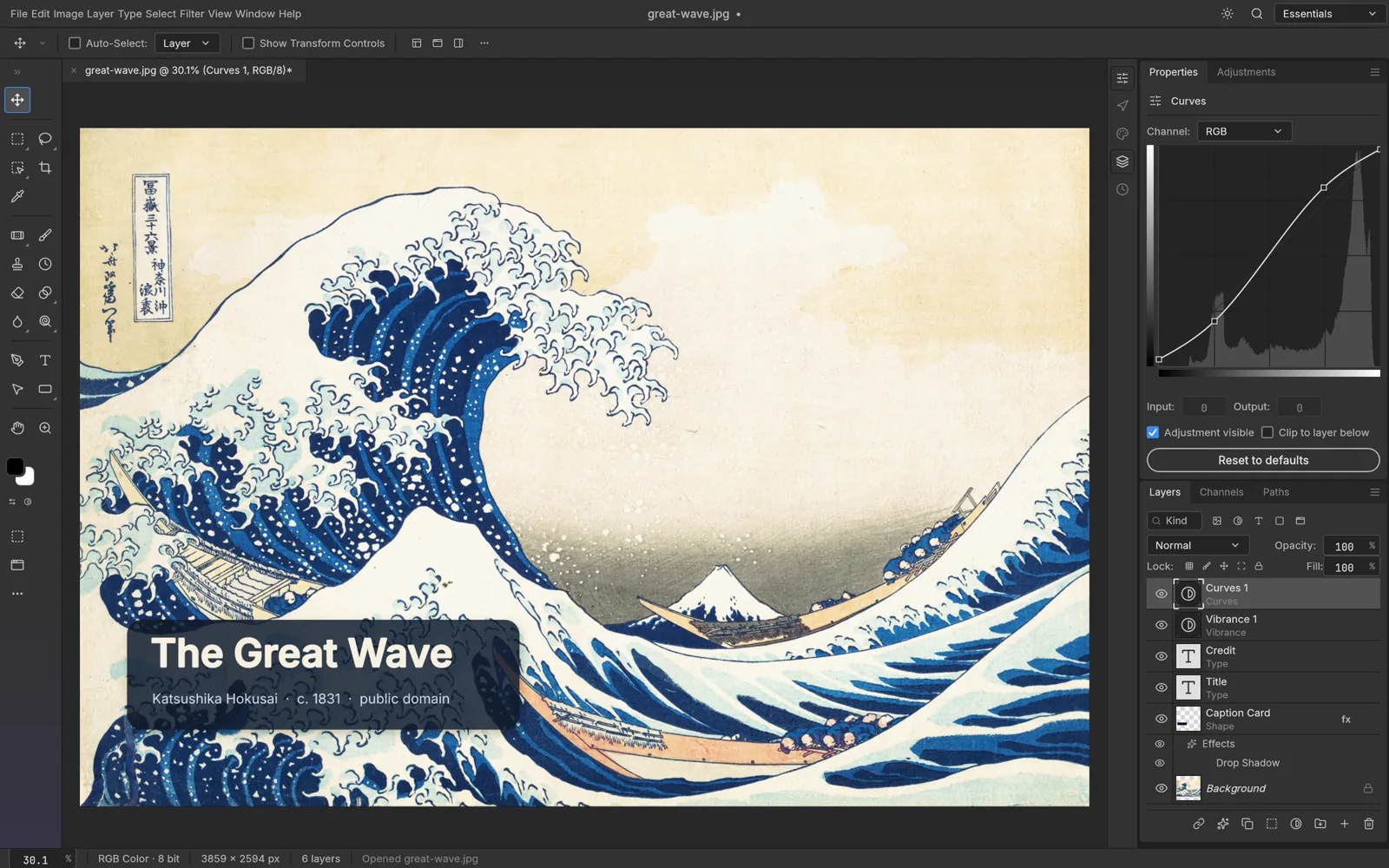
PhotoCraft editing The Great Wave off Kanagawa with a Curves adjustment and type layers in the Layers panel
image
02
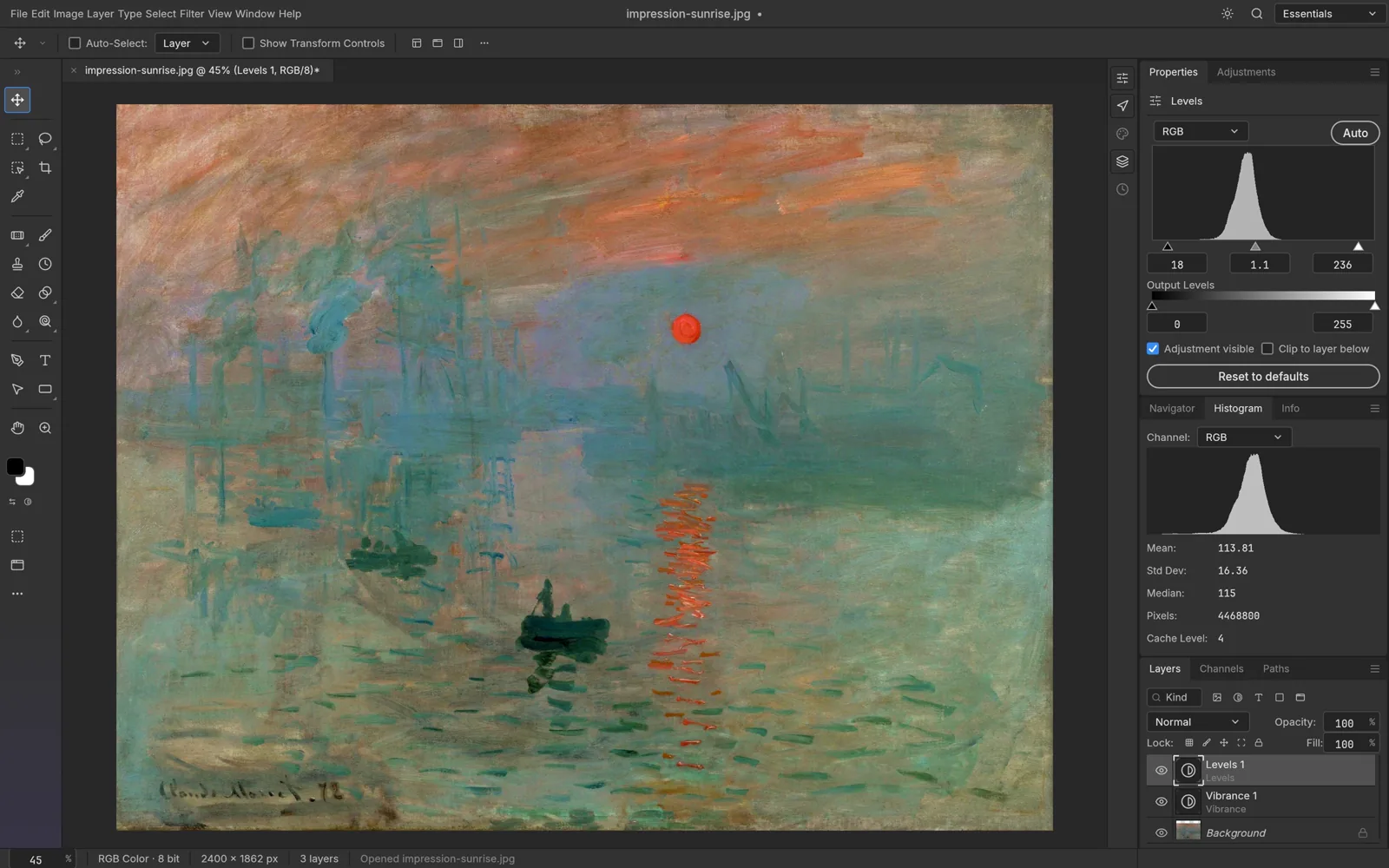
PhotoCraft applying a Levels adjustment layer to Impression, Sunrise with the histogram panel open
image
03
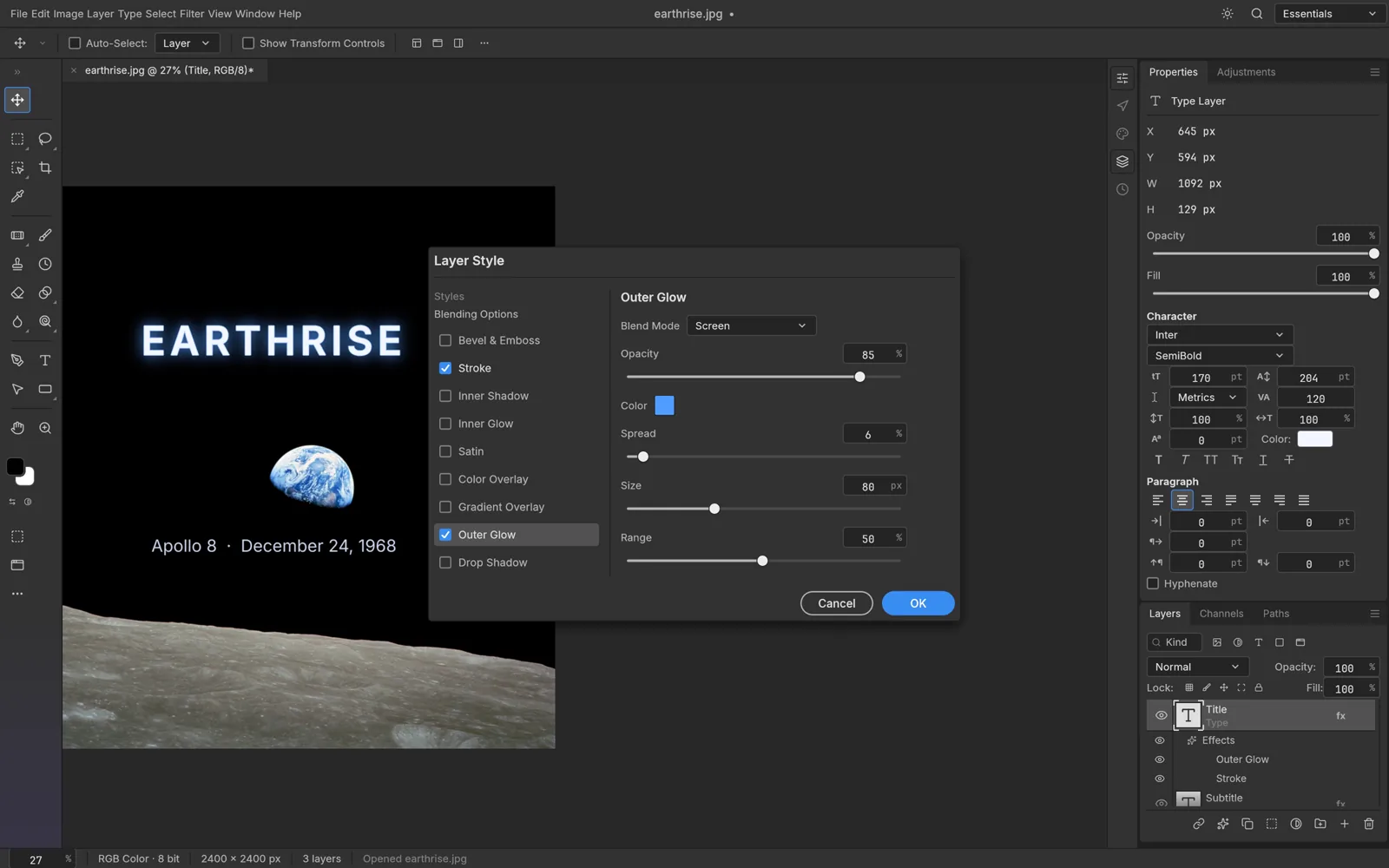
PhotoCraft's Layer Style dialog adding an outer glow and stroke to the word Earthrise
image
04
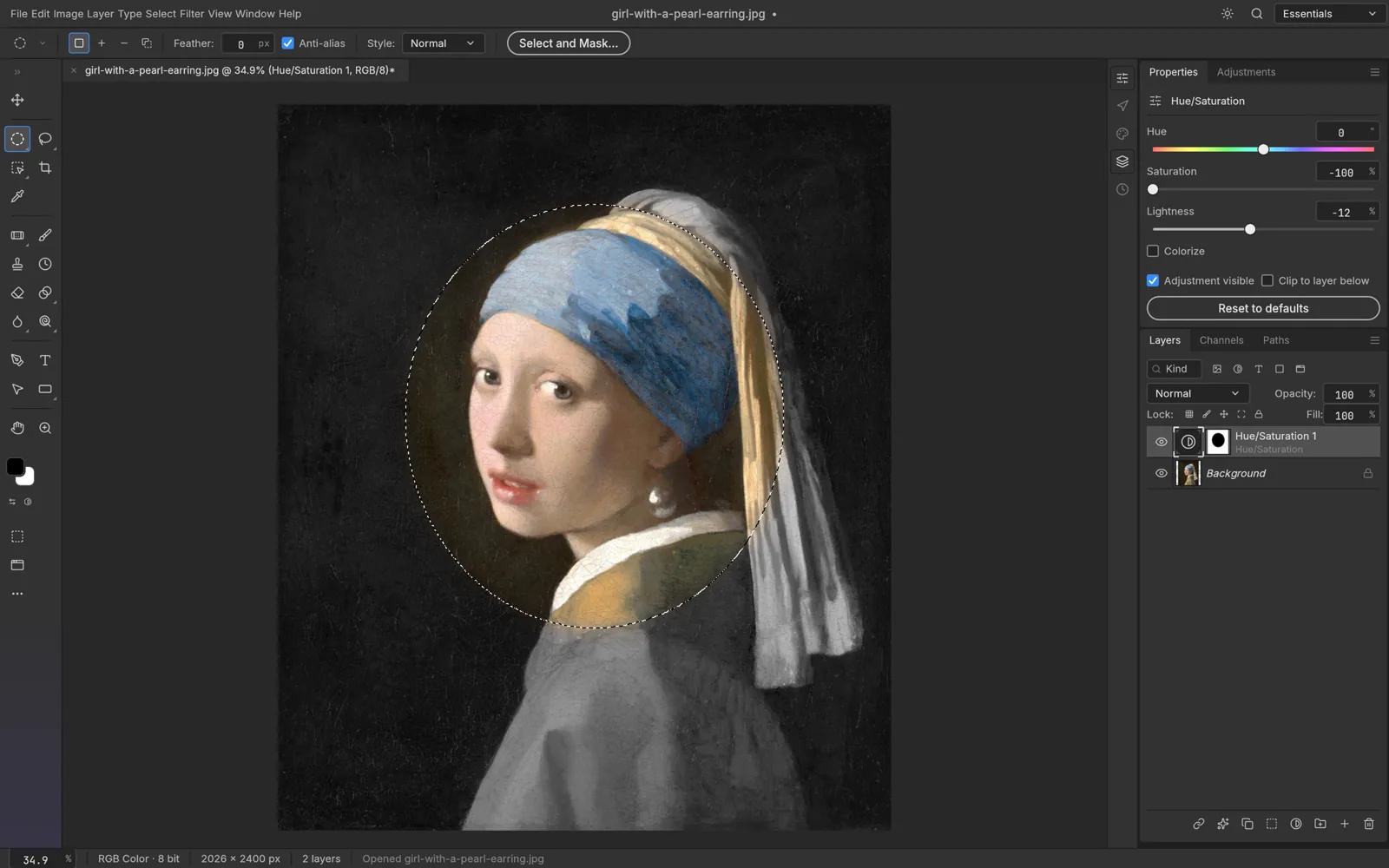
PhotoCraft with an elliptical selection and a Hue/Saturation adjustment on Girl with a Pearl Earring
image
05
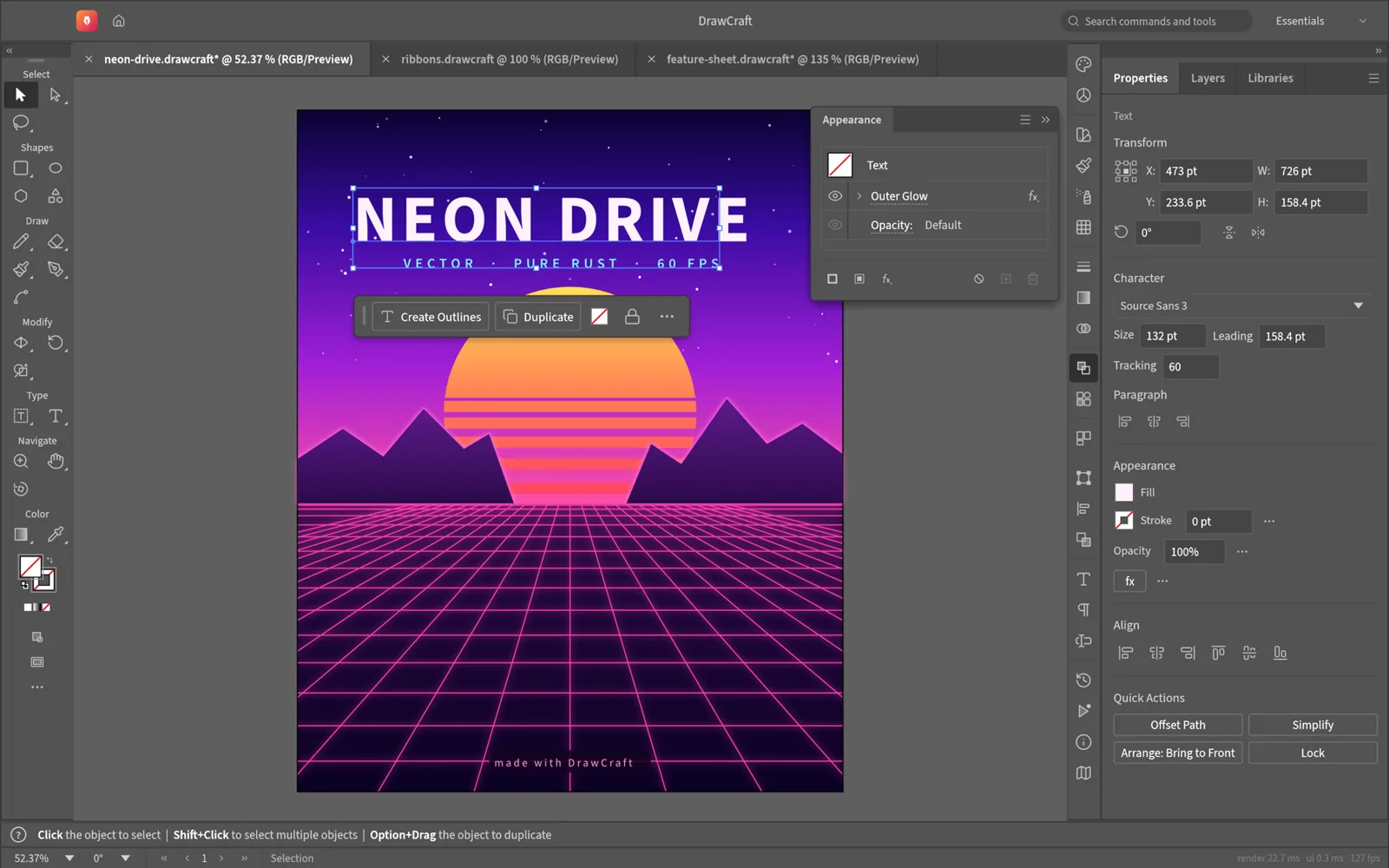
VectorCraft editing the Neon Drive poster: the title is selected, the Appearance panel lists its live outer glow, and the Properties panel shows its character settings
image
06
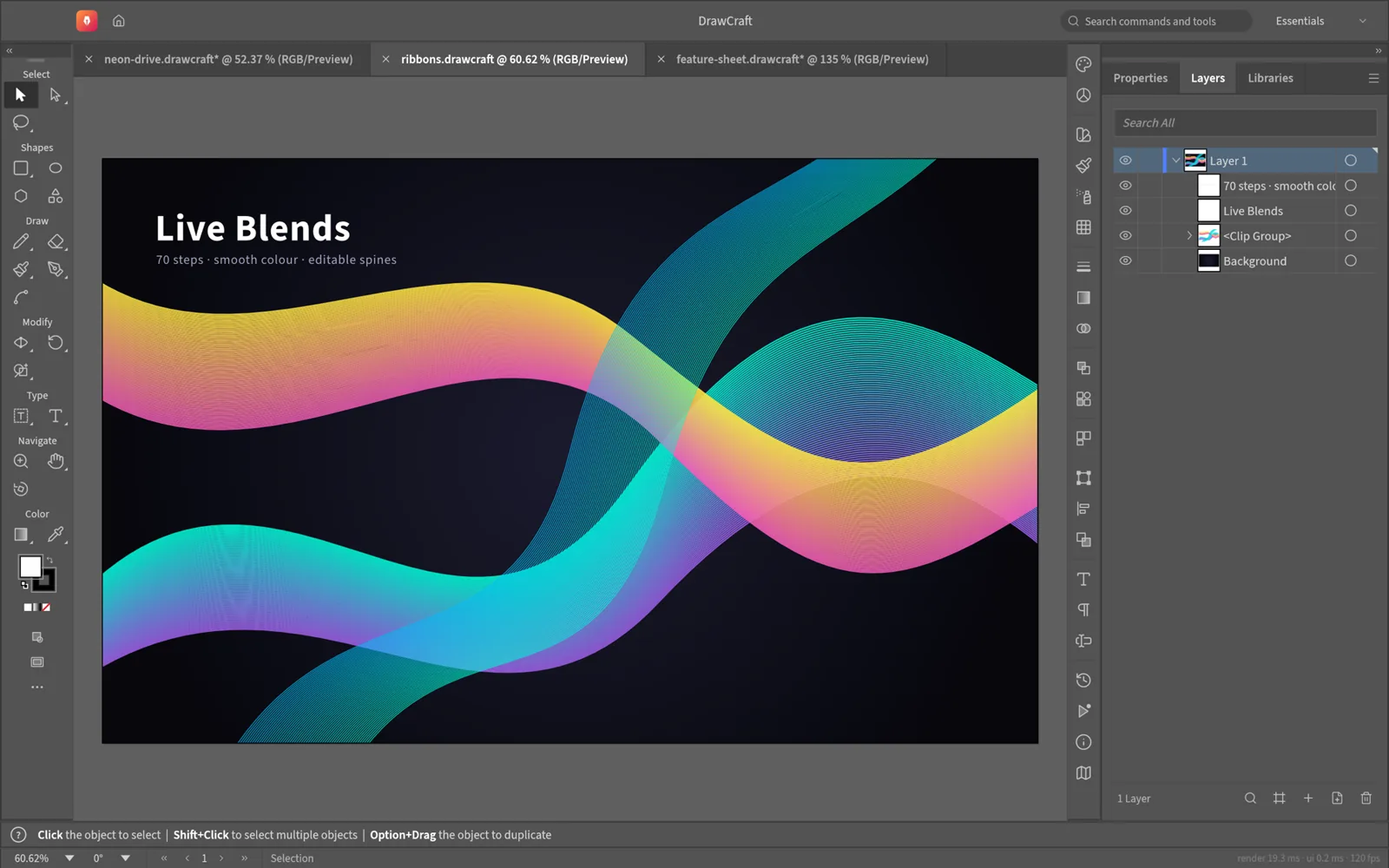
VectorCraft showing three live blend ribbons clipped to the artboard, one selected with its key paths, and the Layers panel listing the clip group and blends
image
07
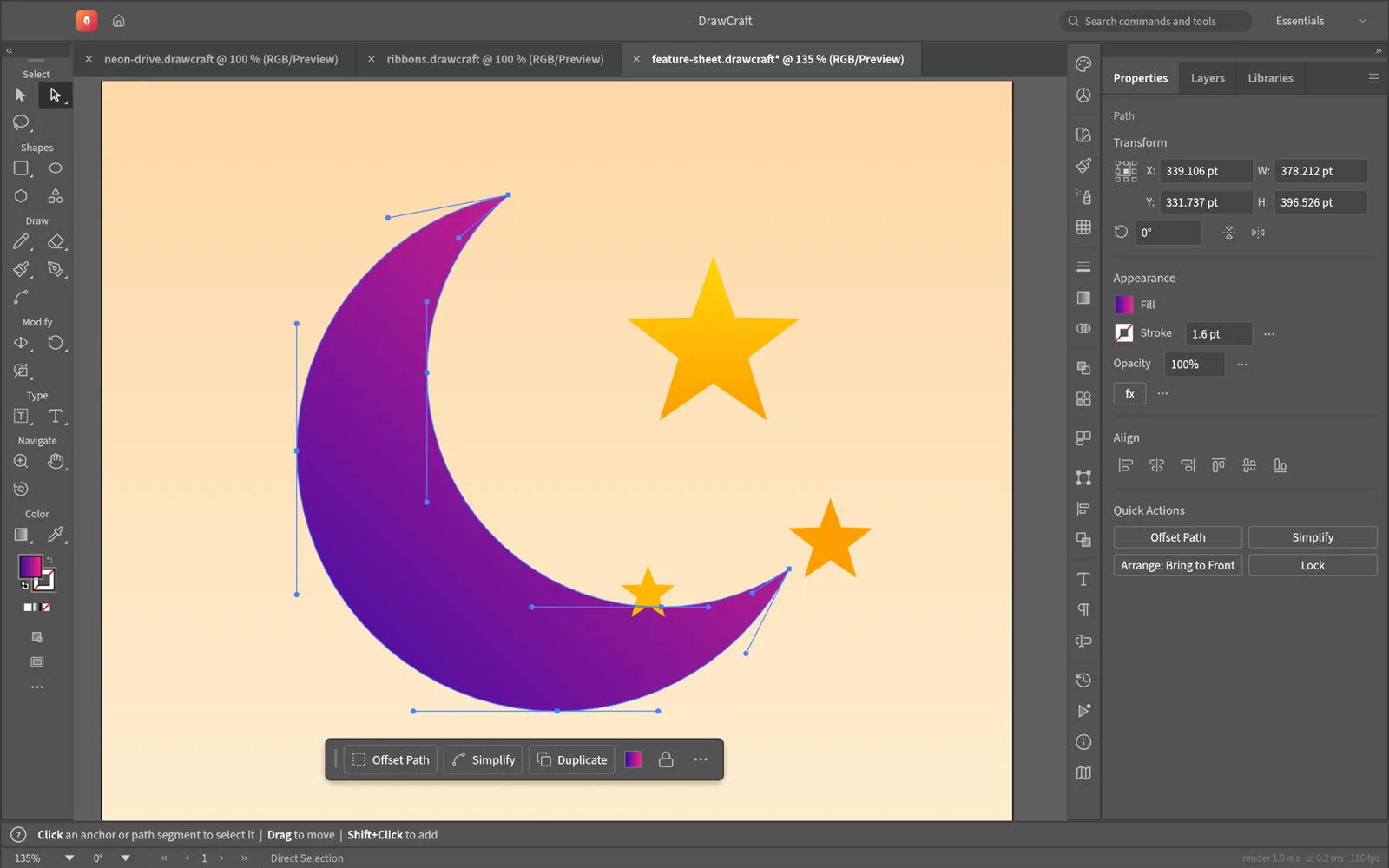
VectorCraft direct-selecting the anchor points and bezier handles of a crescent moon, with the contextual task bar below it
image
08
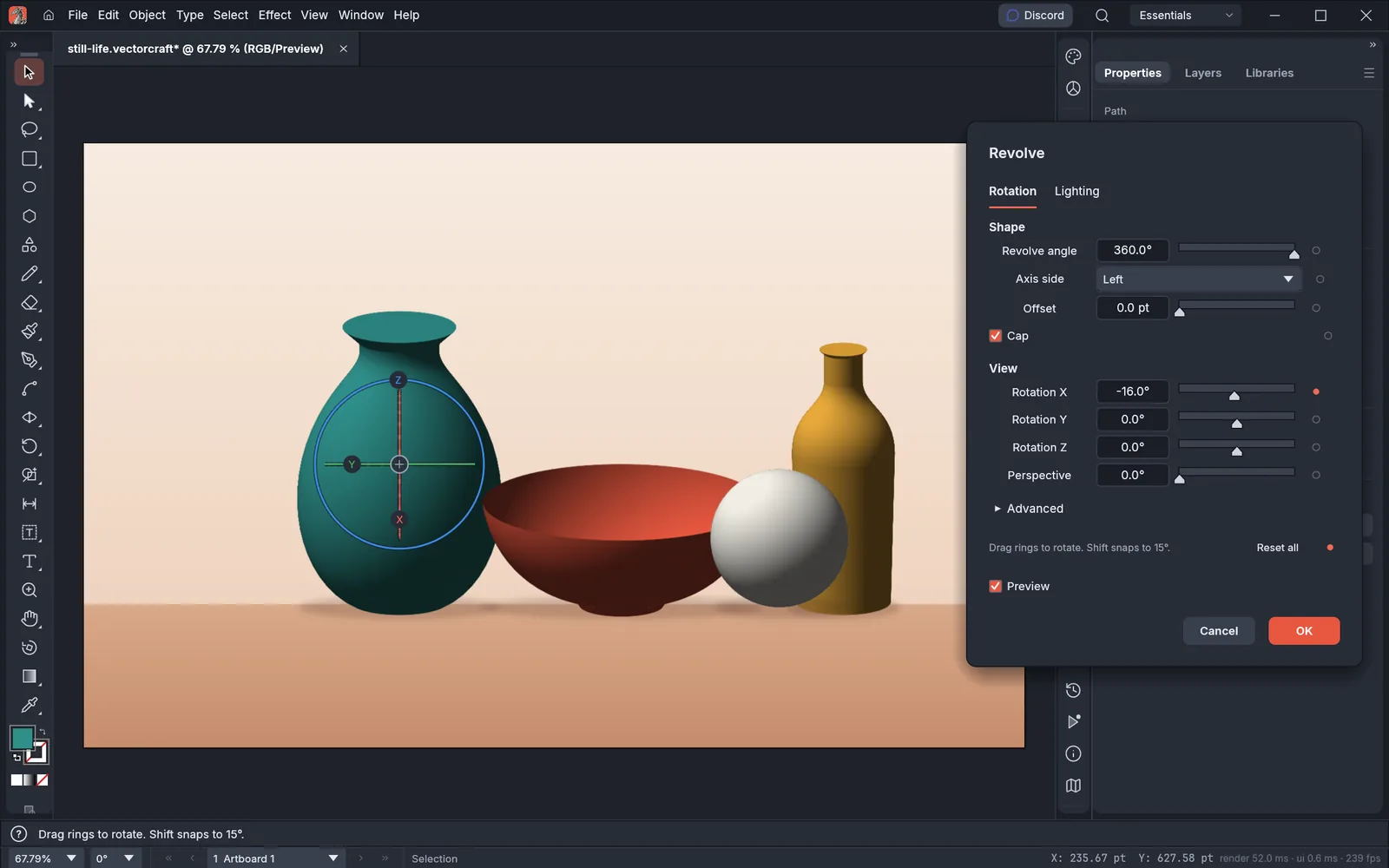
VectorCraft with a still life of a vase, a bowl, a sphere and a bottle made with 3D revolve; the vase is selected and the Revolve dialog shows its rotation, cap and view settings beside the rotation gizmo
image
09
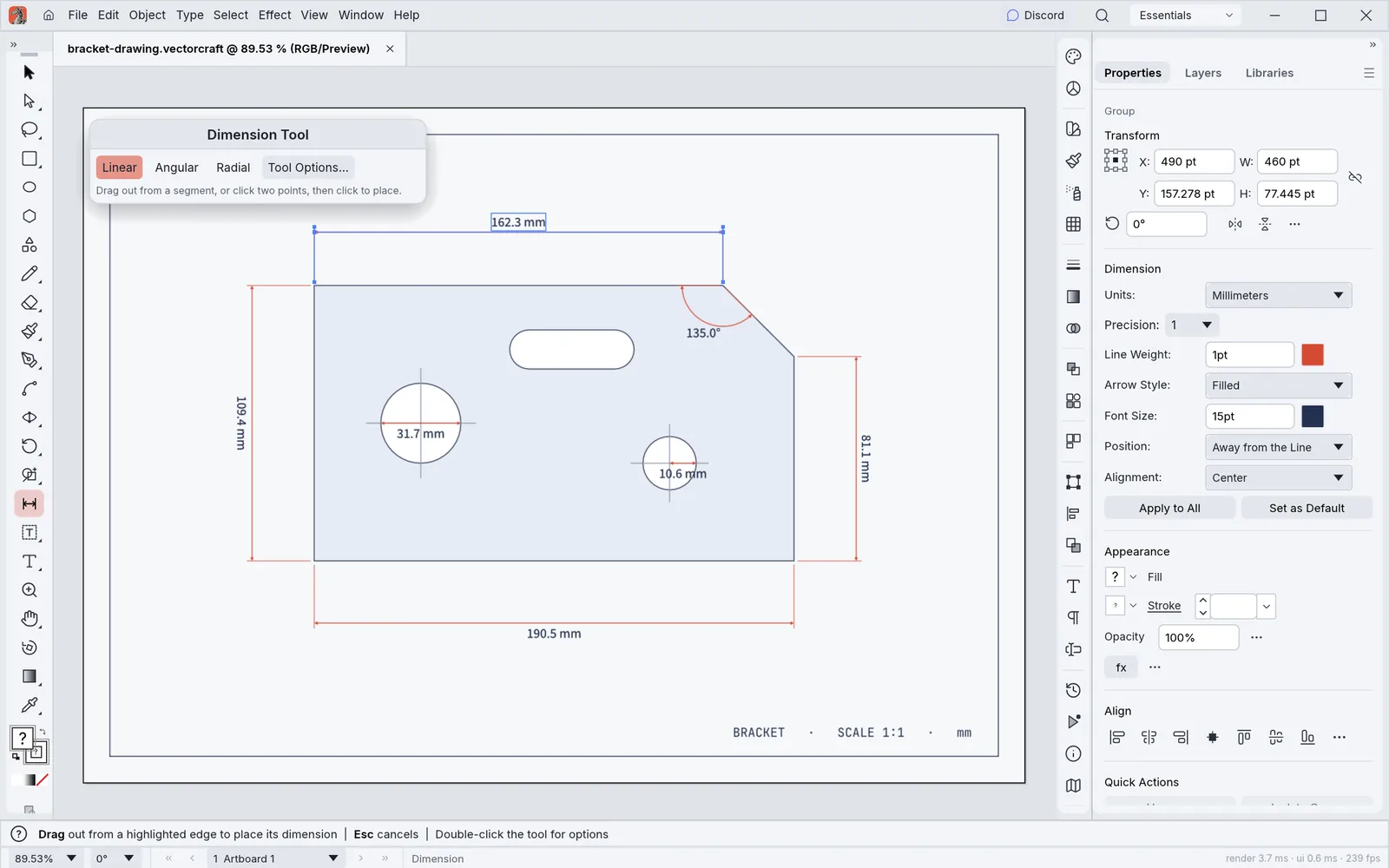
VectorCraft in its light theme with a bracket drawing measured by linear, angular, diameter and radius dimensions, the Dimension tool active and the Properties panel showing the selected dimension's units, precision and style
image
10
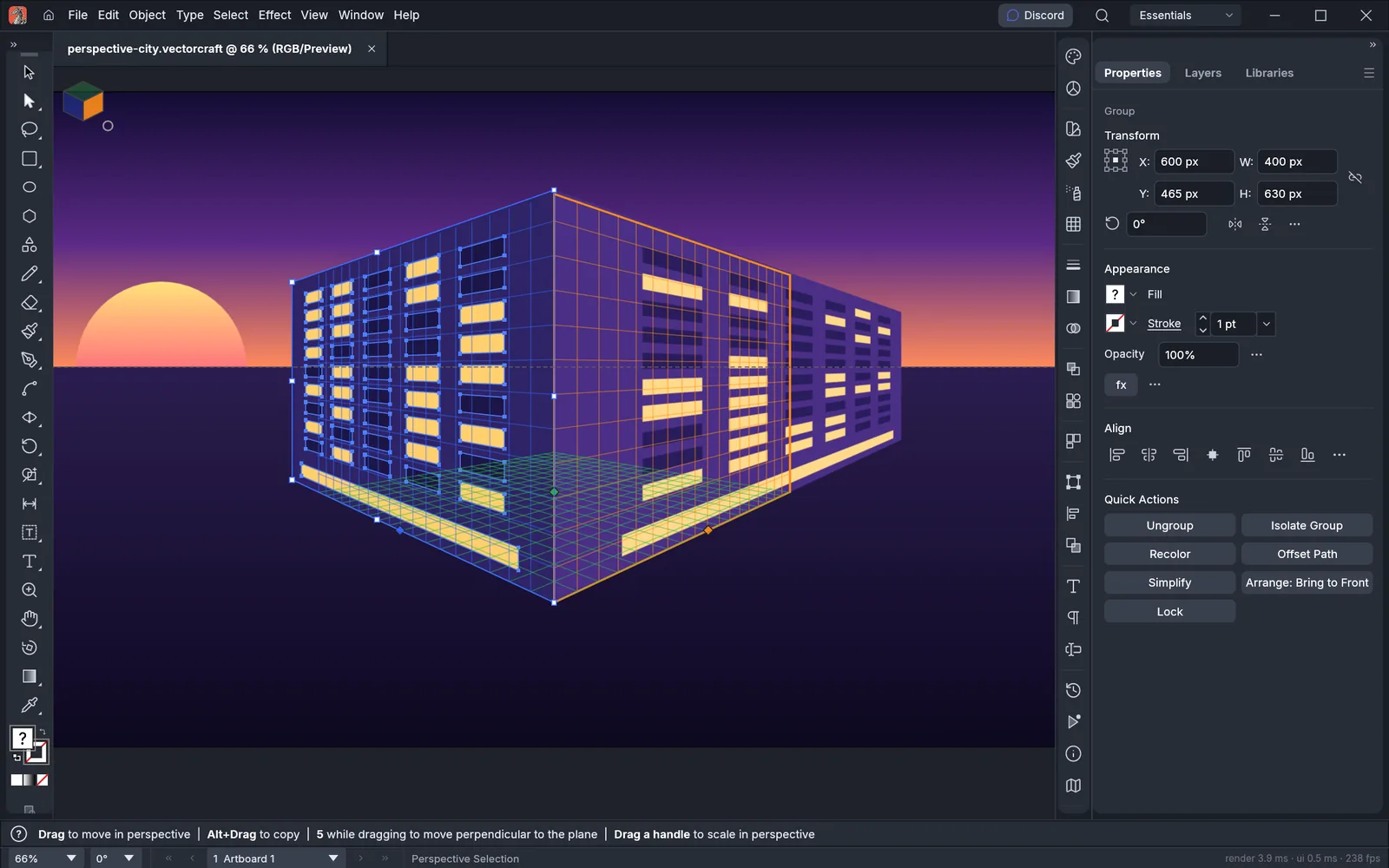
VectorCraft with two lit building facades drawn on the left and right planes of a two-point perspective grid at sunset
image
11
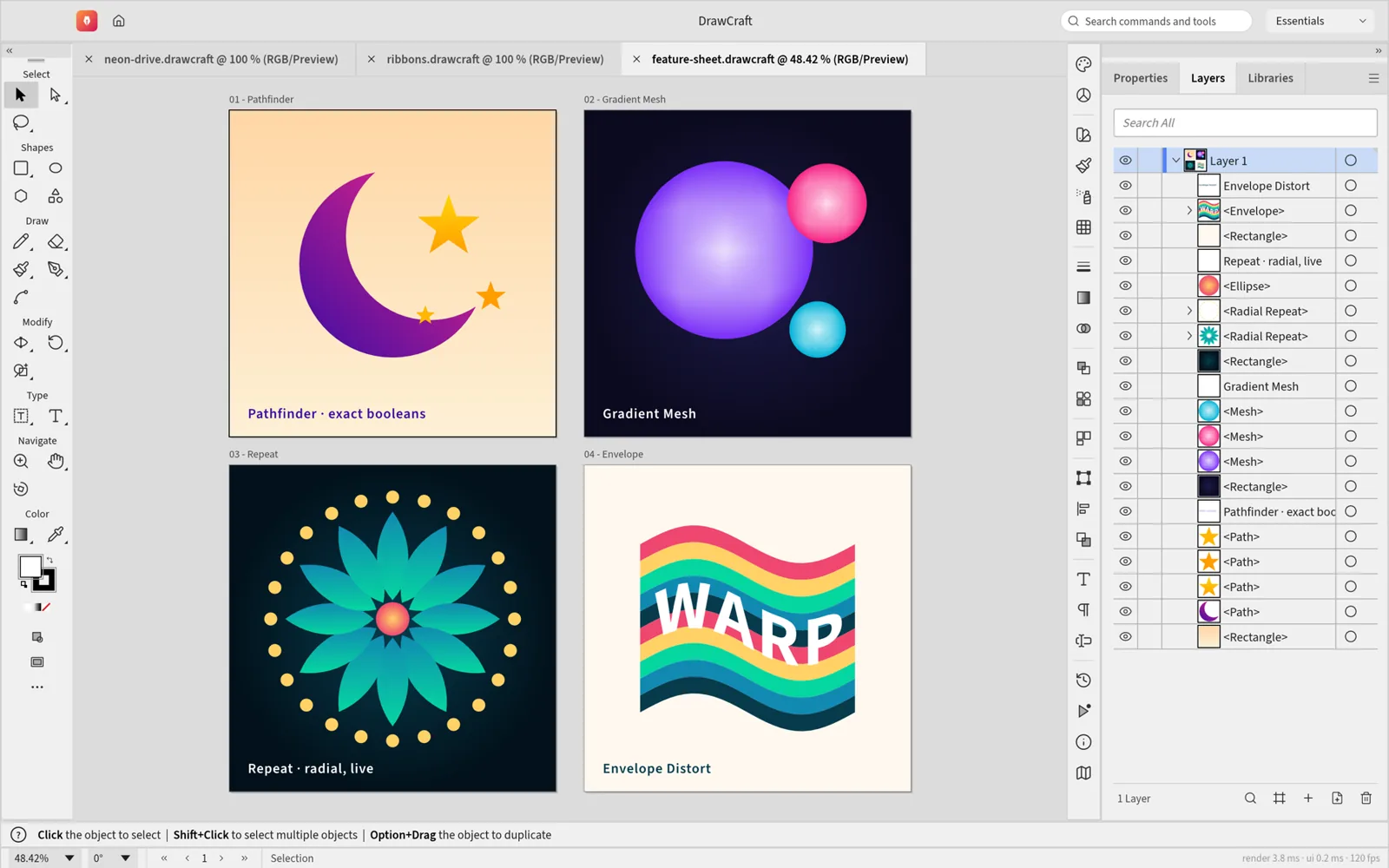
VectorCraft in its light theme with four artboards: shape booleans, a gradient mesh, a live radial repeat and an envelope distort
image
12
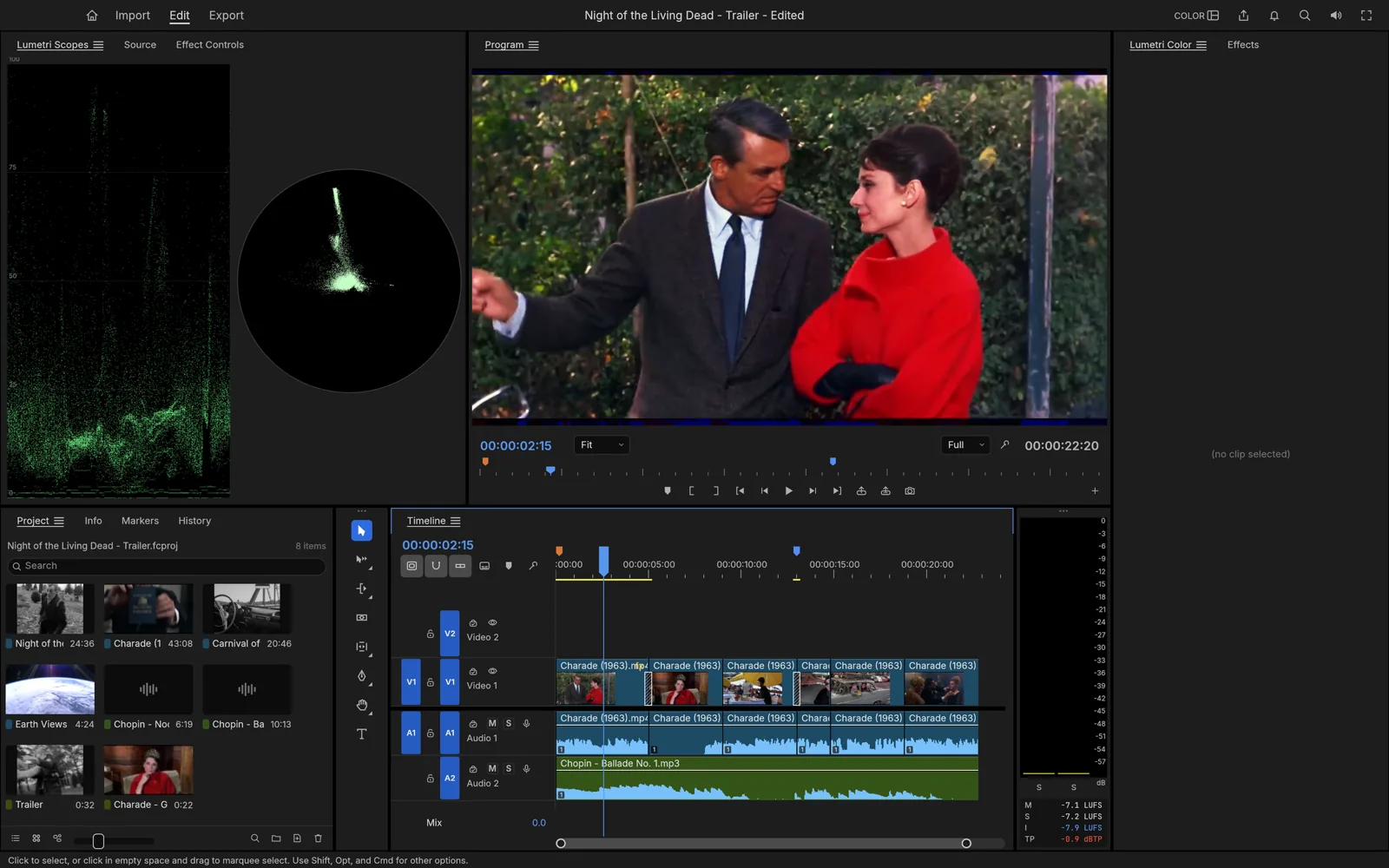
FilmCraft with video scopes, the program monitor showing Charade (1963), and a multi-track timeline
image
13
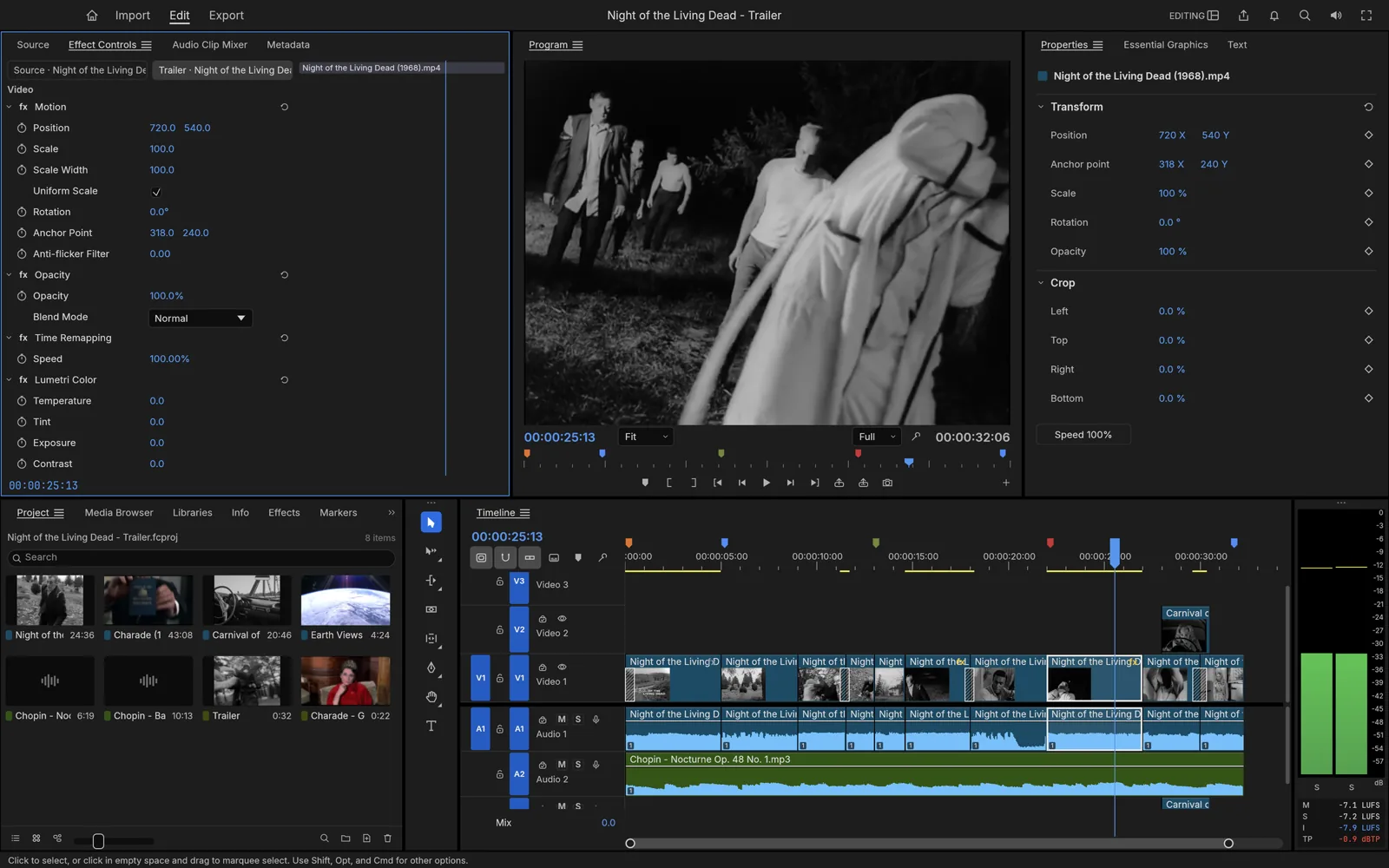
FilmCraft's effect controls and timeline editing Night of the Living Dead (1968)
image
14
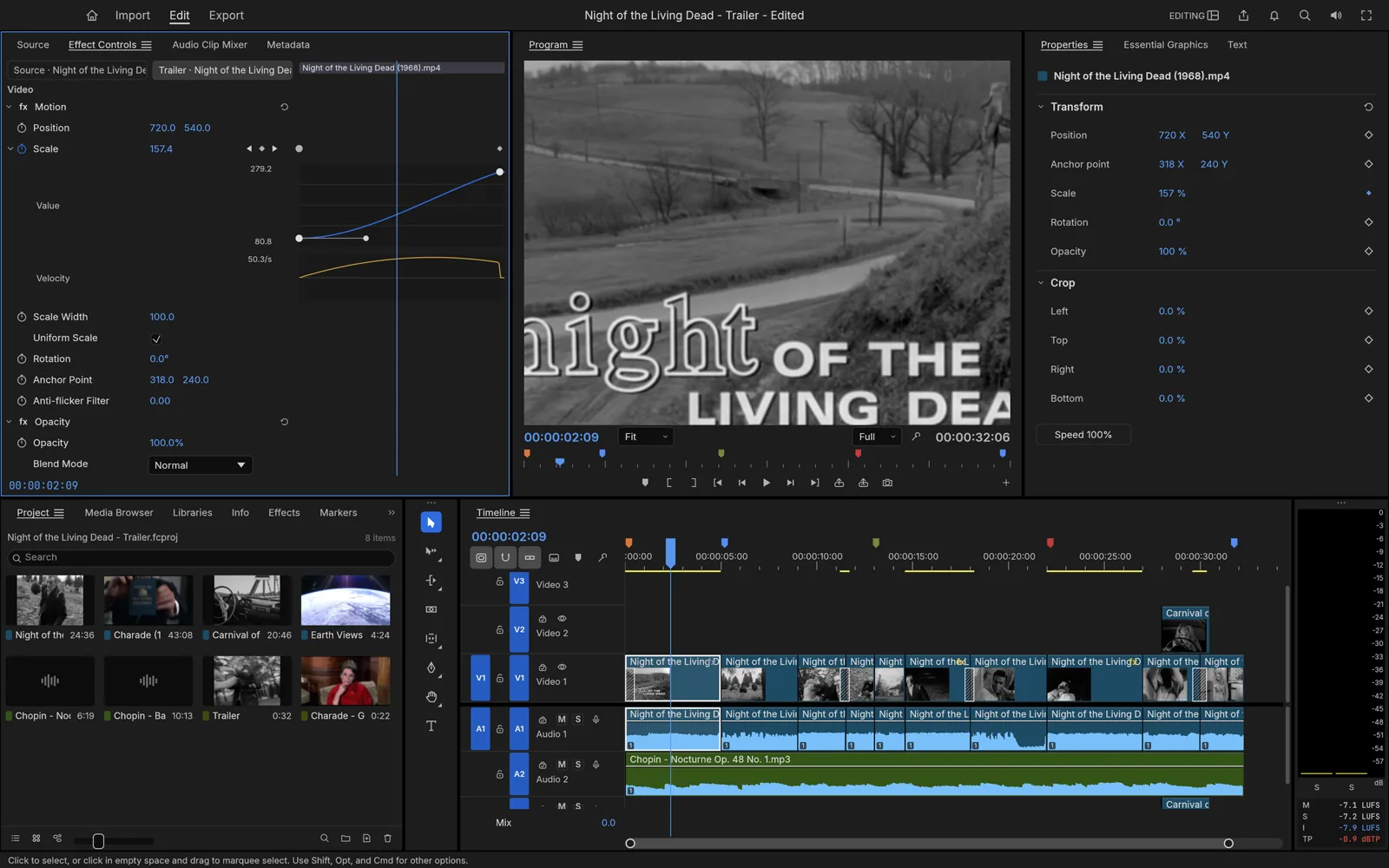
FilmCraft keyframing scale with value and velocity graphs on a title shot
image
15
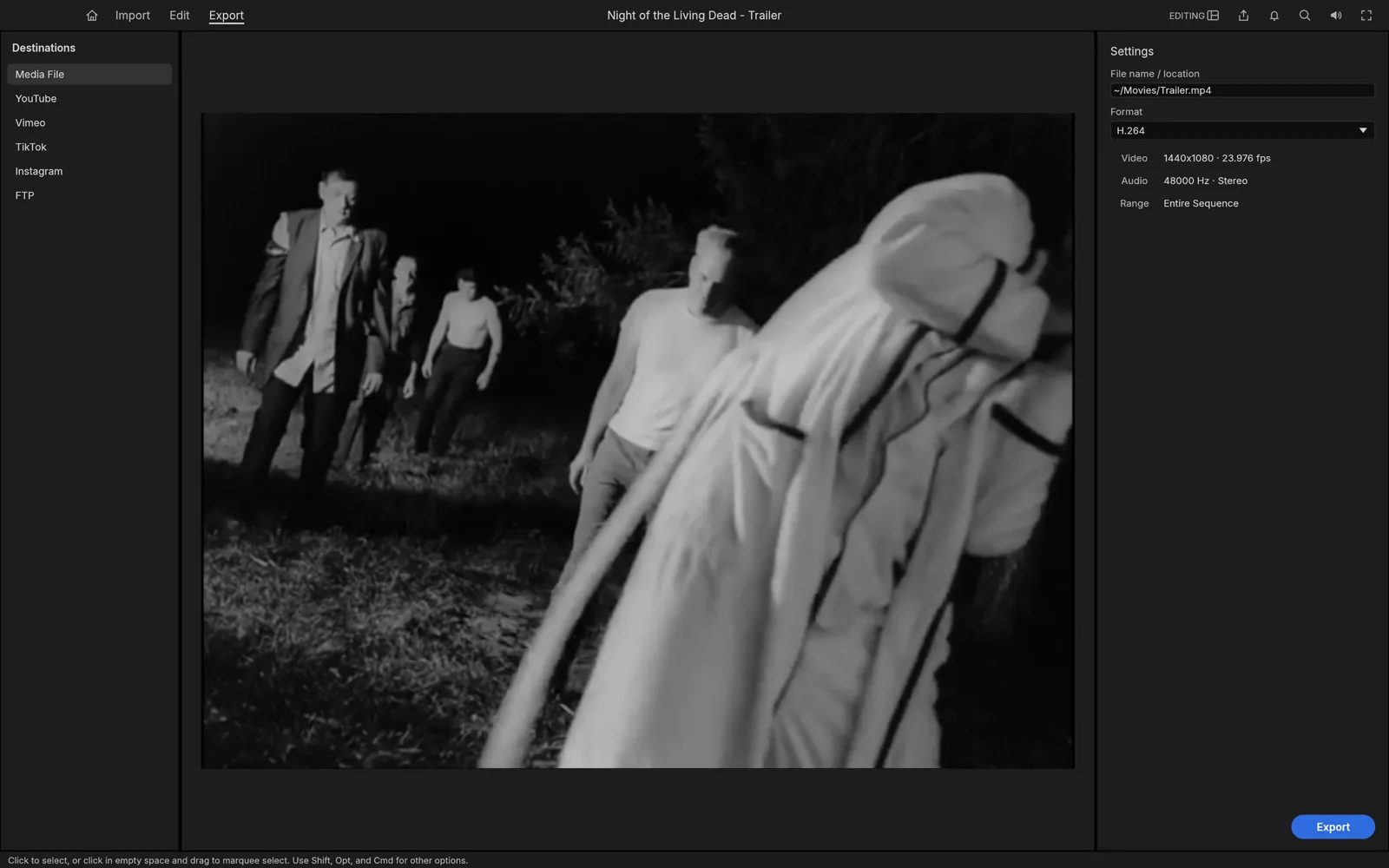
FilmCraft export screen with H.264 settings and destination presets
image
16
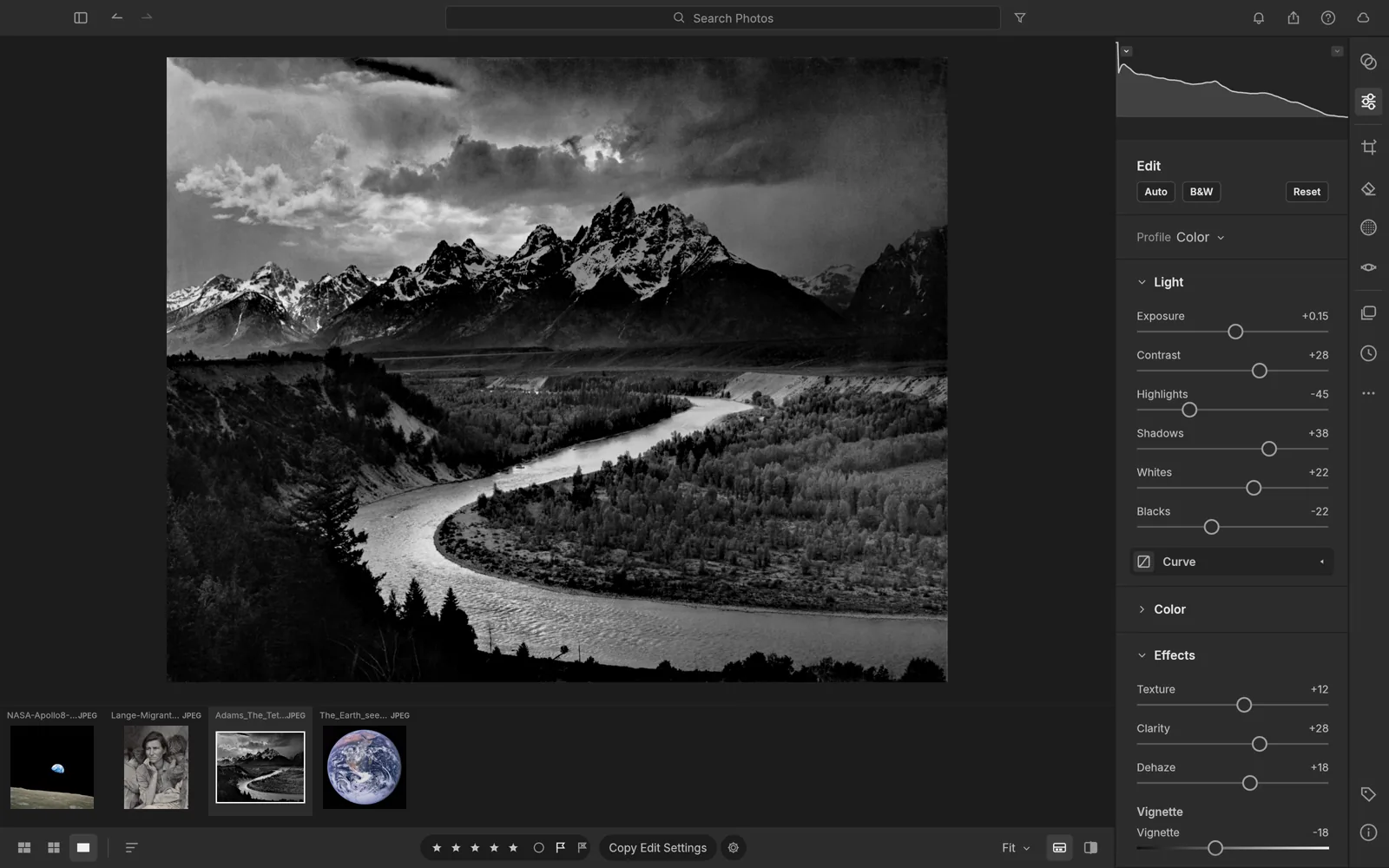
LightCraft developing Ansel Adams' The Tetons and the Snake River with light and effects sliders
image
17
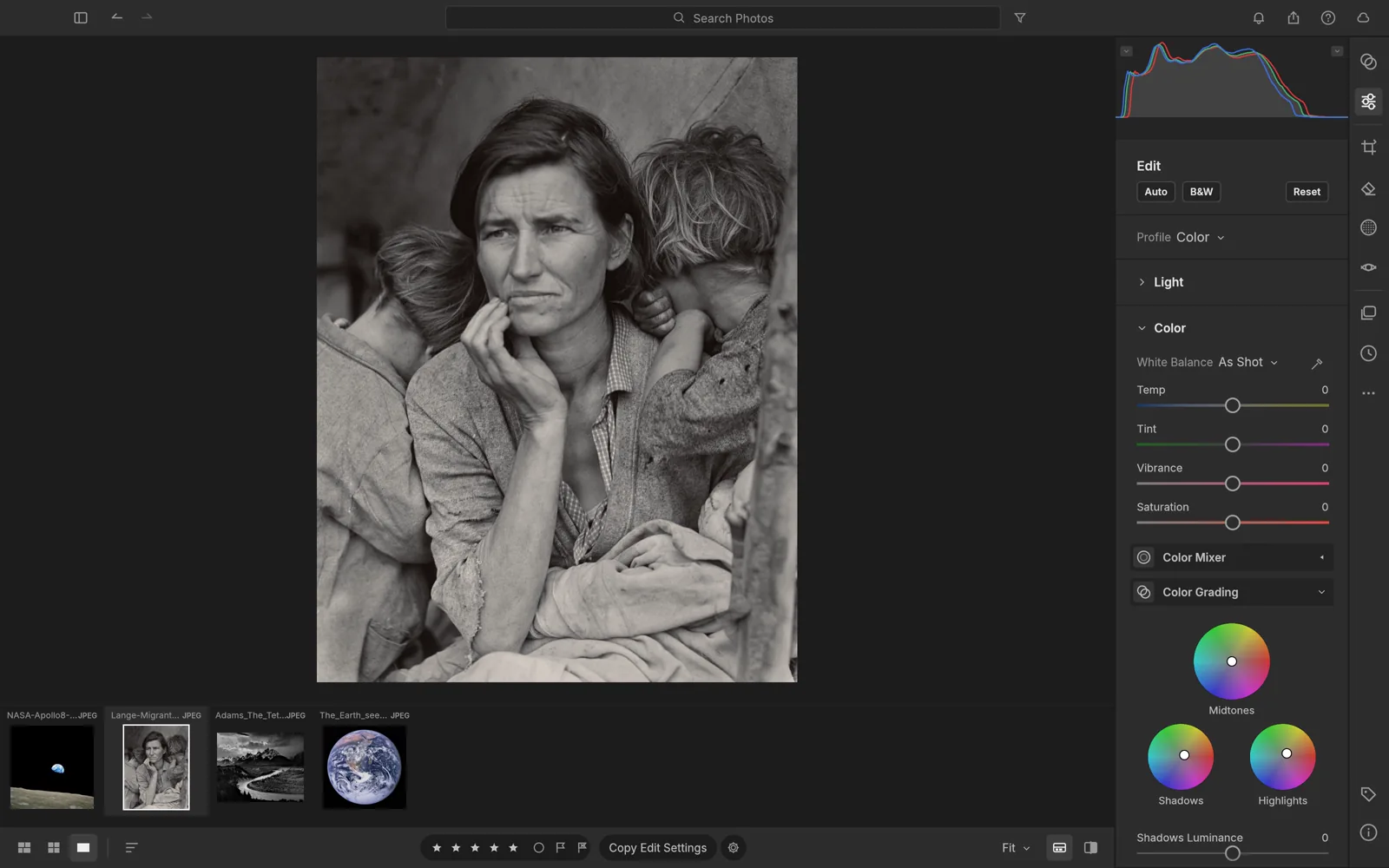
LightCraft color grading wheels applied to Dorothea Lange's Migrant Mother
image
18
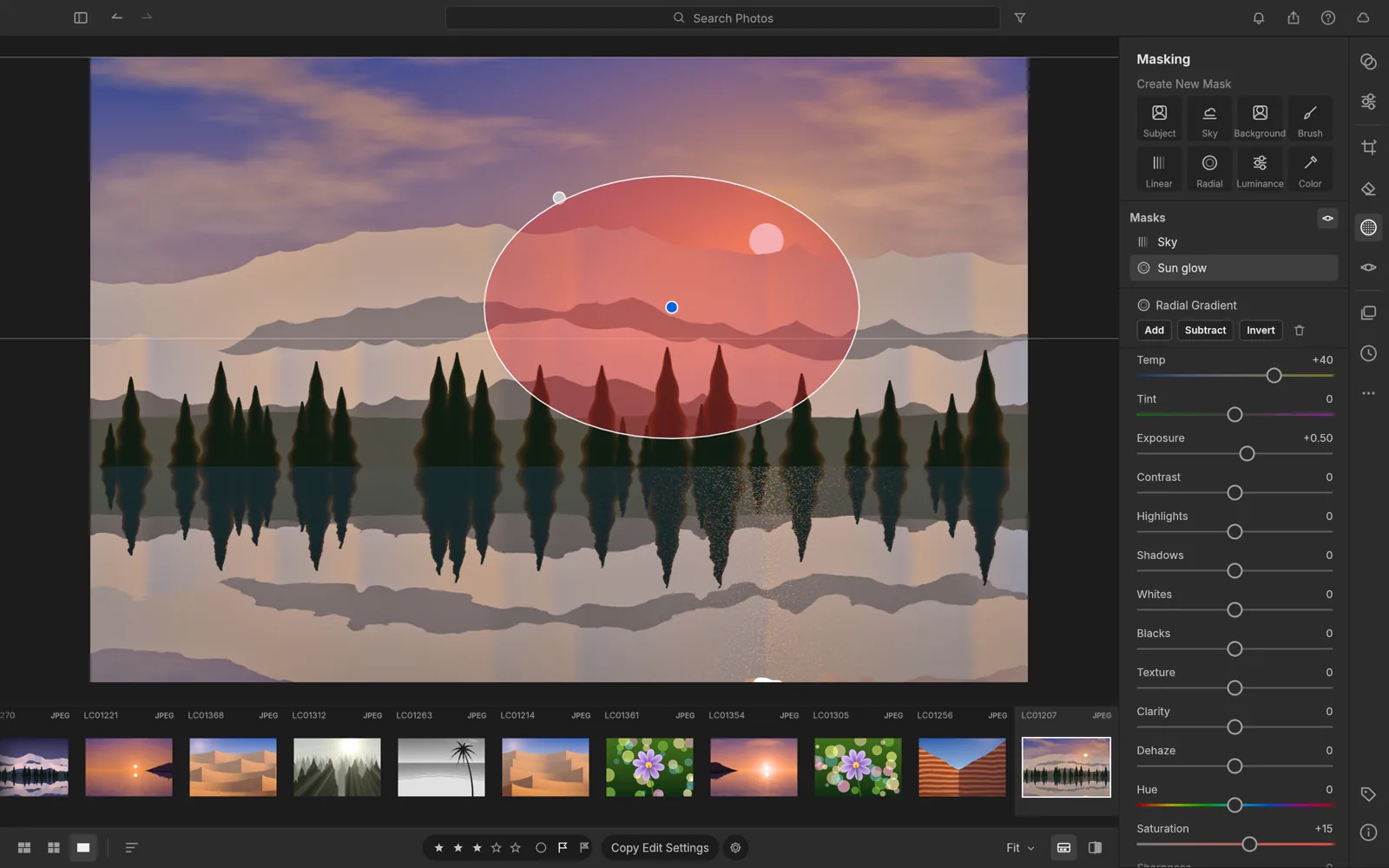
LightCraft masking panel with a radial gradient mask warming a sunset sky
image
19
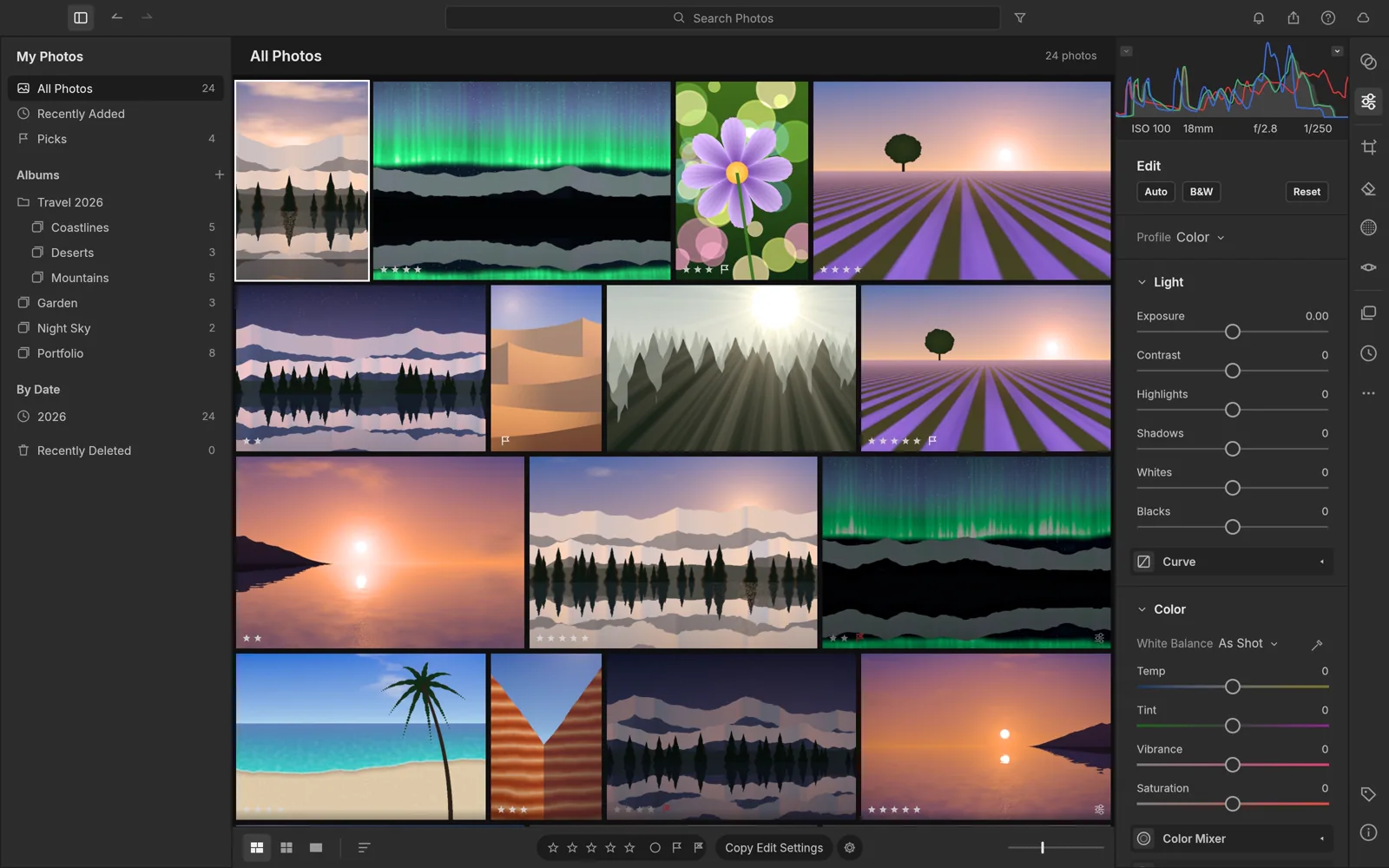
LightCraft library grid with albums, ratings and the develop panel
image
20
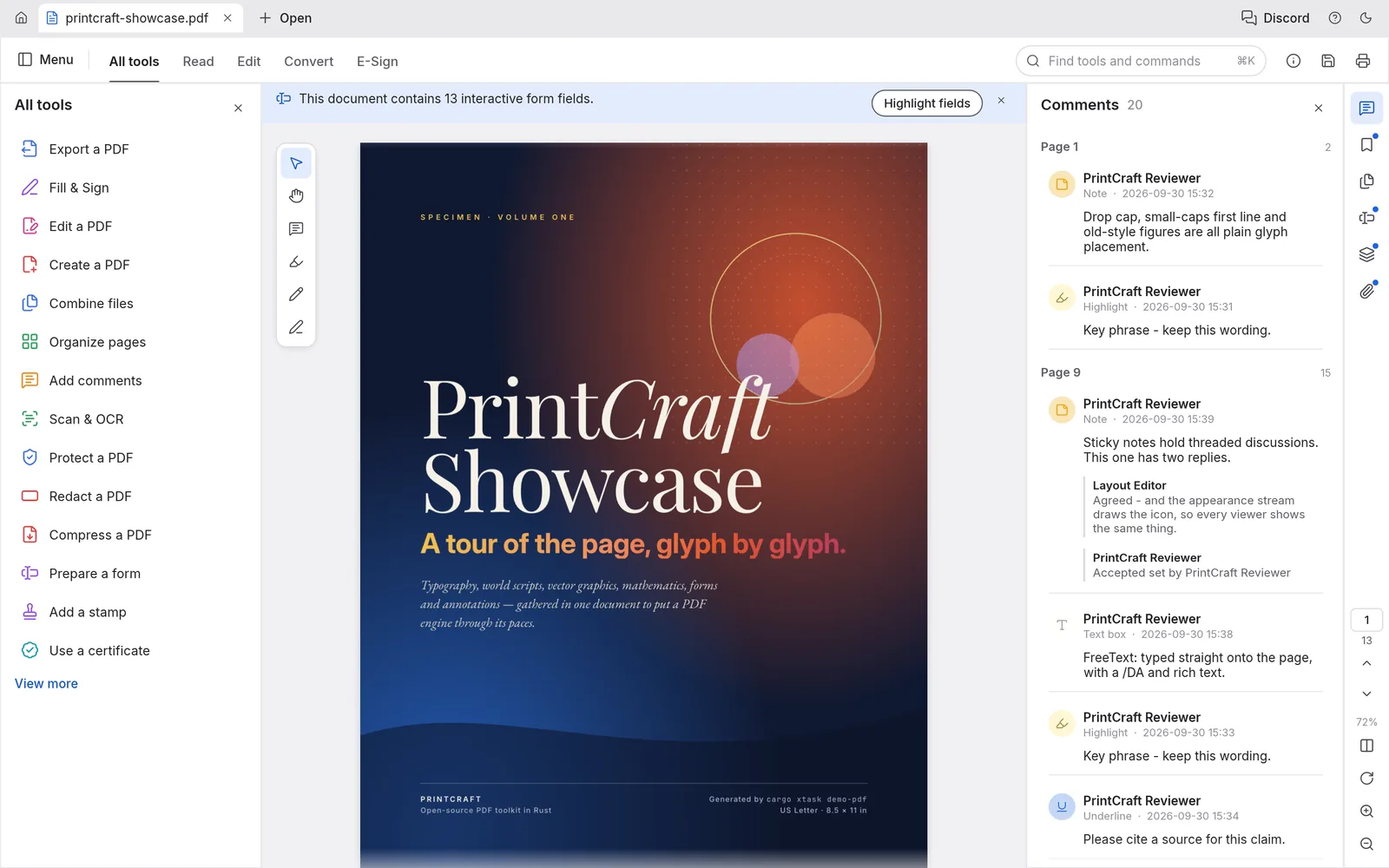
PdfCraft showing a showcase PDF cover with the All tools panel and threaded comments
image
21
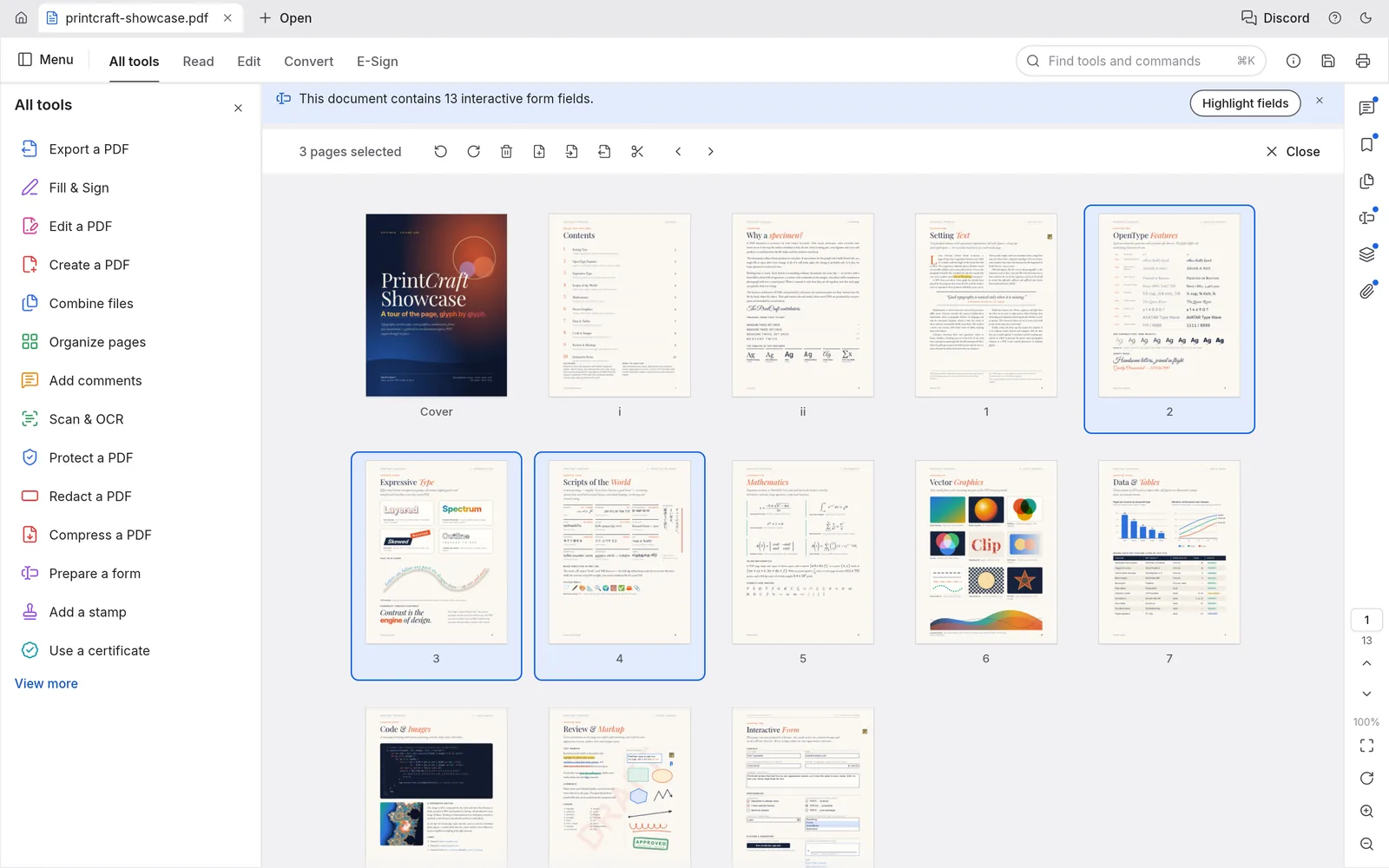
PdfCraft page organizer with three pages selected and the page tools in the toolbar above
image
22
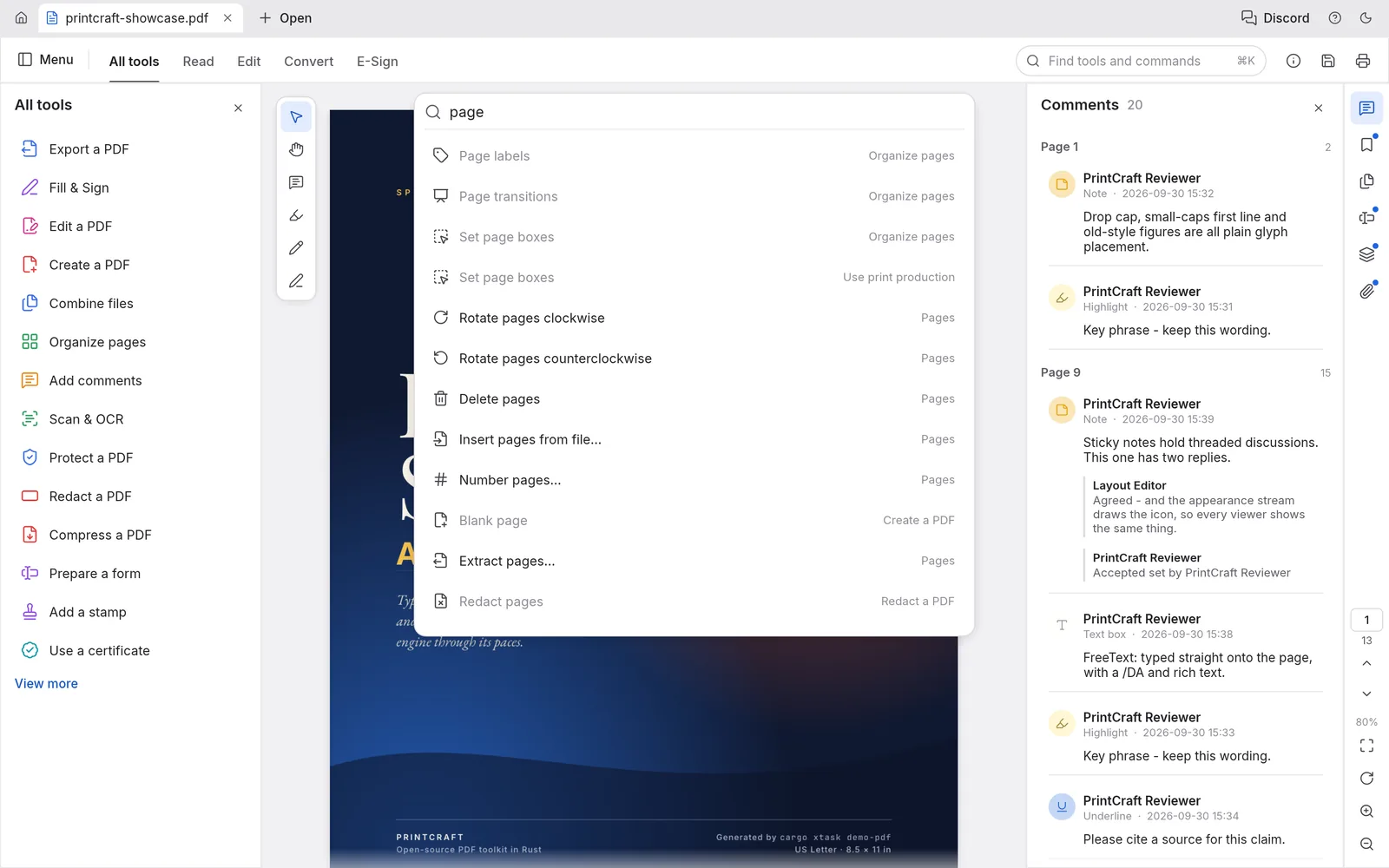
PdfCraft command palette searching for page and listing the page tools
image
23
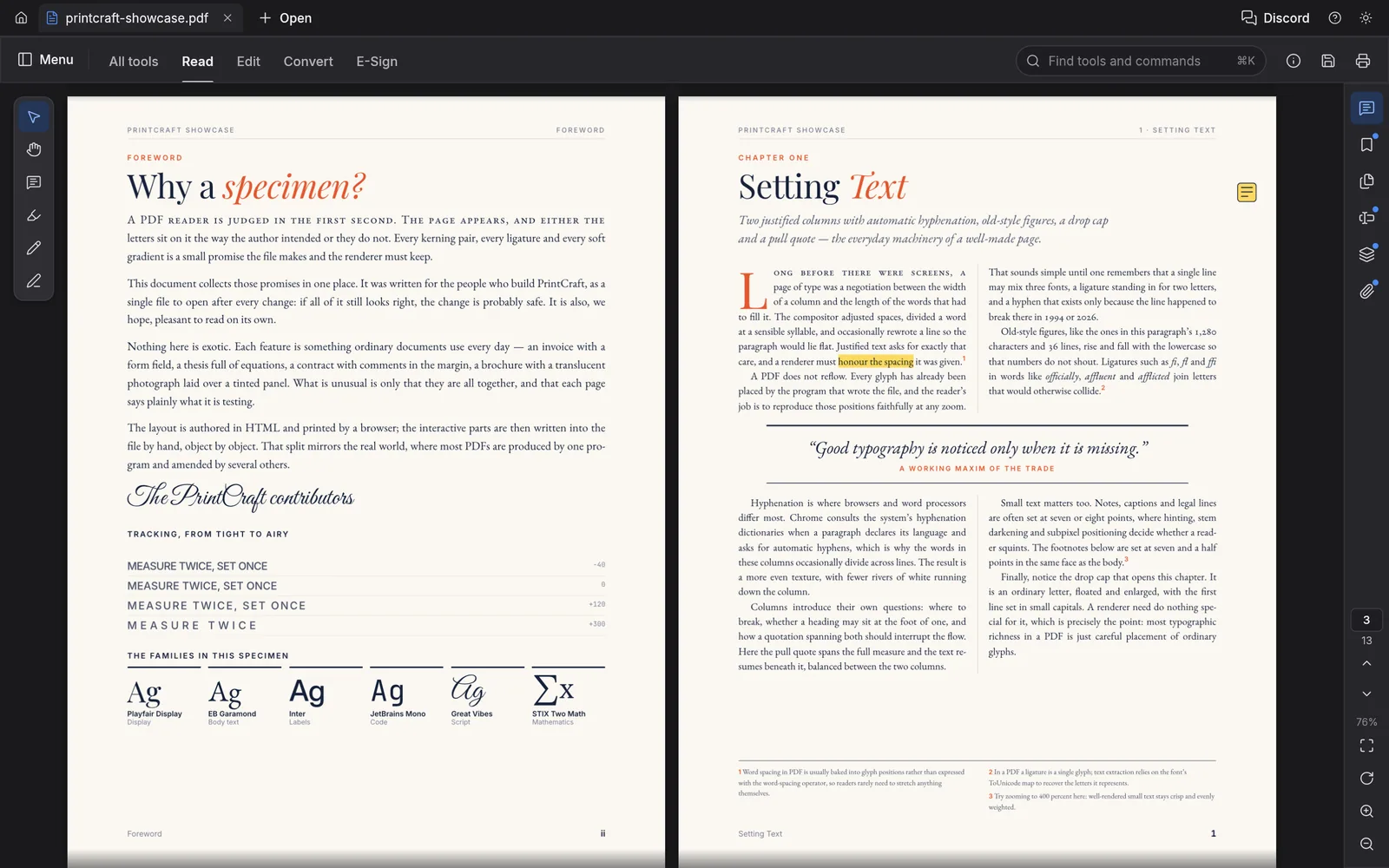
PdfCraft two-up Read mode in the dark theme showing typeset specimen pages
image
24
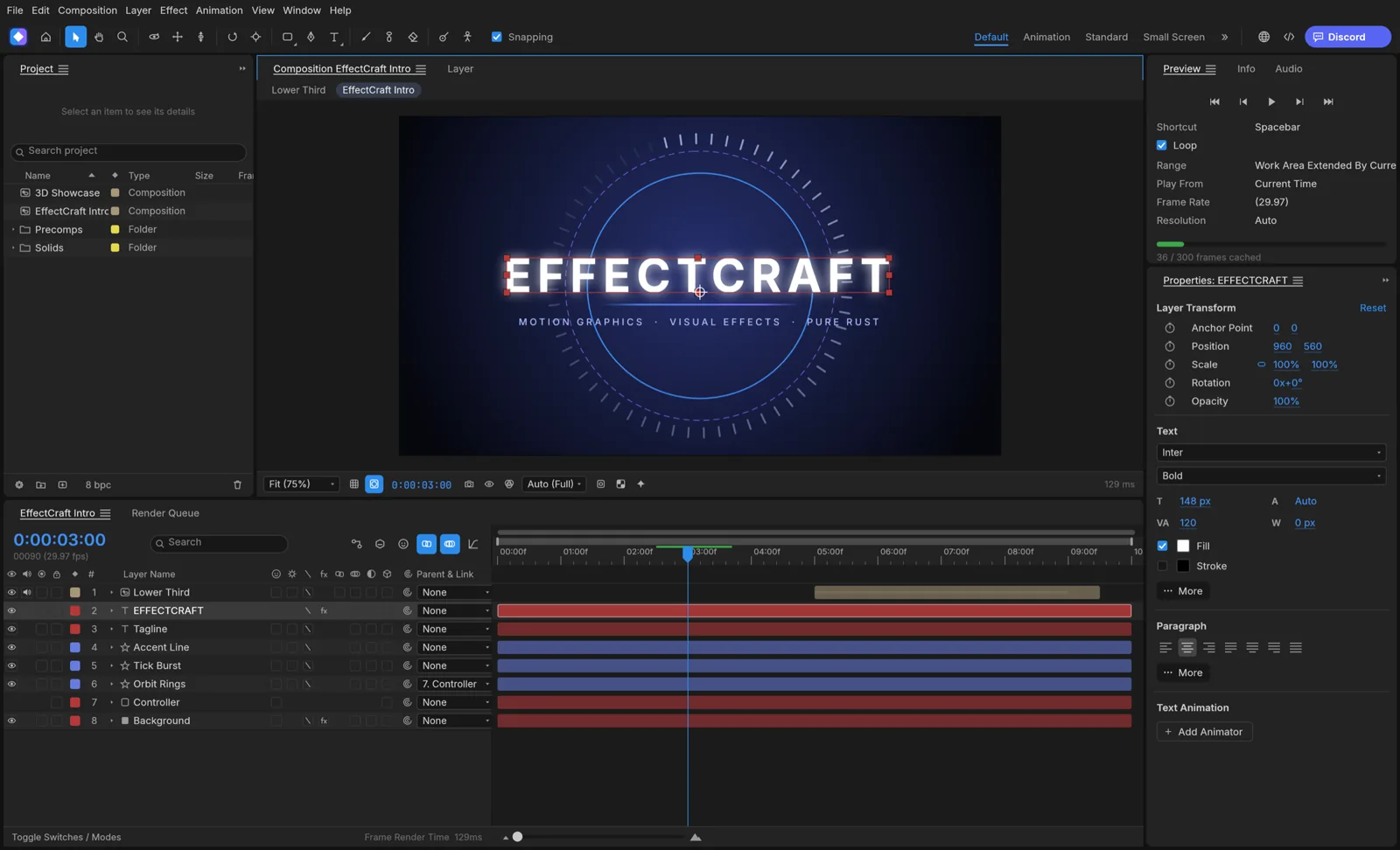
EffectCraft's composition panel showing an animated EFFECTCRAFT title, with the project panel, a timeline of text, shape and solid layers, and the properties panel
image
25
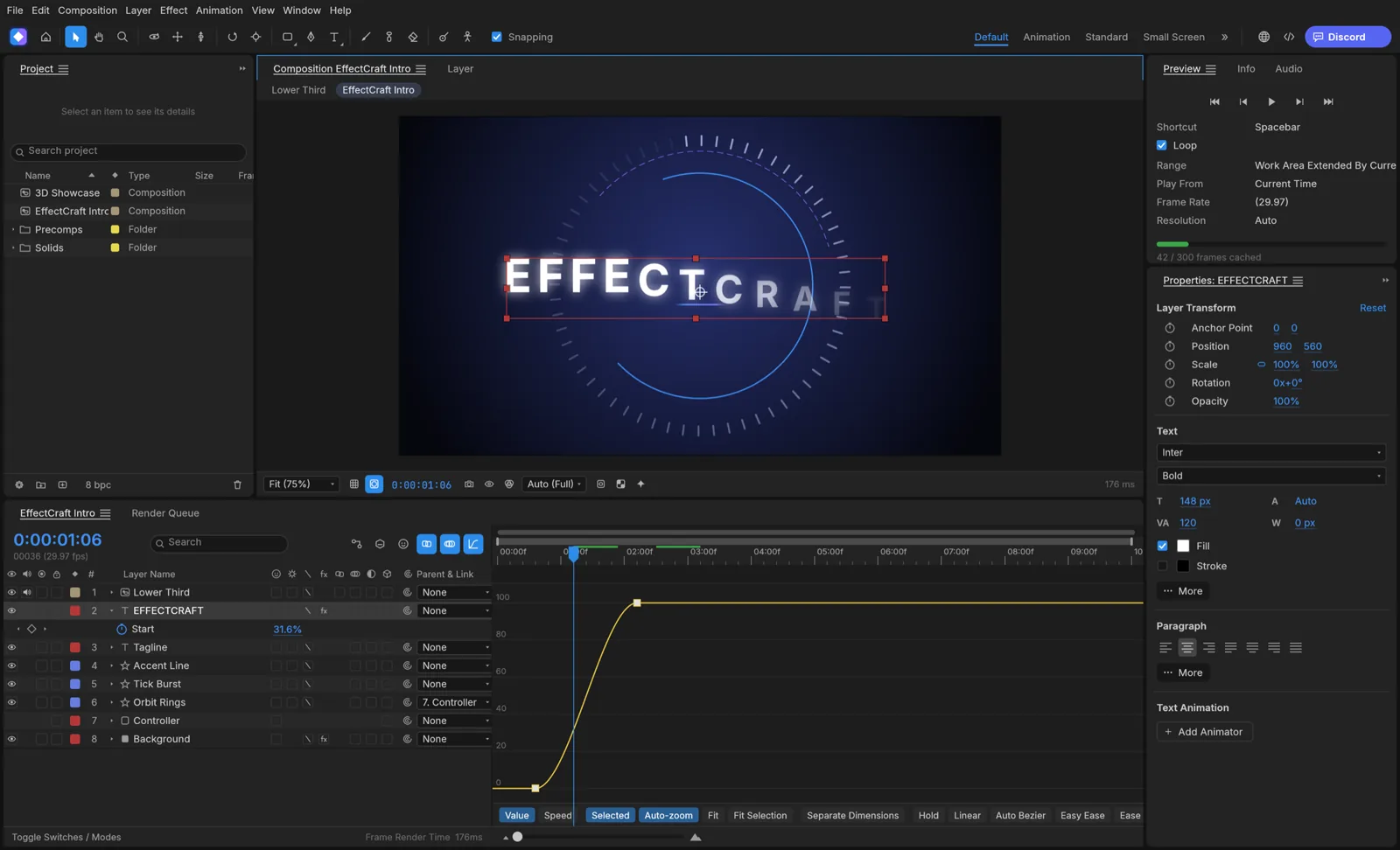
EffectCraft's graph editor showing an eased value curve for a text animator
image
26
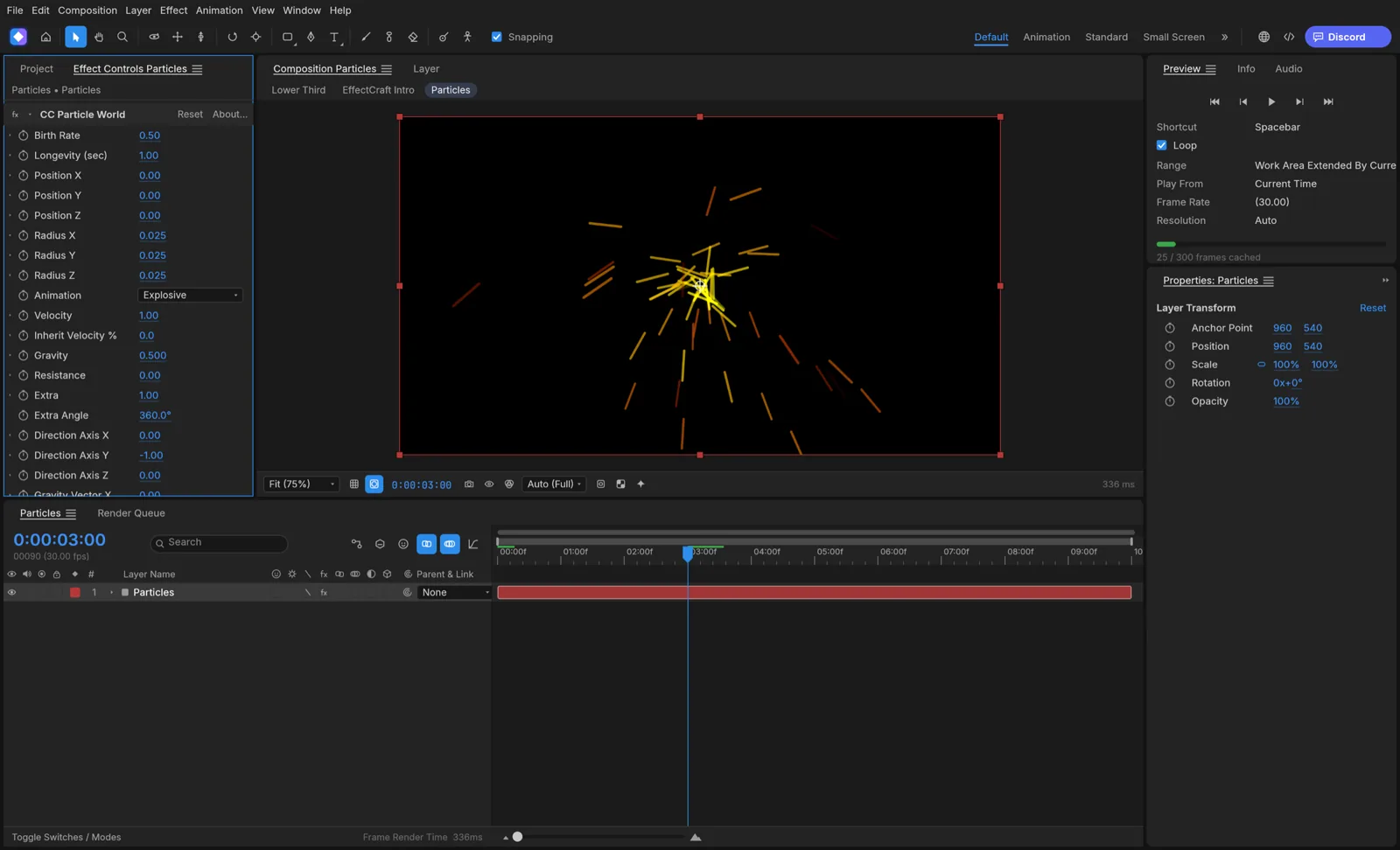
EffectCraft's effect controls for a particle simulation bursting from the center of the composition
image
27
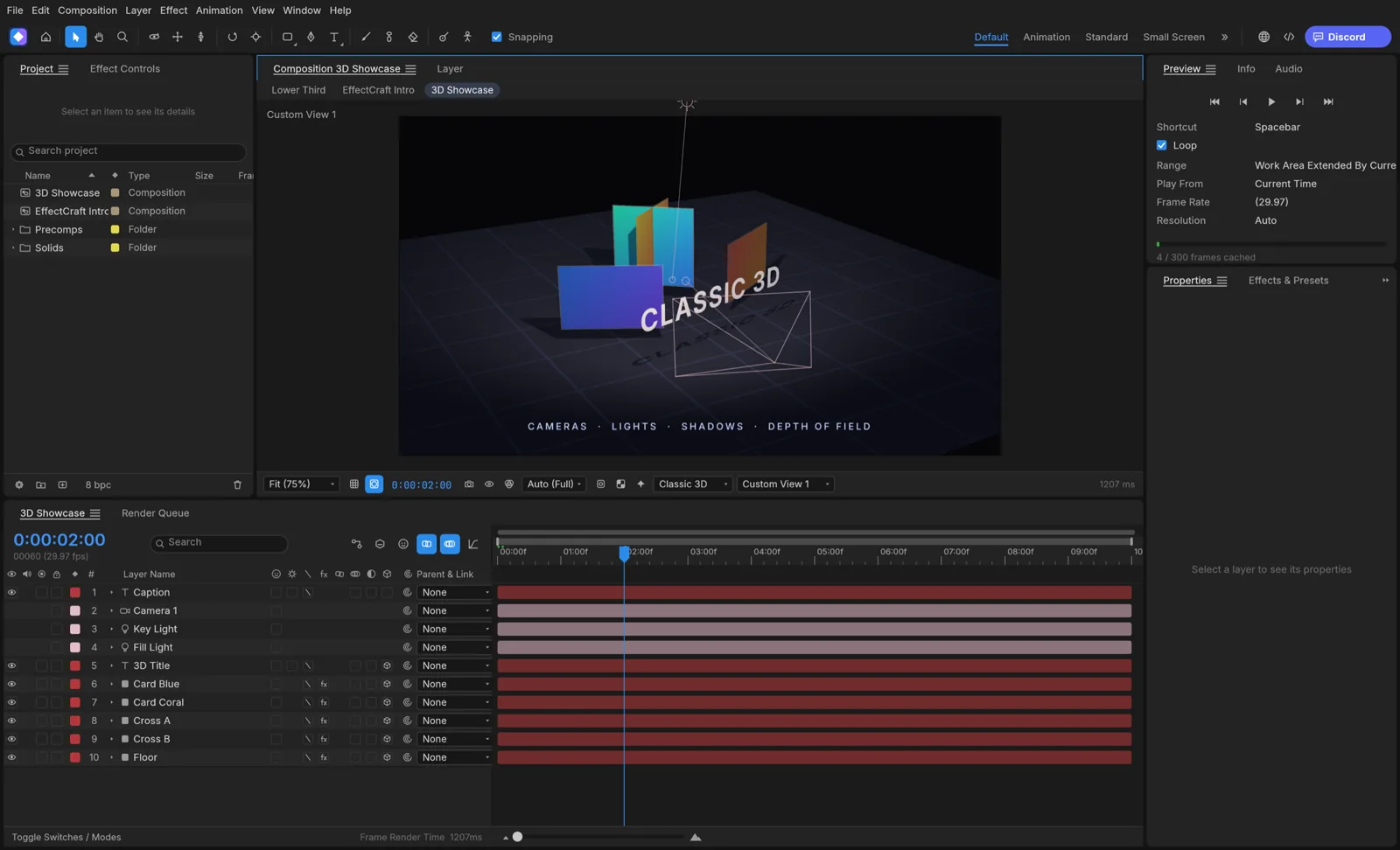
EffectCraft's 3D showcase: intersecting cards lit by a spot light with soft shadows on a gridded floor, seen from a custom camera view
image
28
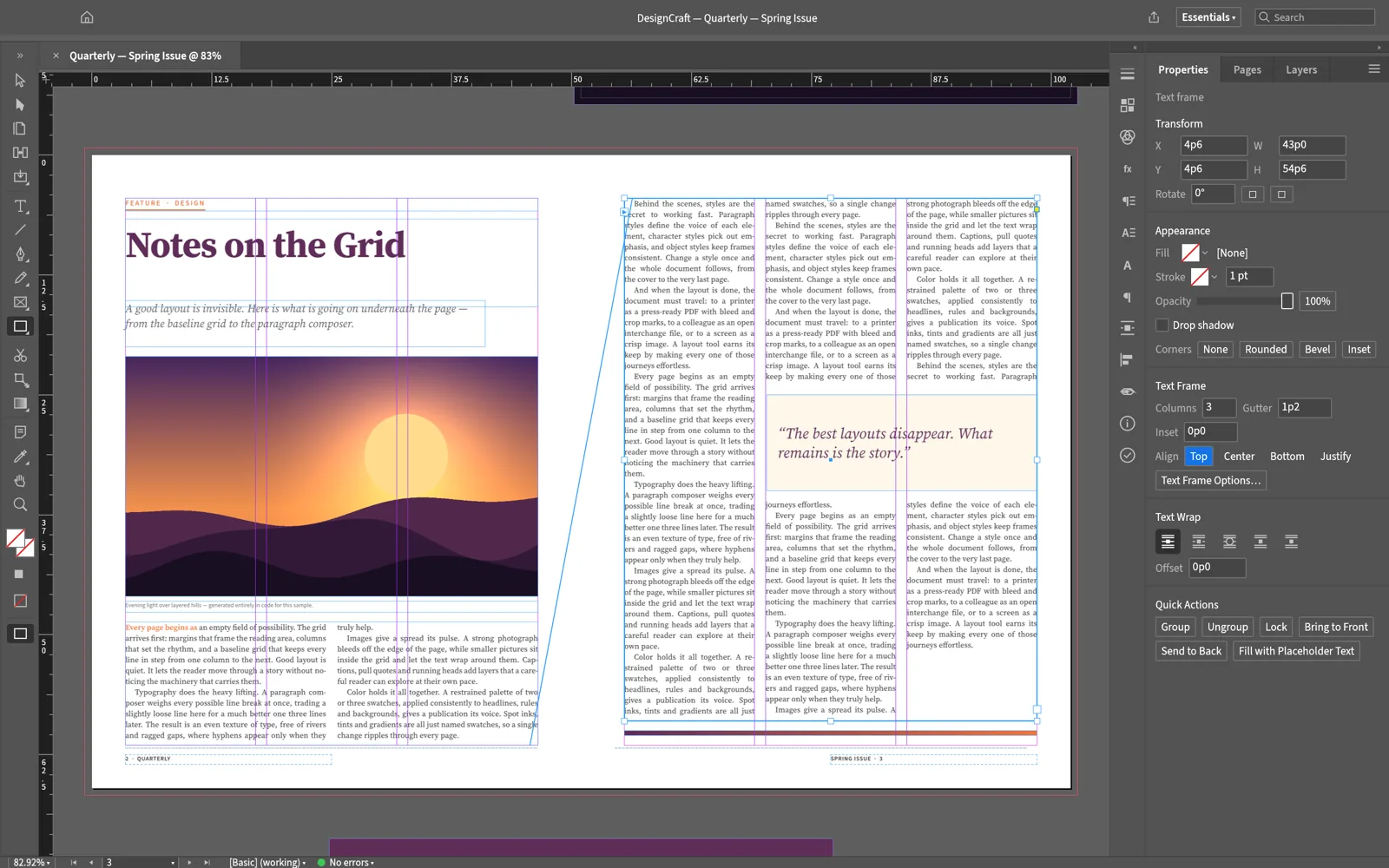
DesignCraft showing a magazine spread: a threaded three-column story with its thread line, a wrapped pull quote, and the Properties panel's text frame options
image
29
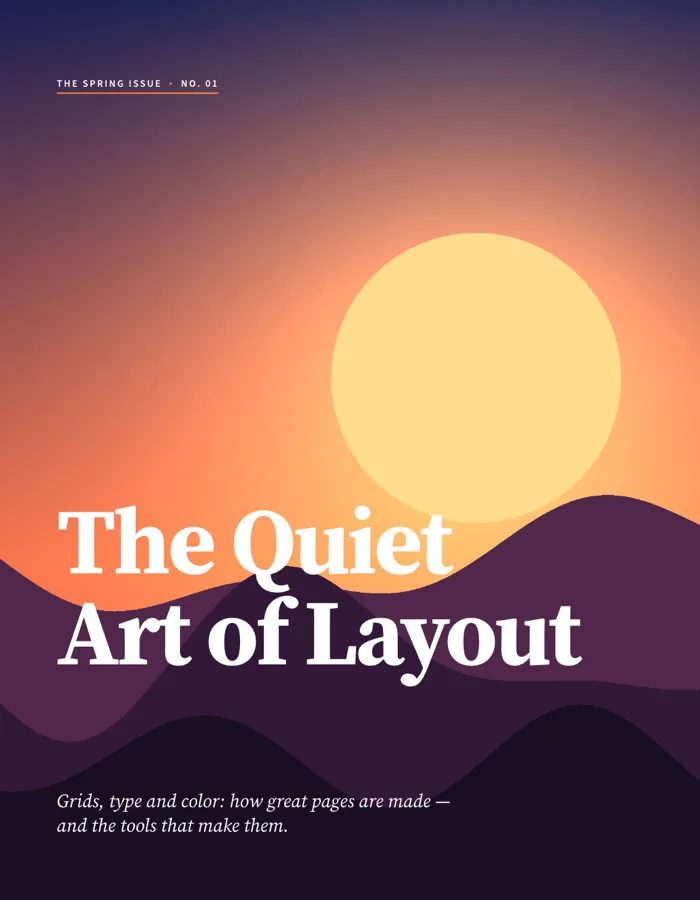
Magazine cover for The Spring Issue: a dusk landscape of layered purple hills under a pale sun, with the serif headline The Quiet Art of Layout
image
30
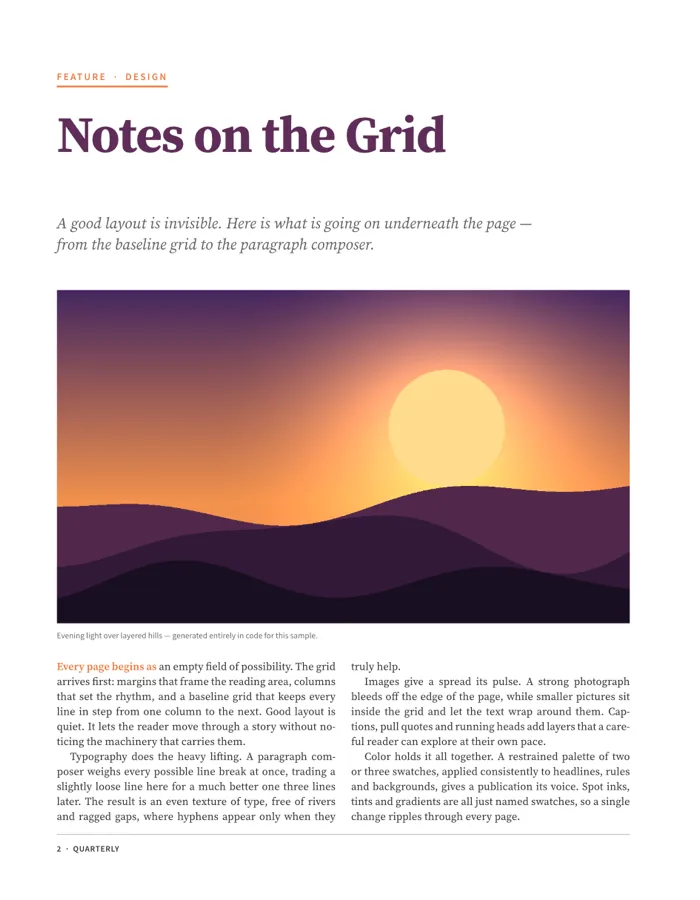
Feature opener titled Notes on the Grid with a kicker rule, italic deck, landscape picture, caption and two columns of justified body text
image
31
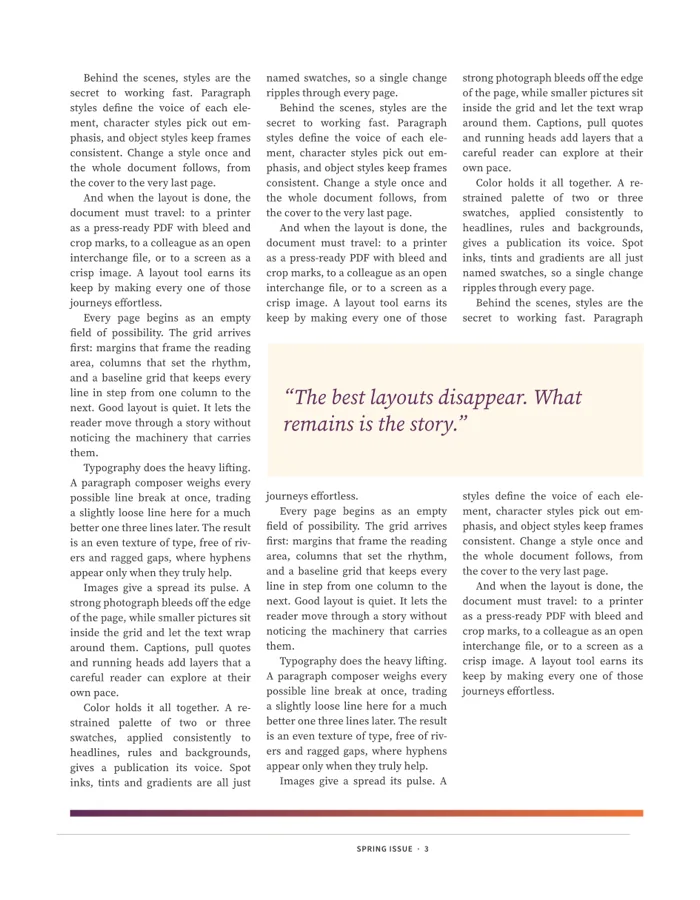
Three columns of justified, hyphenated body text wrapping around a shaded pull quote
image
32
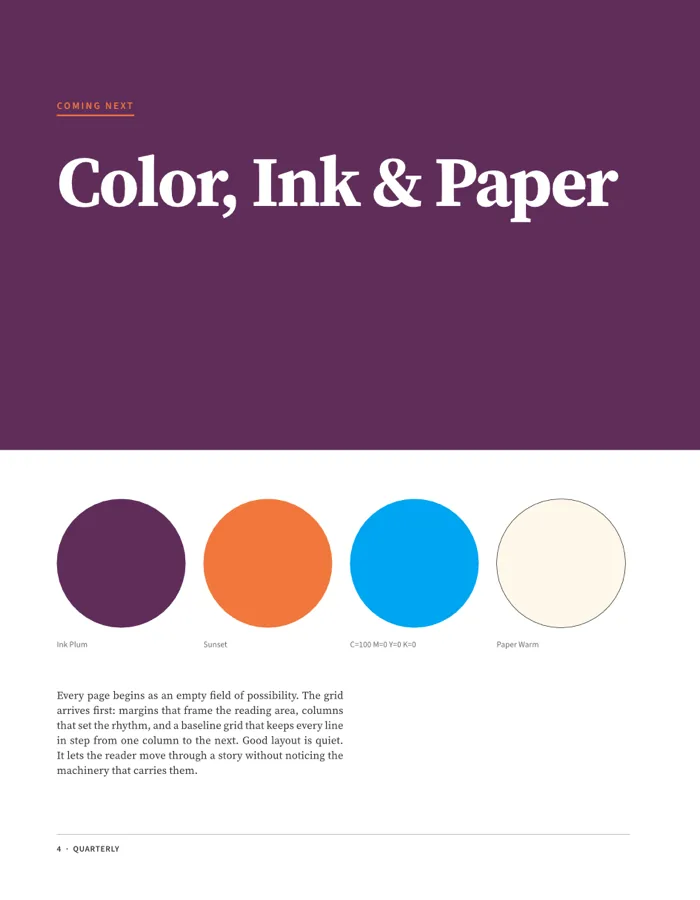
Coming Next page titled Color, Ink and Paper on a plum background with four labeled color swatches
image
33
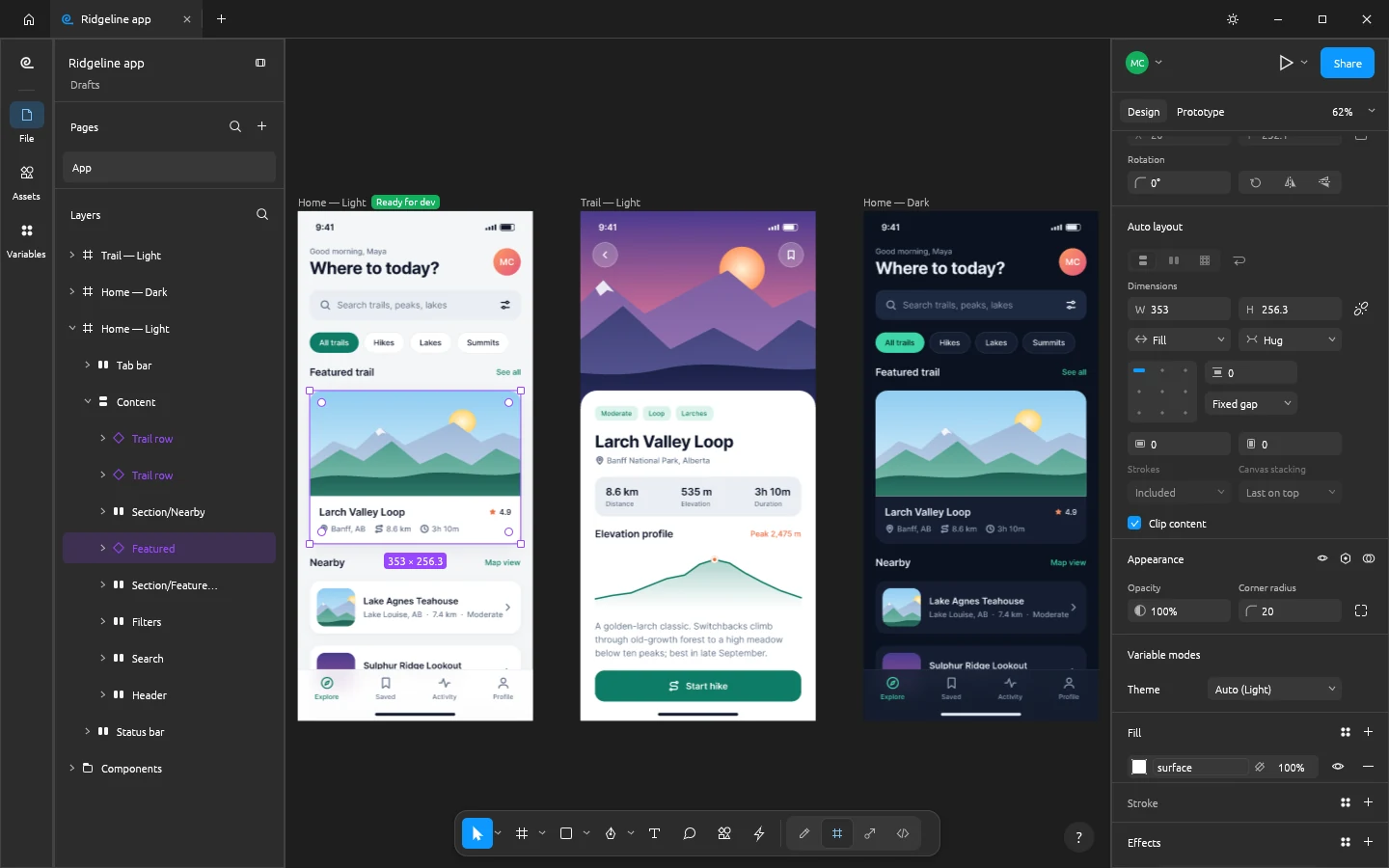
FigCraft editing the Ridgeline hiking app: three phone screens on the canvas, the Featured trail card instance selected, the layers panel showing its auto layout tree, and the Design panel showing Fill and Hug sizing and the Theme variable mode
image
34
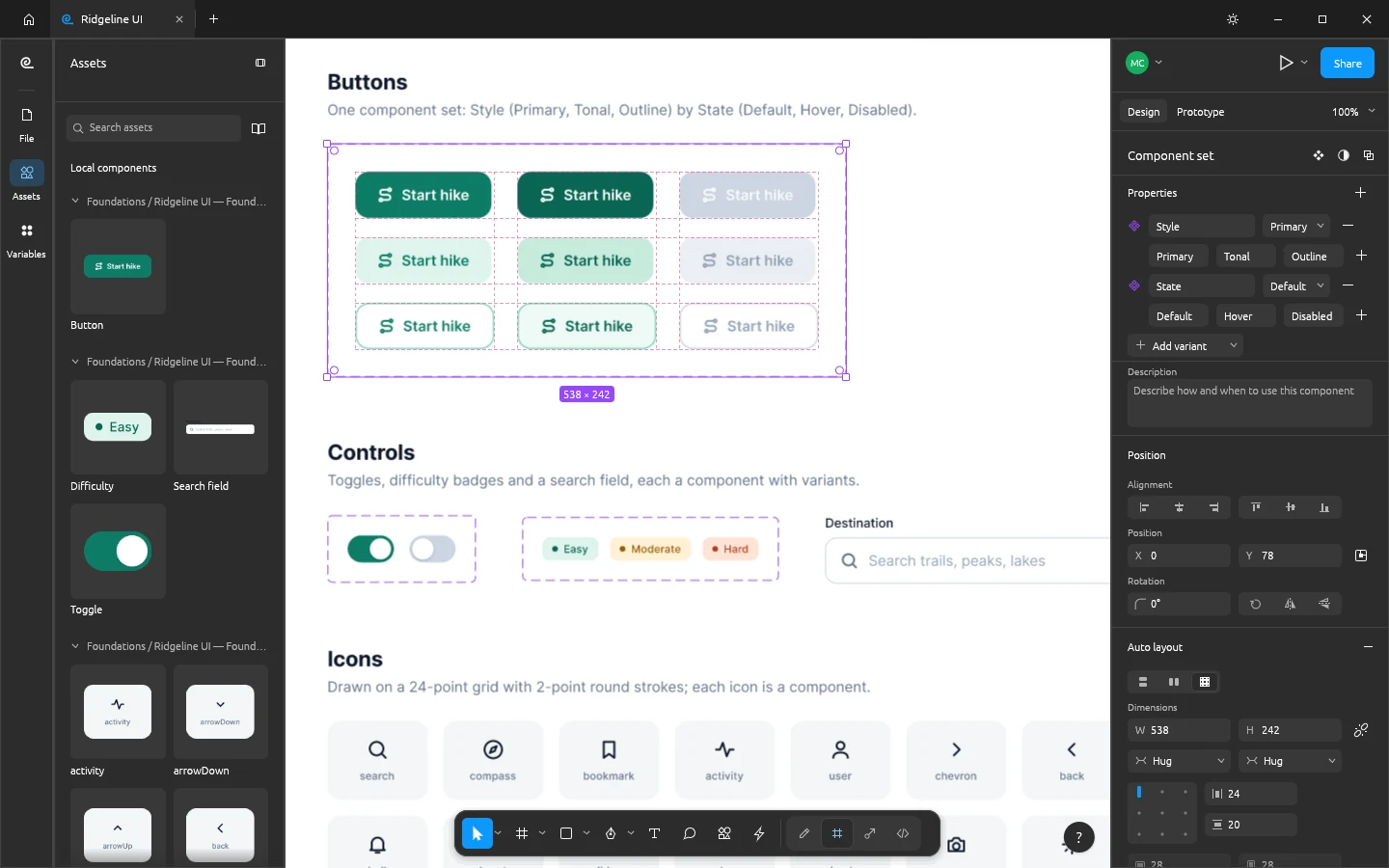
FigCraft's Assets panel with live component thumbnails beside a Button component set of nine variants, and the Design panel listing its Style and State variant properties
image
35
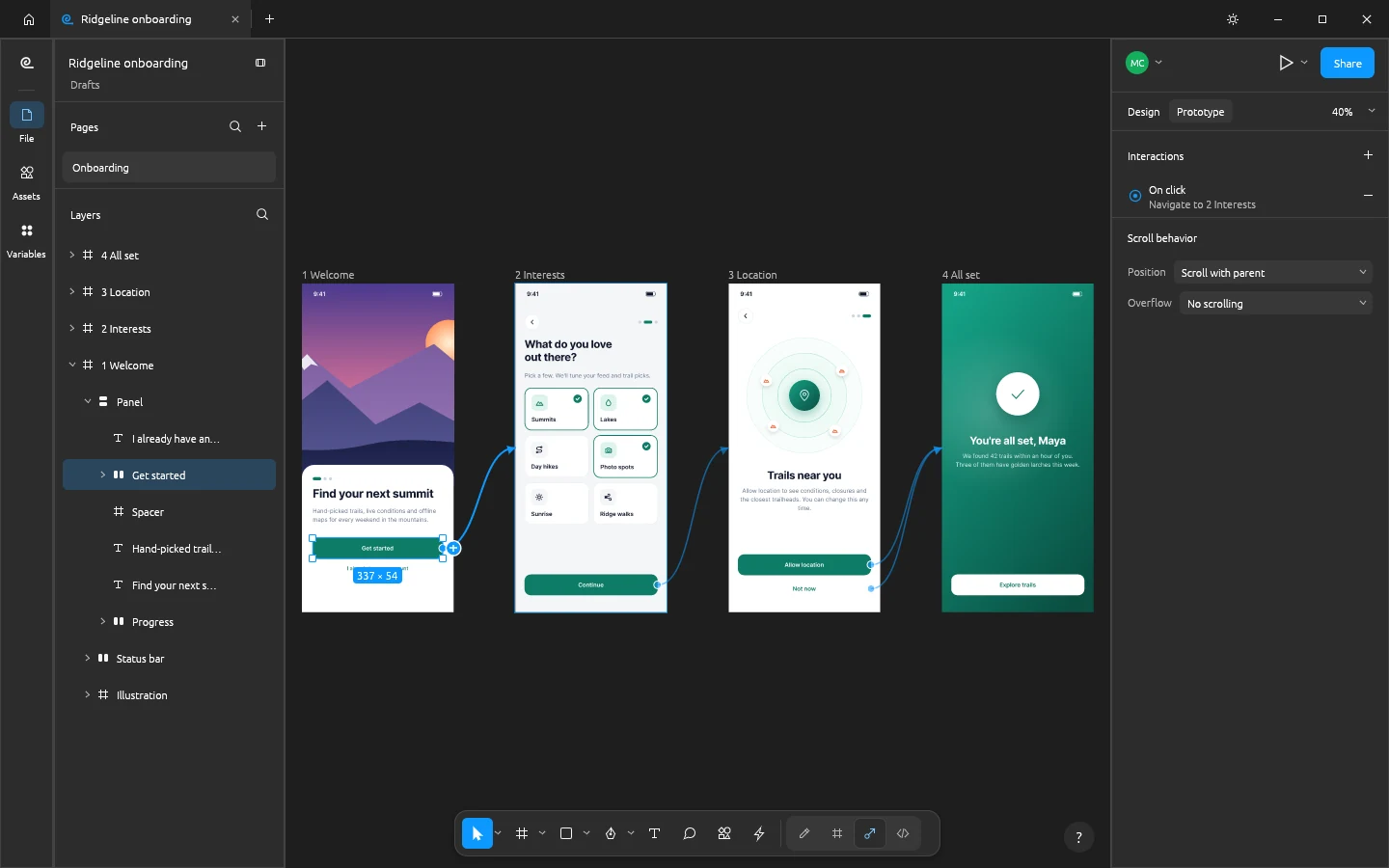
Four onboarding phone screens in FigCraft's Prototype tab joined by connection curves, with the Prototype panel showing an On click, Navigate to interaction
image
36
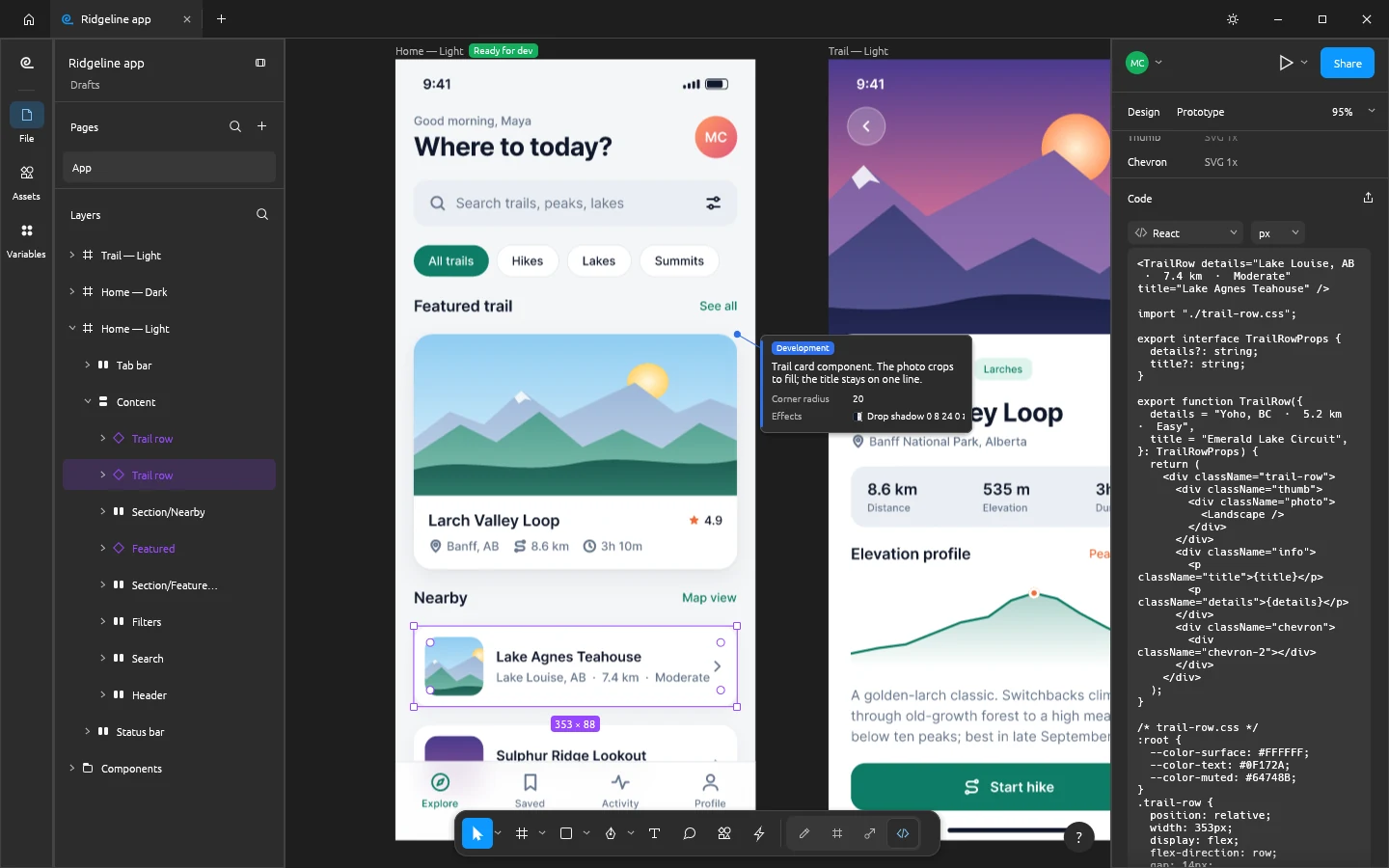
FigCraft's Dev Mode on the Ridgeline home screen with a Ready for dev badge, an annotation callout, and the Inspect panel showing generated React code for the selected trail row
image
37
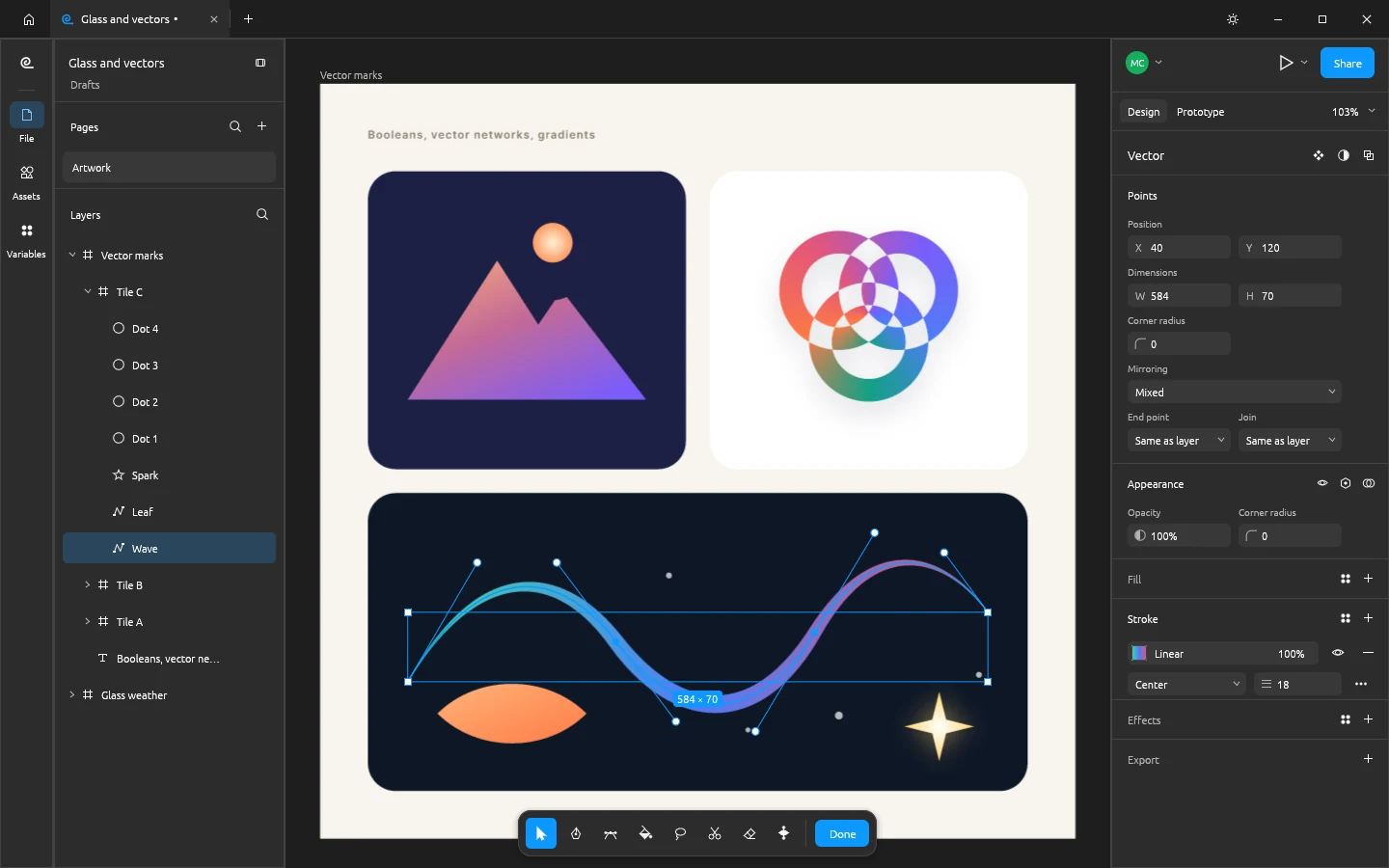
FigCraft's vector edit mode on a wave path with a tapered gradient stroke, its anchor points and bezier handles visible, above a boolean-built mountain mark and a knot of excluded rings
image
38
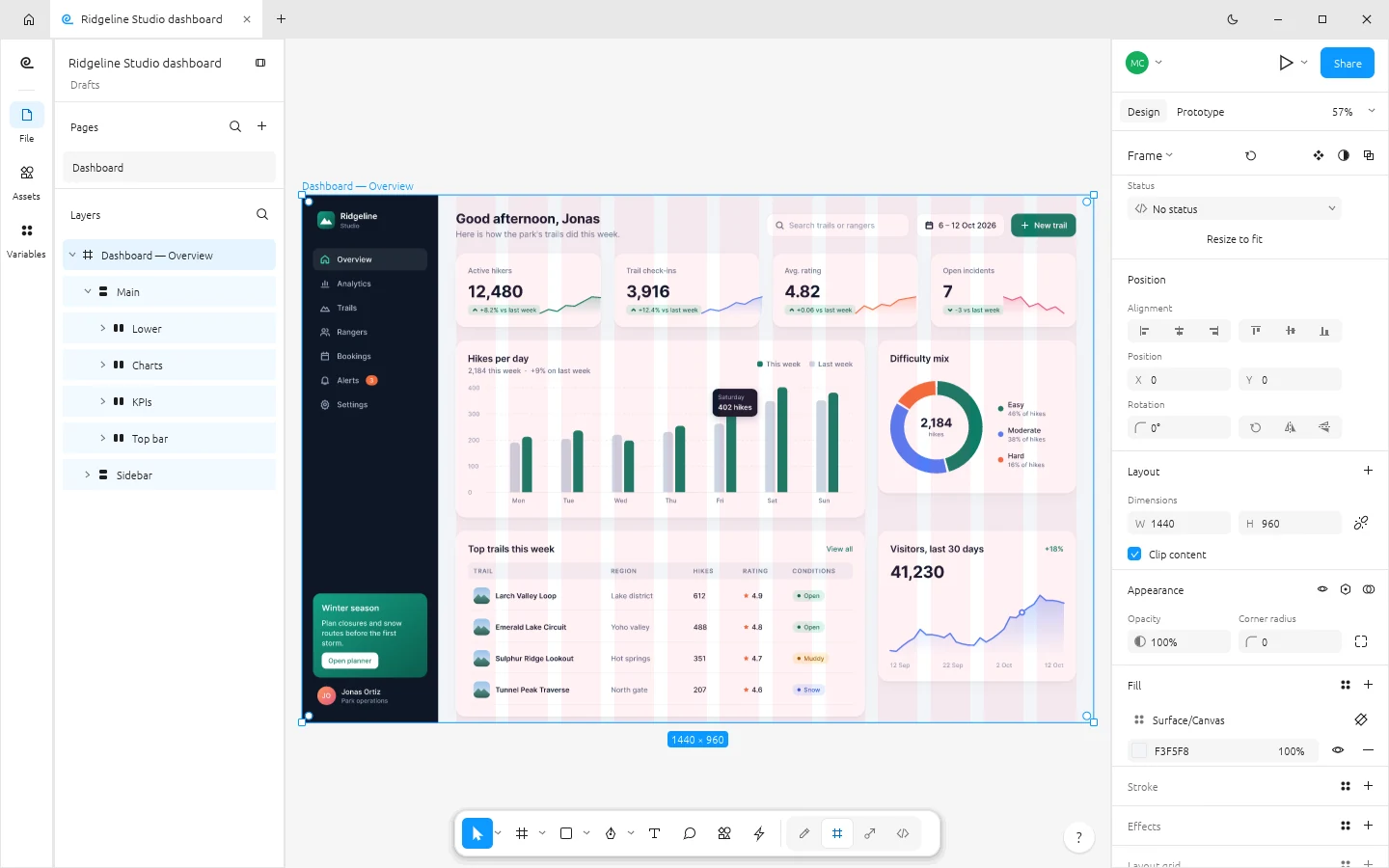
FigCraft in its light theme with a web analytics dashboard of KPI cards, bar, donut and area charts, and the frame's 12-column layout grid showing as tinted columns
image
39
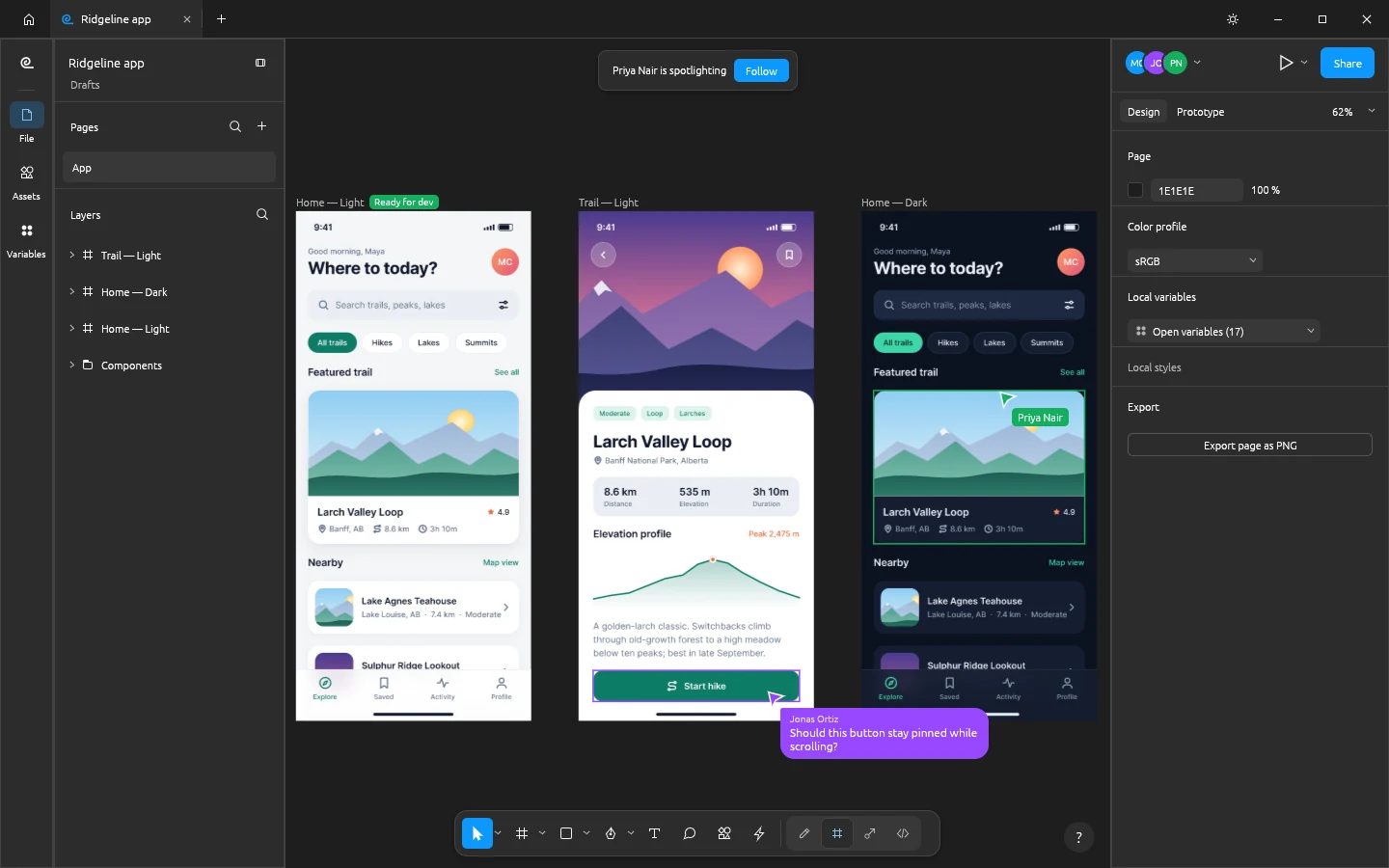
A FigCraft live session with three participant avatars, a spotlight banner with a Follow button, two collaborators' cursors and selections on the canvas, and a cursor chat bubble
image
40
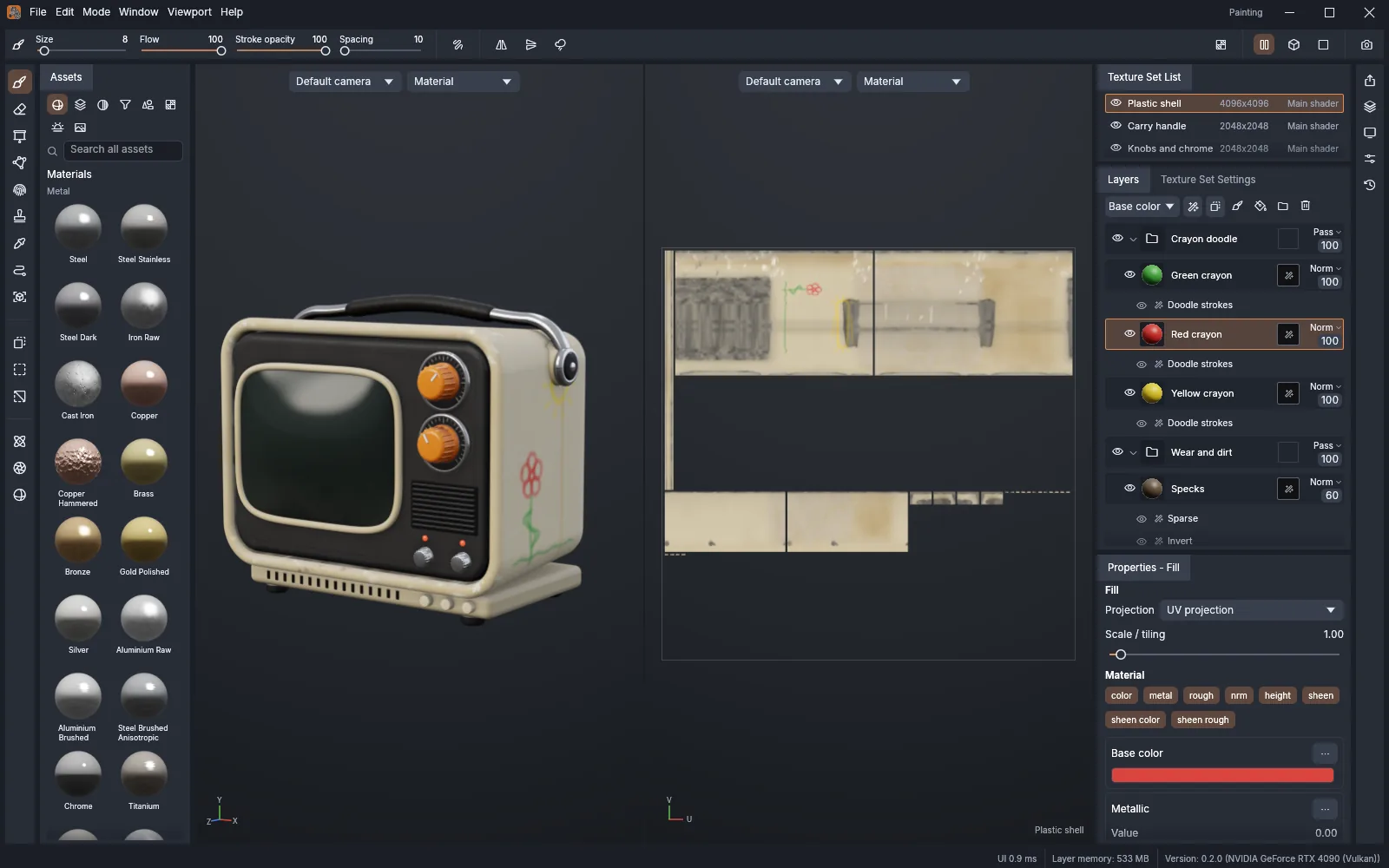
The TextureCraft workspace: the material library on the left, the 3D viewport and the 2D UV view of a cream 1970s portable TV with orange dials and crayon doodles, and the texture set list, layer stack and fill properties on the right
image
41
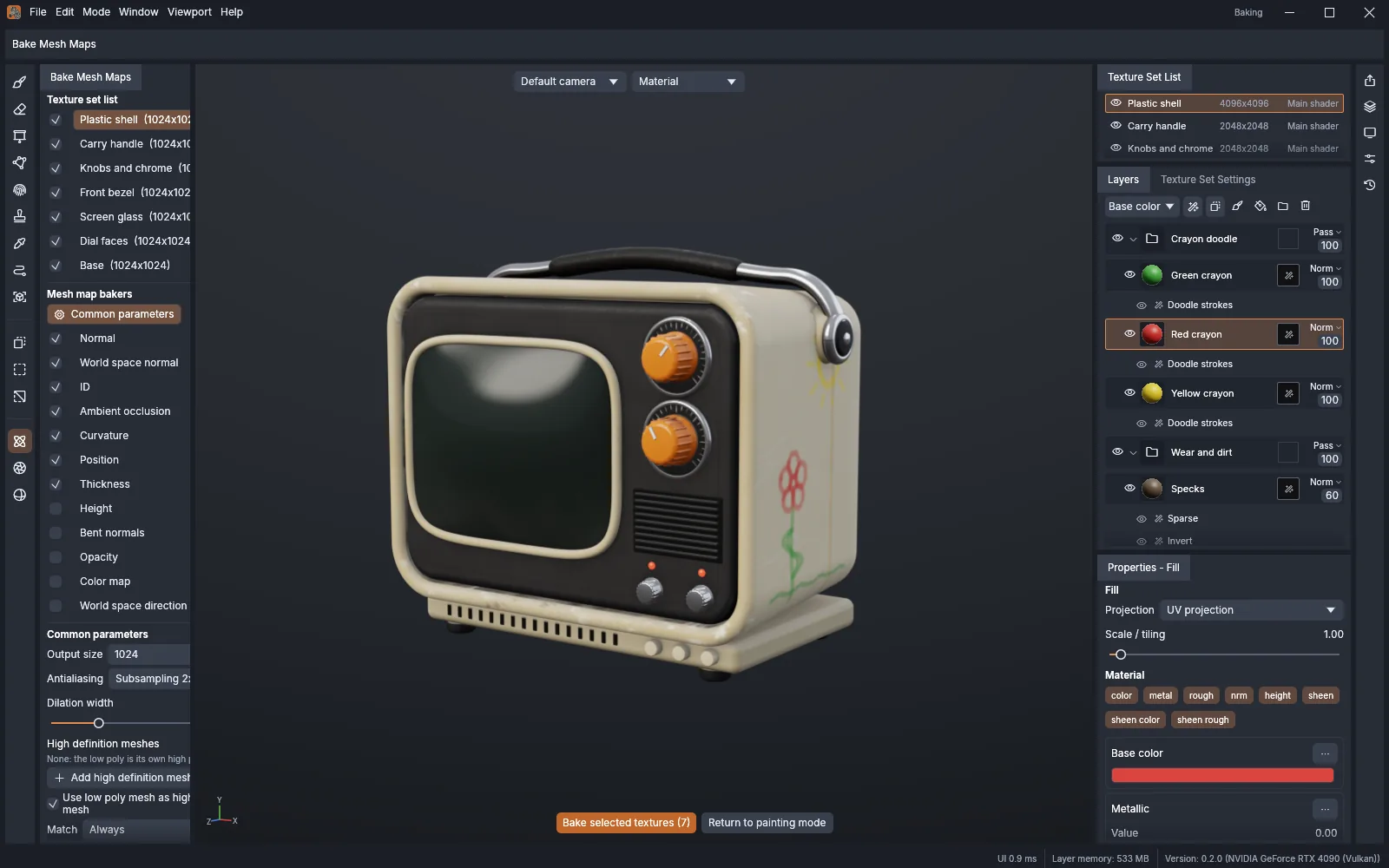
TextureCraft's Bake mode: the TV's texture sets and the mesh map bakers on the left, the common bake parameters below them, and the Bake selected textures button under the viewport
image
42
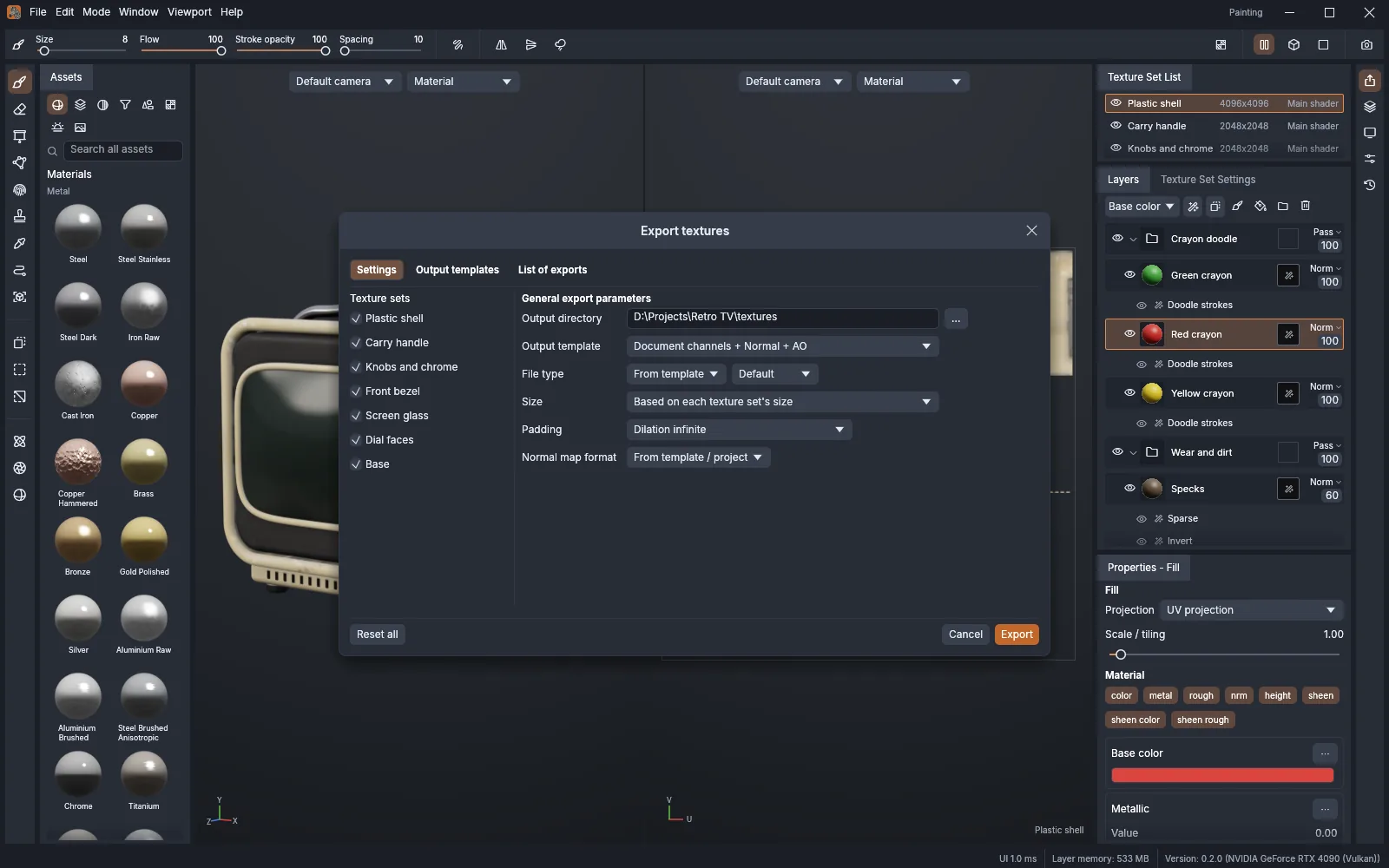
TextureCraft's Export textures dialog over the TV project: texture sets to export, the output directory, an output template, file type, size, padding and normal map format
image
43
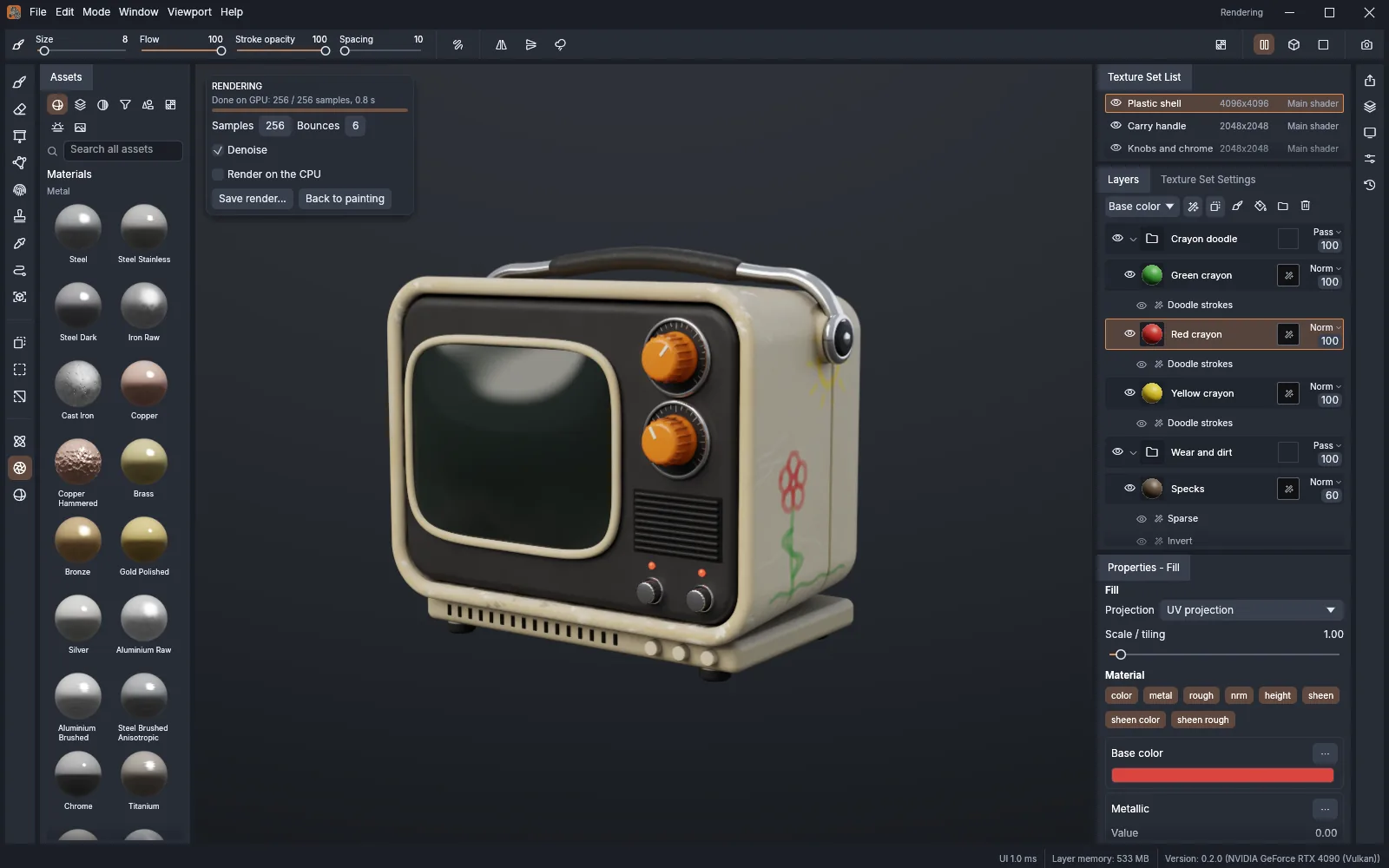
TextureCraft's Rendering mode: the portable TV path traced on the GPU at 256 samples with denoising, and the render settings in a card over the viewport
image
44
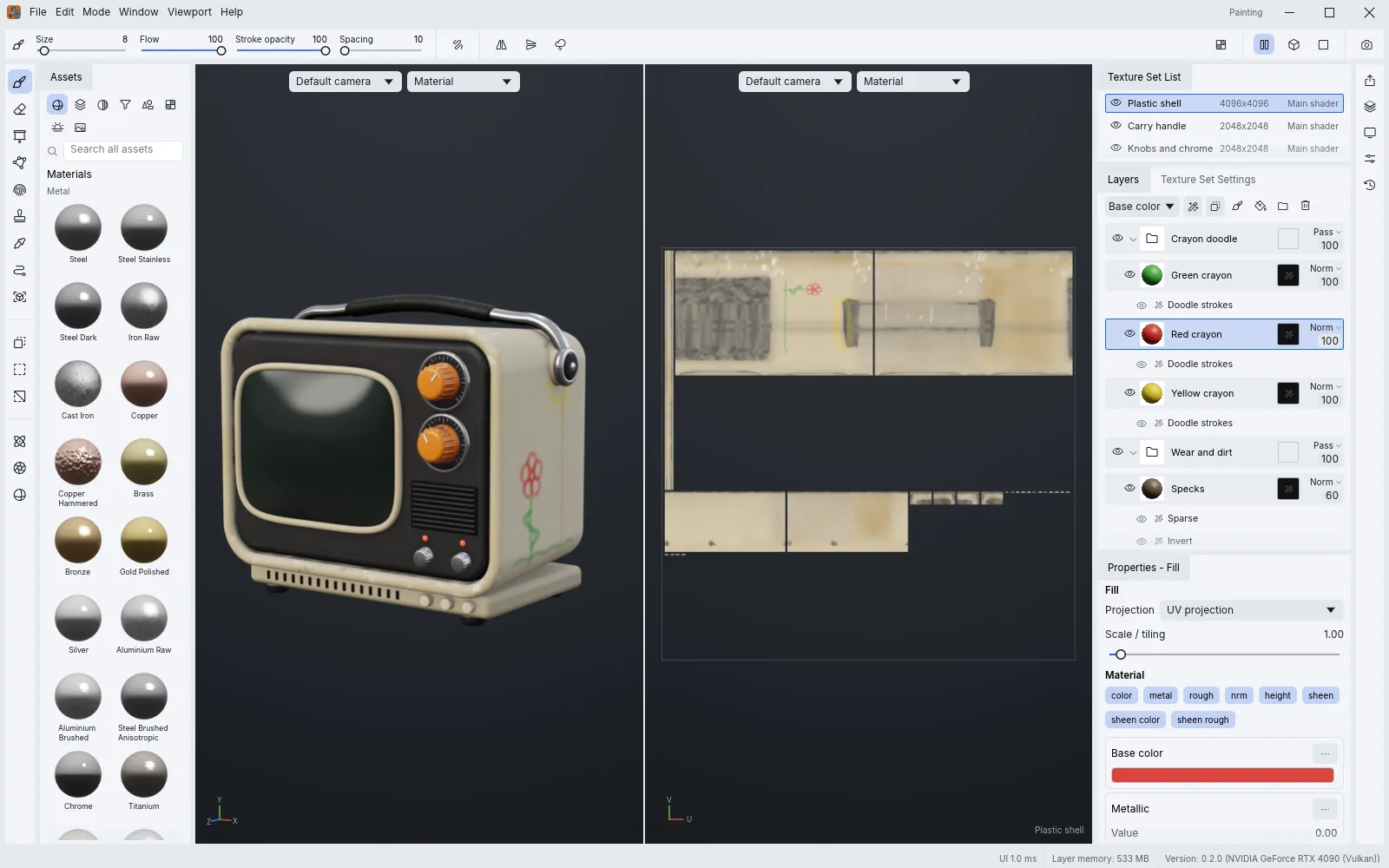
TextureCraft in its light theme with the blue accent: light panels around the dark 3D and UV views of the portable TV
image
45
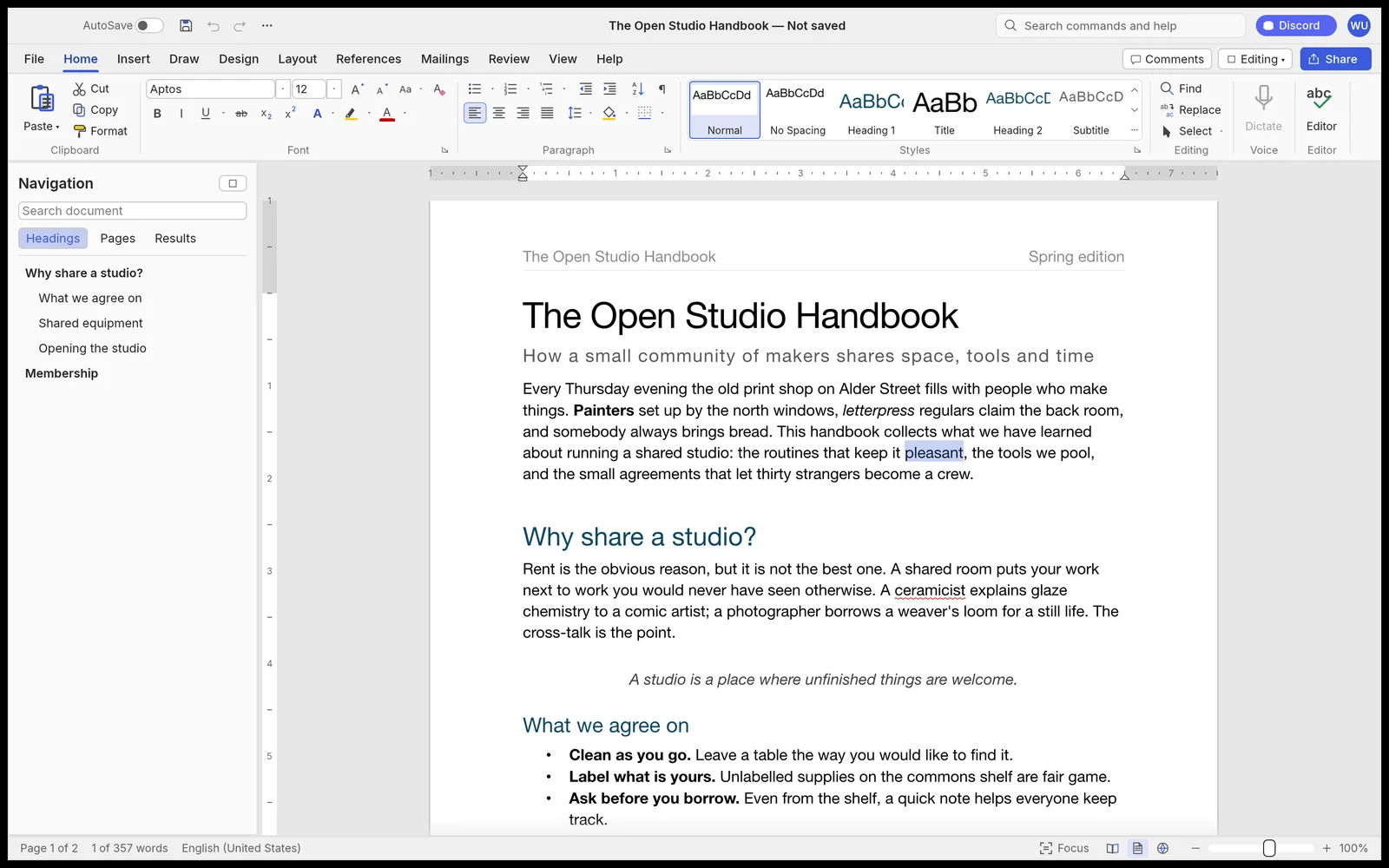
WordCraft with the Home tab of the ribbon open over a two-page document titled The Open Studio Handbook, the Navigation pane on the left, and the Styles gallery showing live previews
image
46
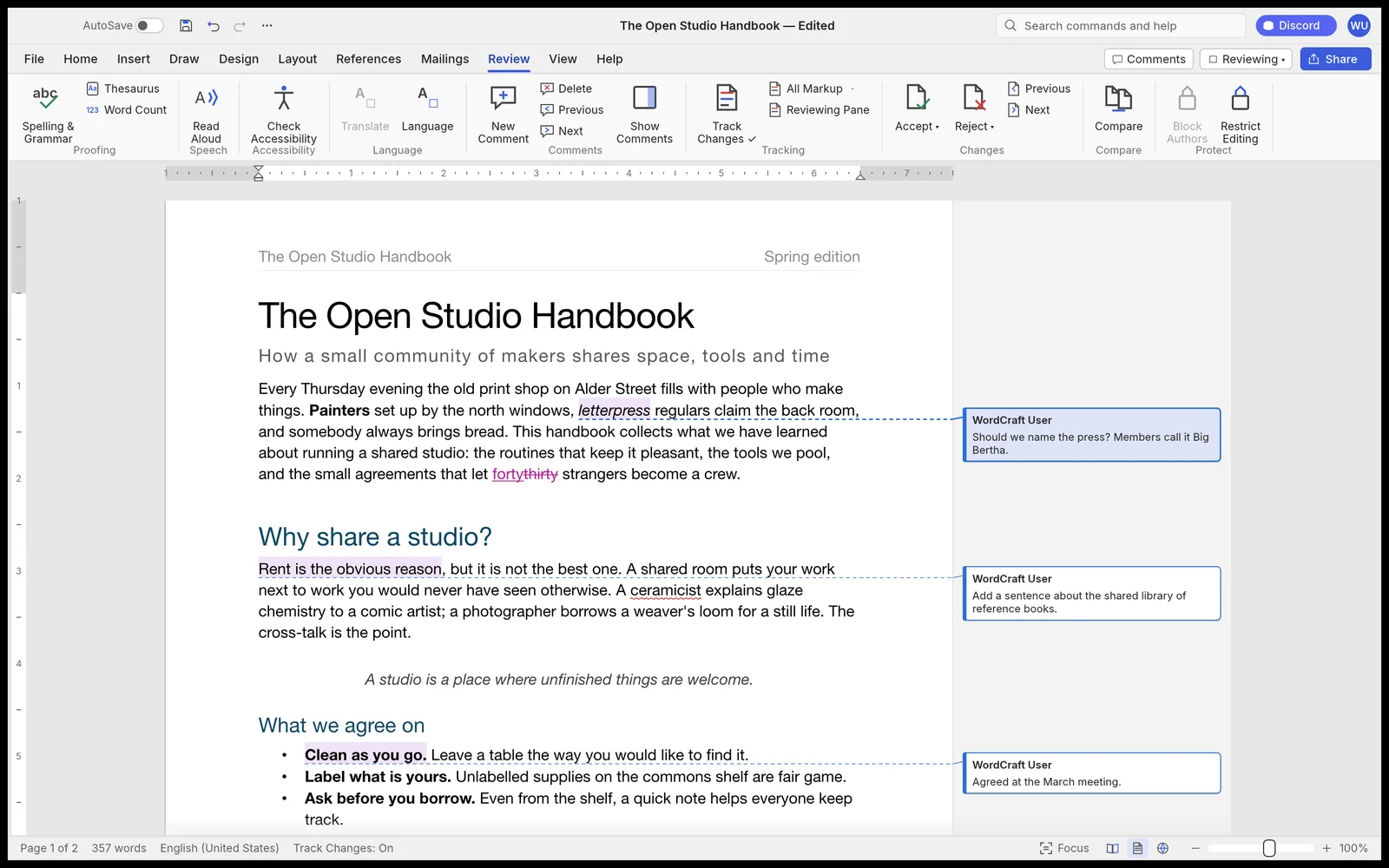
WordCraft's Review tab with Track Changes on, inline insertions and deletions, and margin comment balloons
image
47
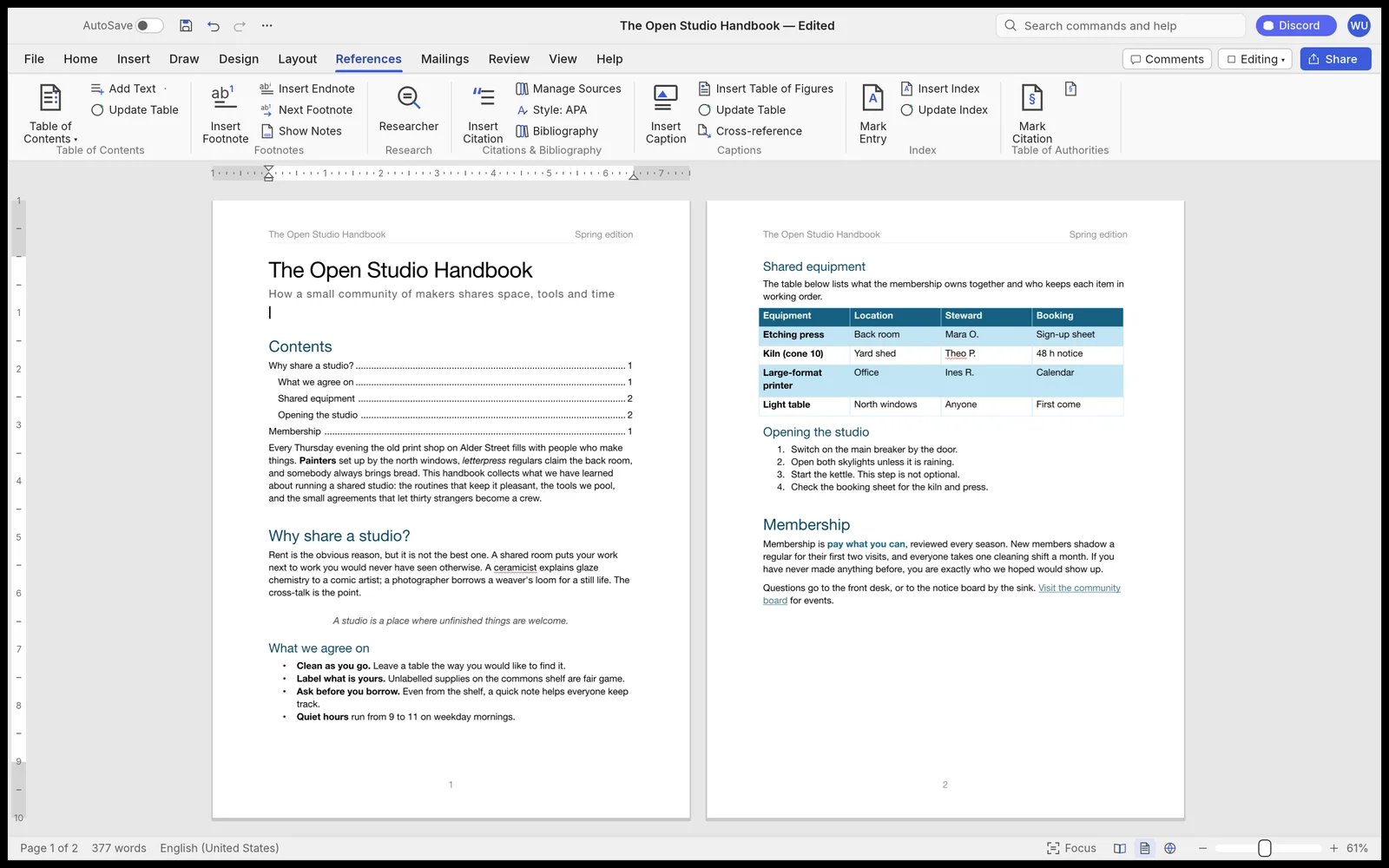
WordCraft's References tab showing a table of contents with dot leaders on page one and citations on page two
image
48
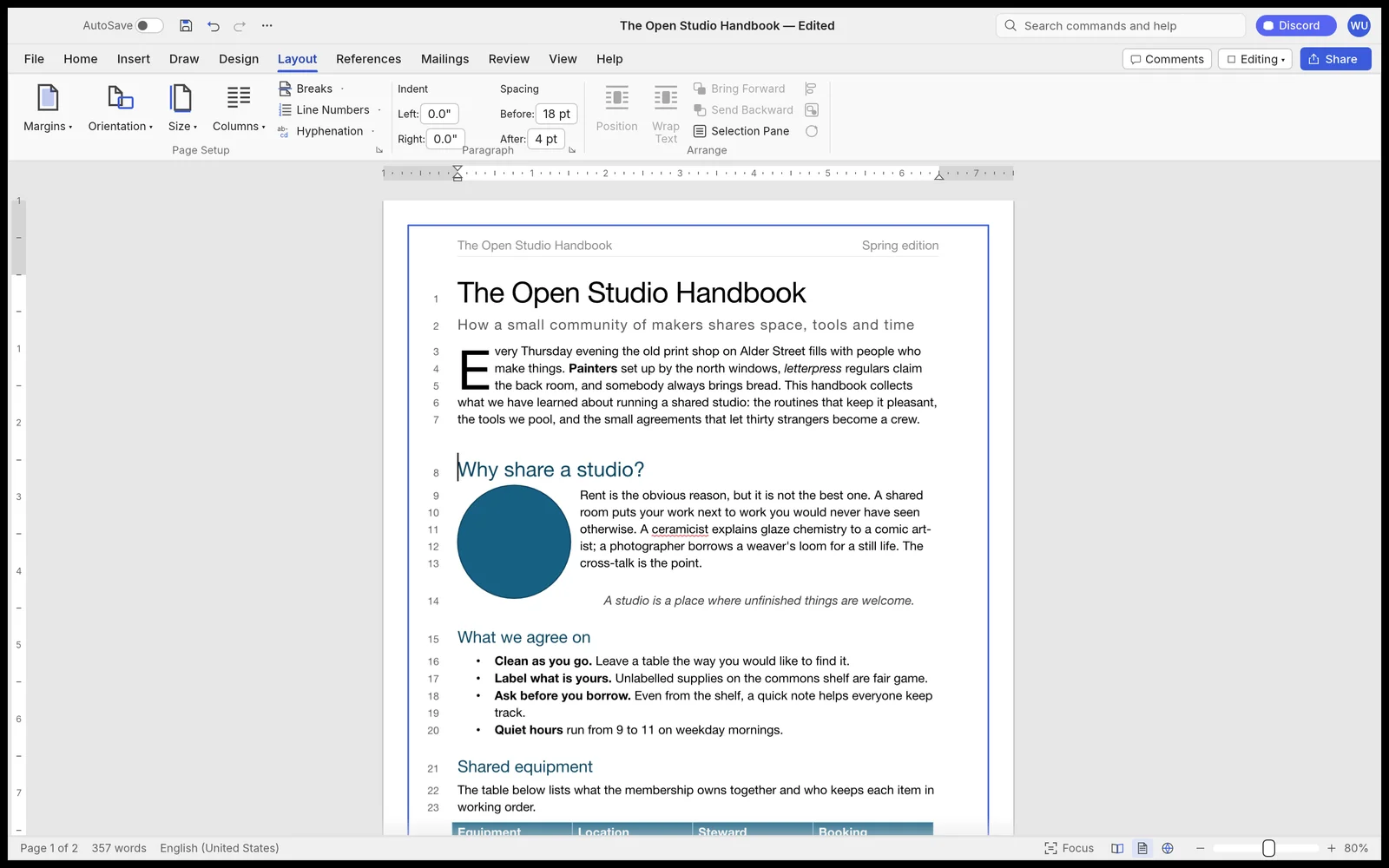
WordCraft layout tab showing a three-line drop cap, text wrapping around an object, and margin line numbers
image
49
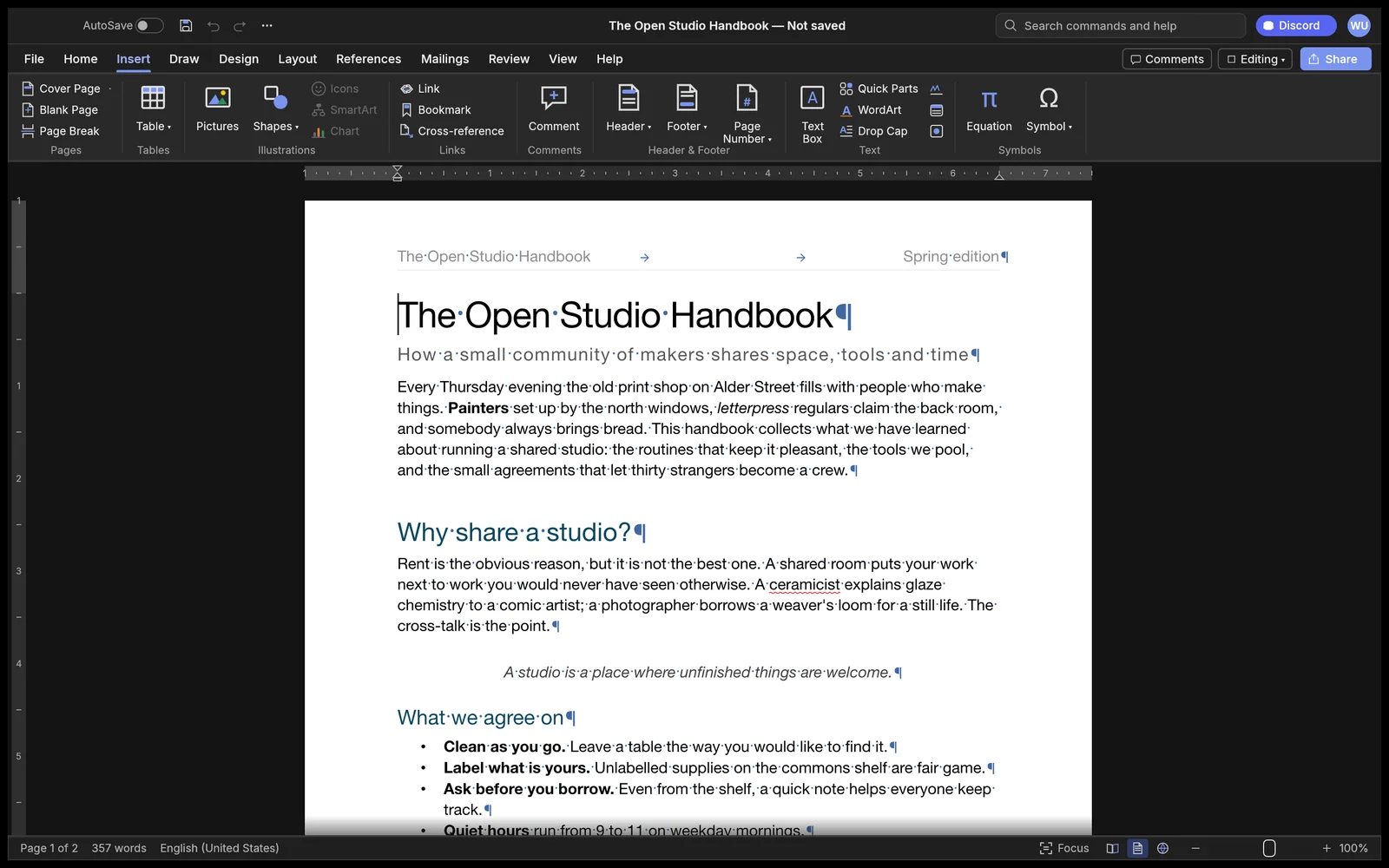
WordCraft in dark mode with the Insert tab open and formatting marks visible
image
50
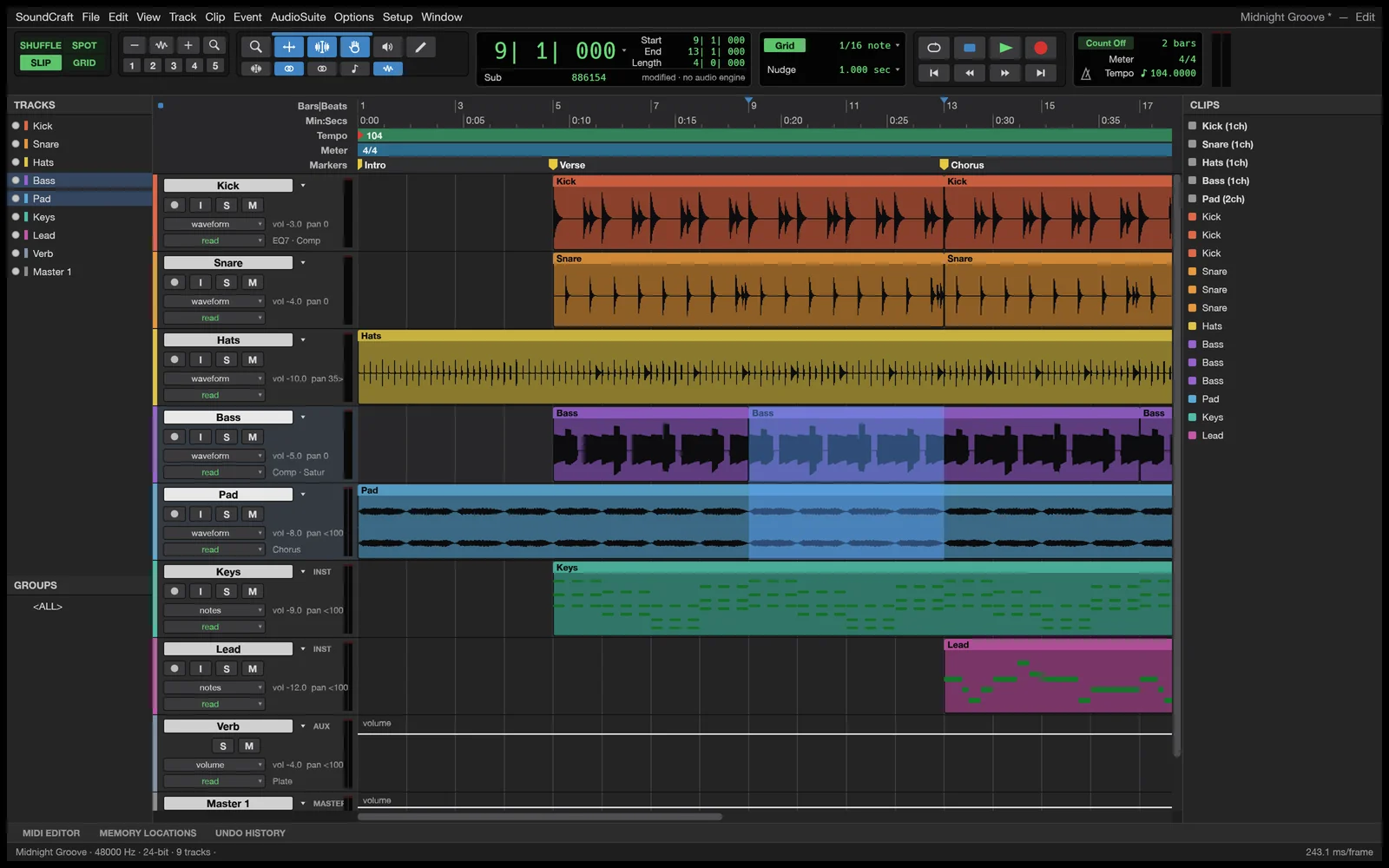
SoundCraft Edit window showing audio waveforms, MIDI tracks, rulers, markers and transport controls for a multi-track session
image
51
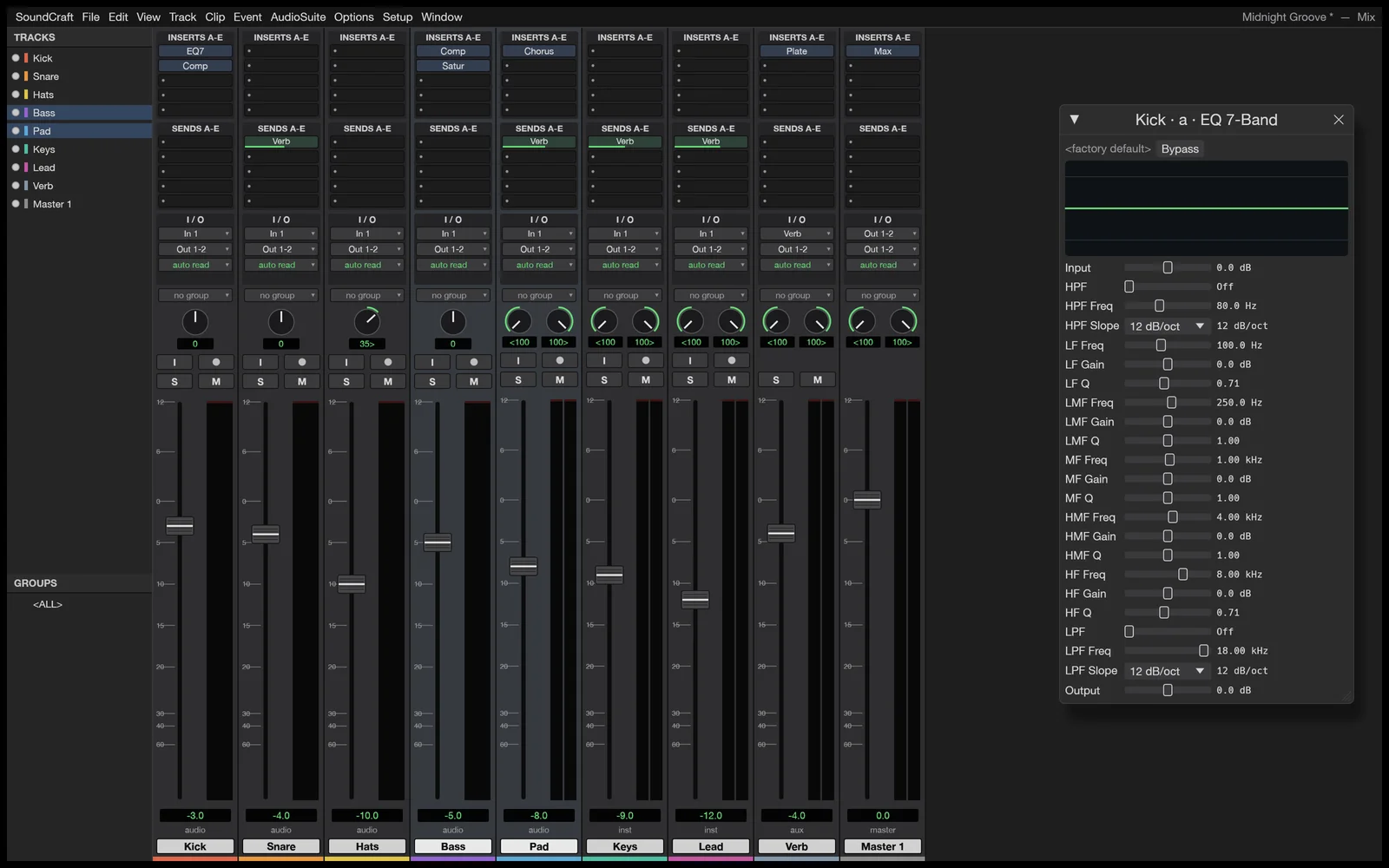
SoundCraft Mix window with ten inserts and sends per track, pan knobs, faders, meters and an EQ plugin window
image
52
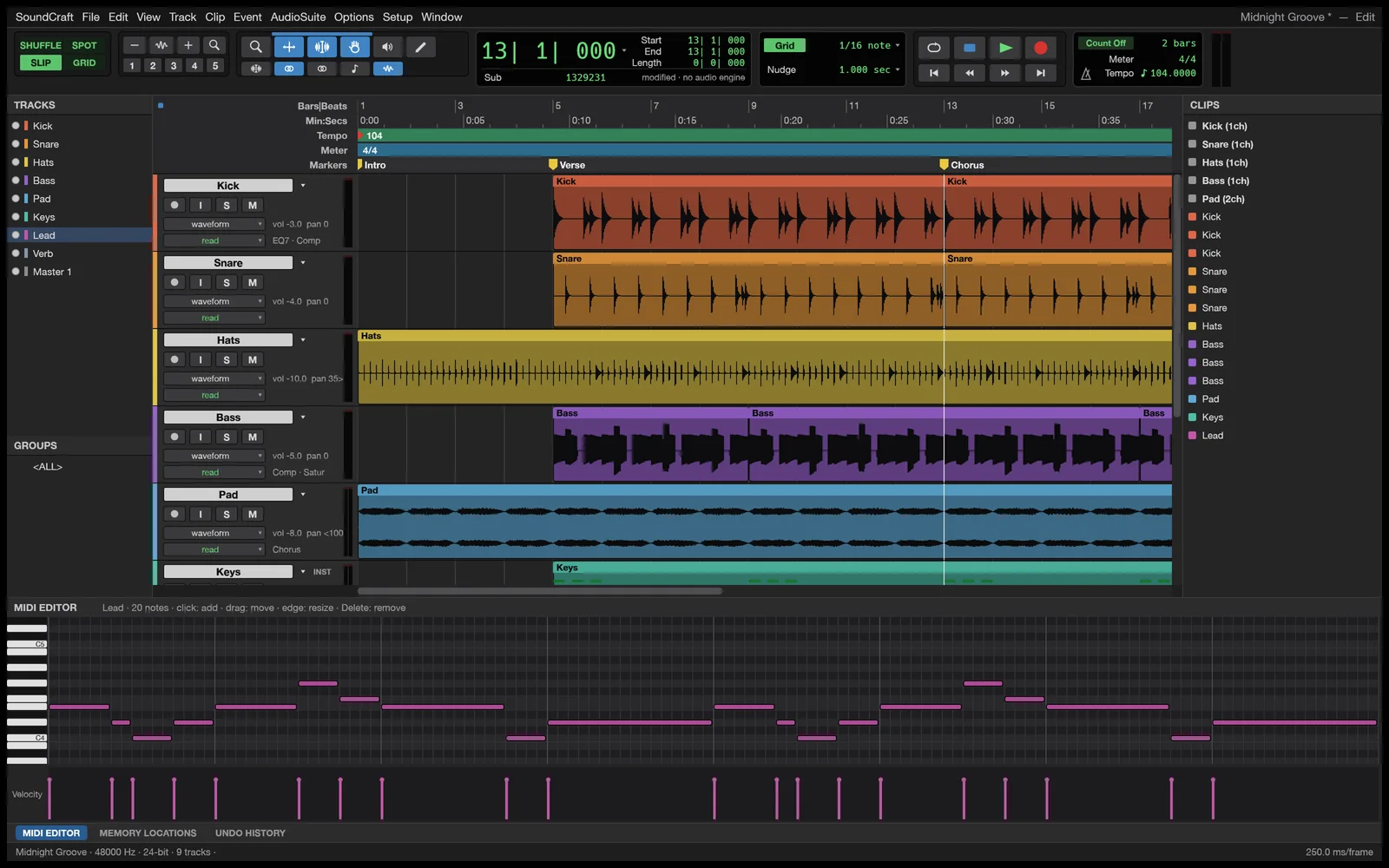
SoundCraft MIDI editor showing note velocity lanes and piano roll editing
image
53
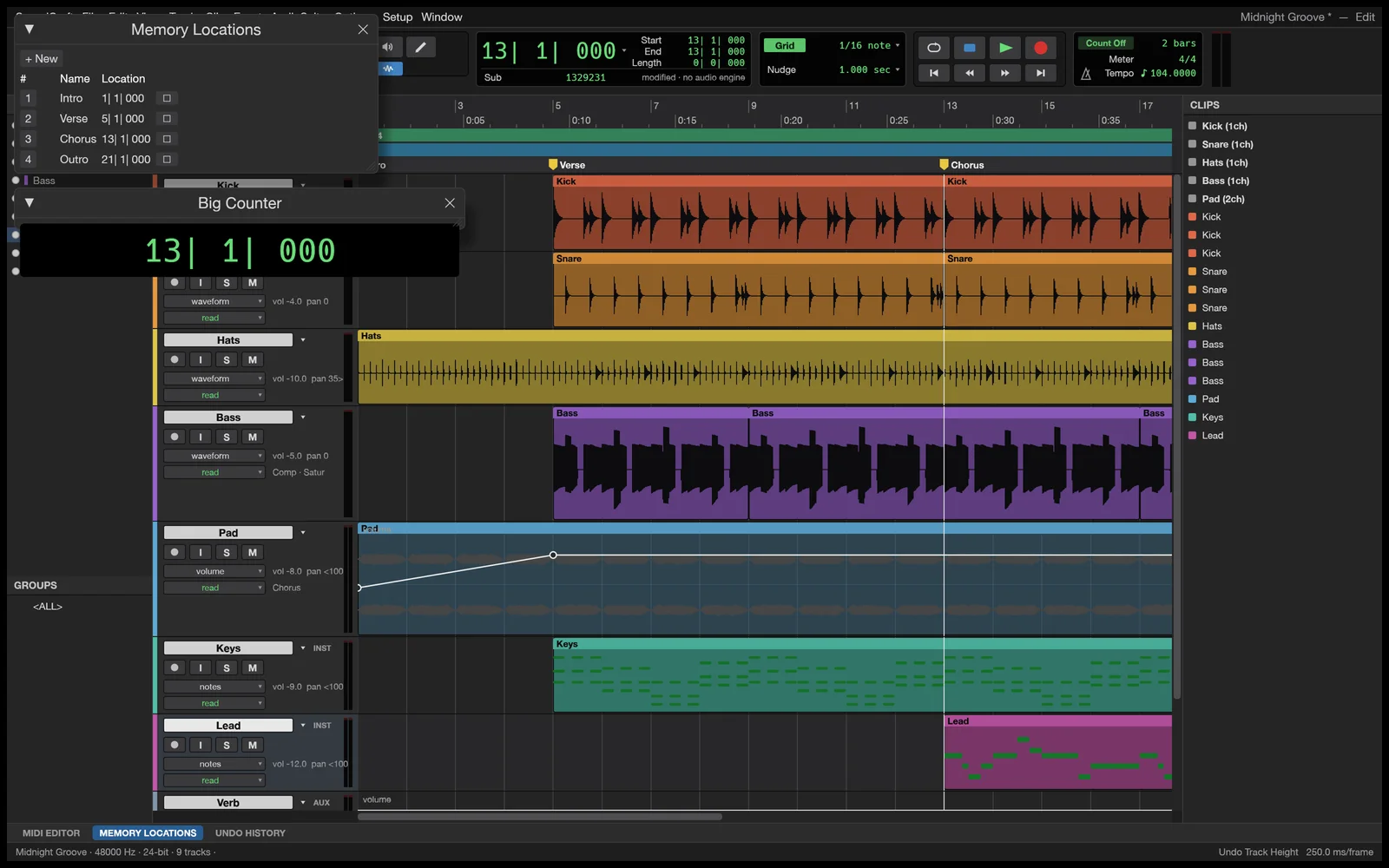
SoundCraft displaying volume automation curves on a track alongside the Memory Locations window
image
54
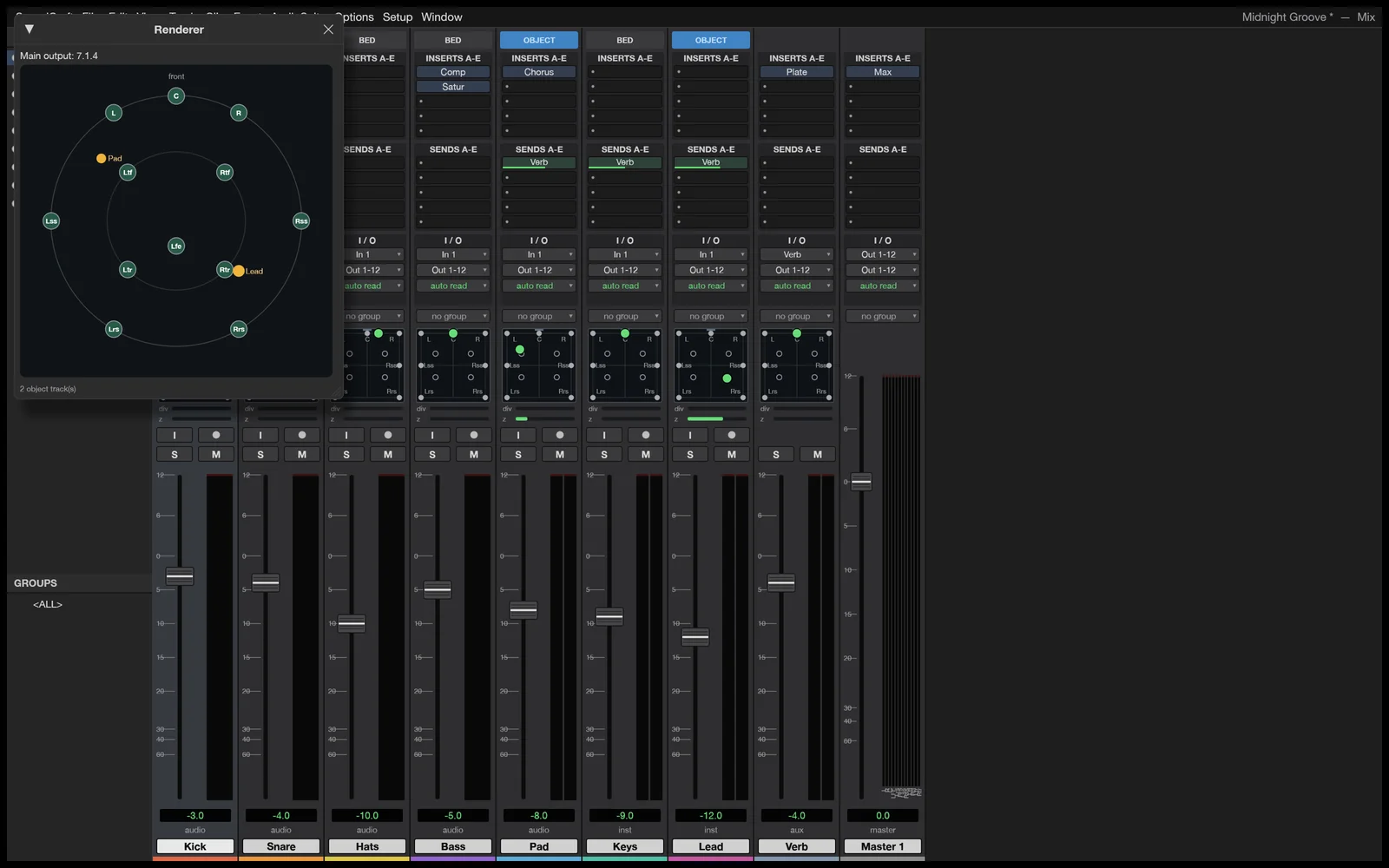
SoundCraft Renderer window displaying a 7.1.4 surround speaker layout and spatial panners
image
55
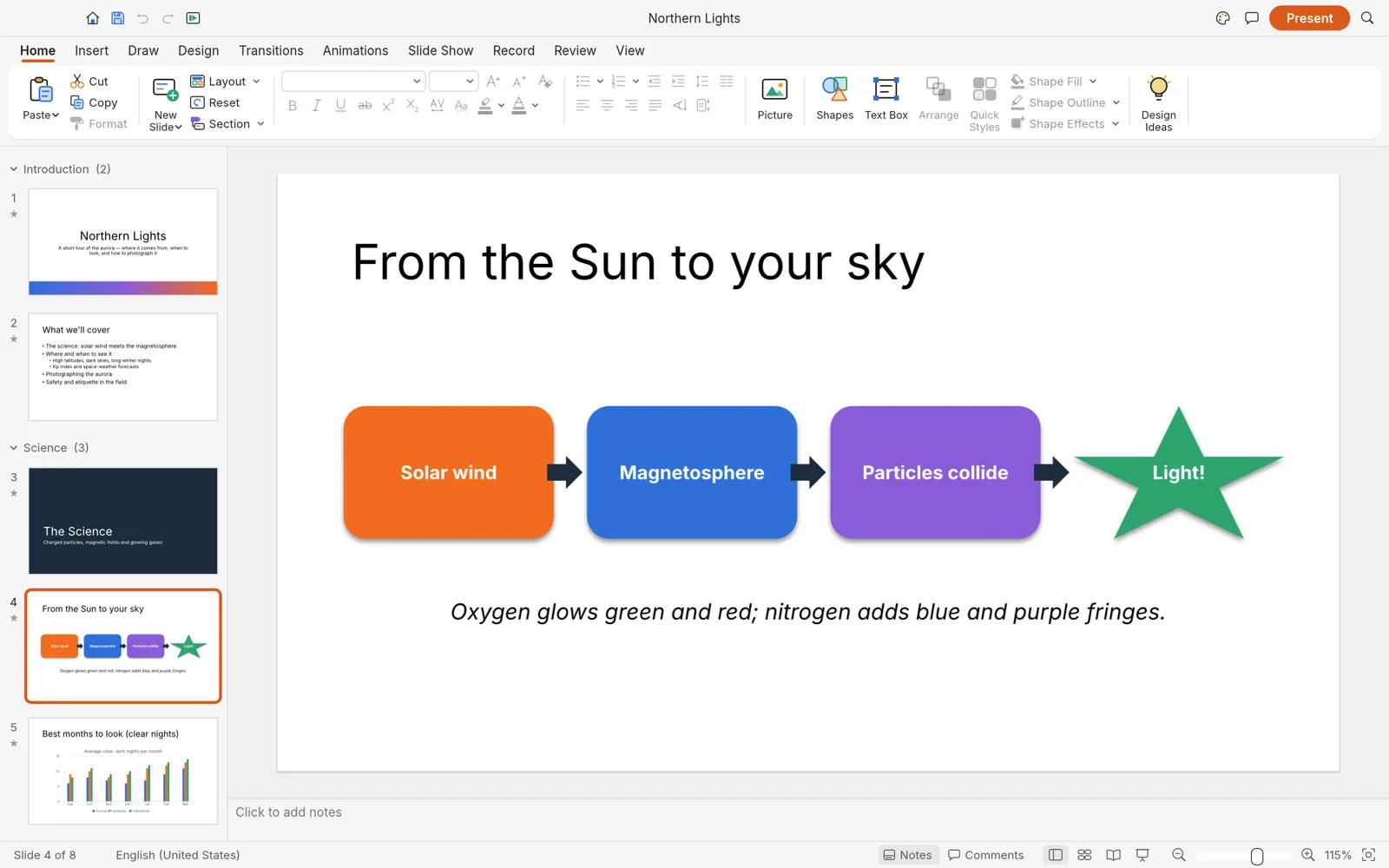
DeckCraft slide editor showing the ribbon, slide thumbnails, notes panel, and a vector process diagram on the canvas
image
56
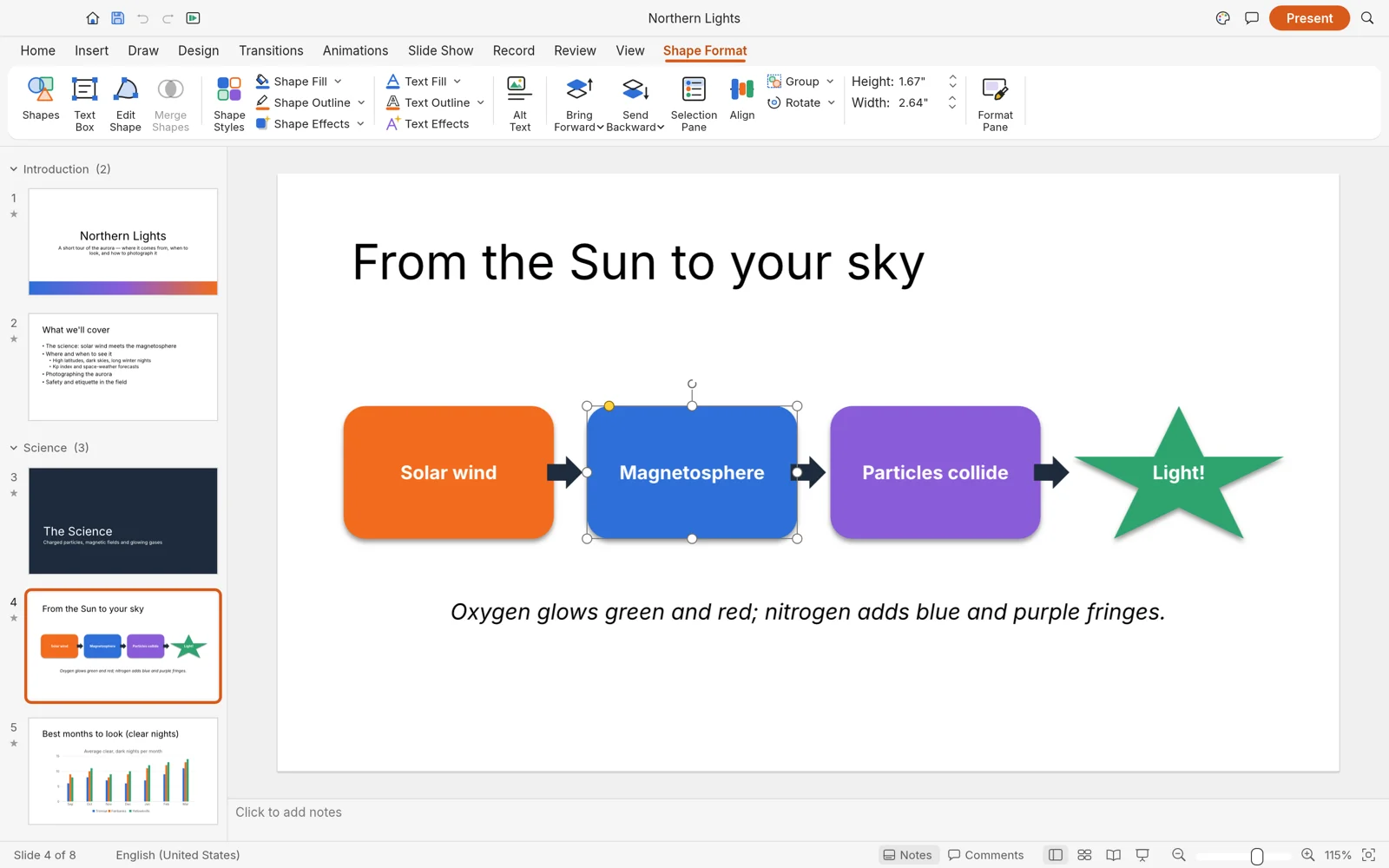
DeckCraft Shape Format tab with selection handles and alignment tools on an active shape
image
57
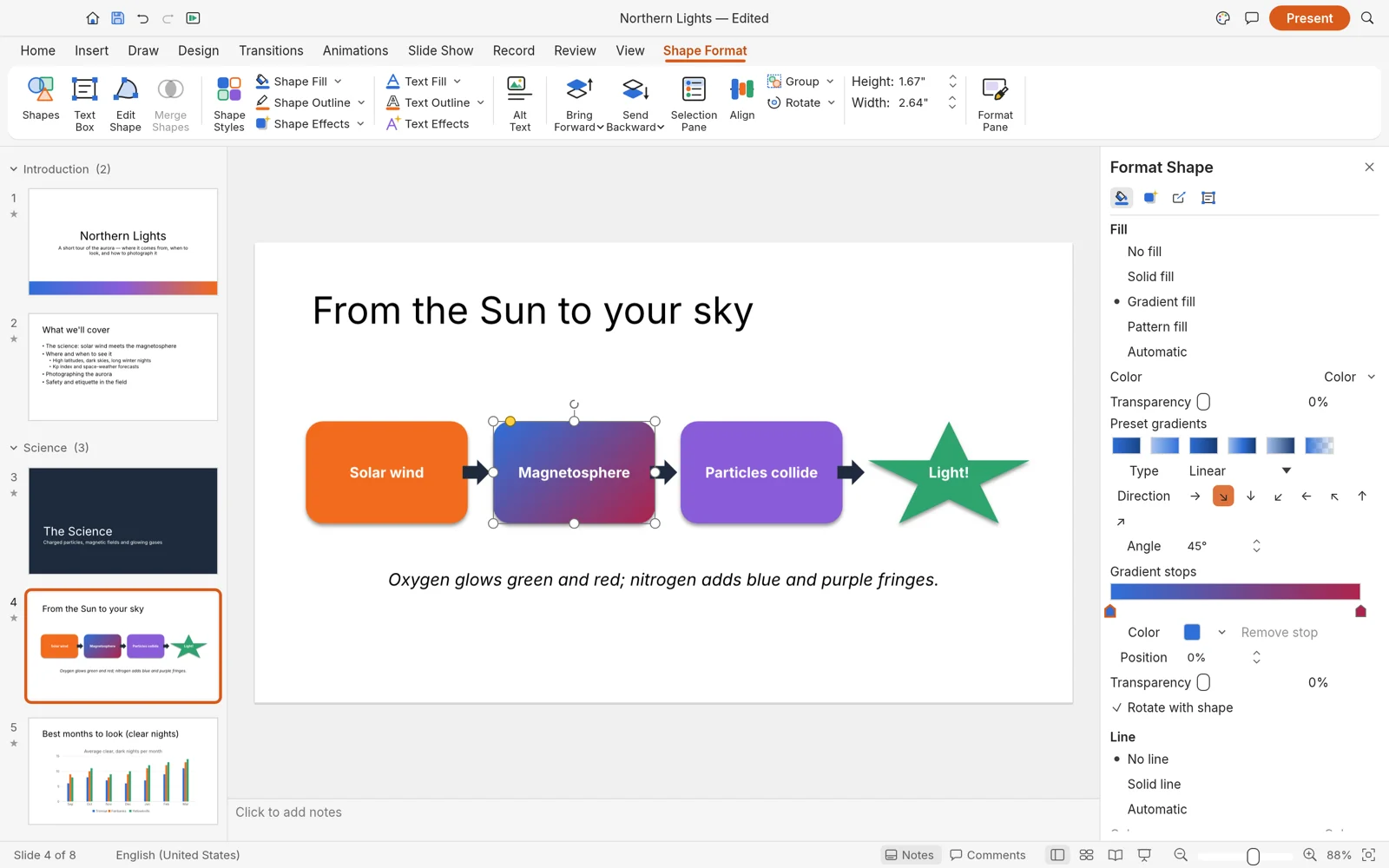
DeckCraft Format Shape pane configuring gradient fill angles, stops and transparency
image
58
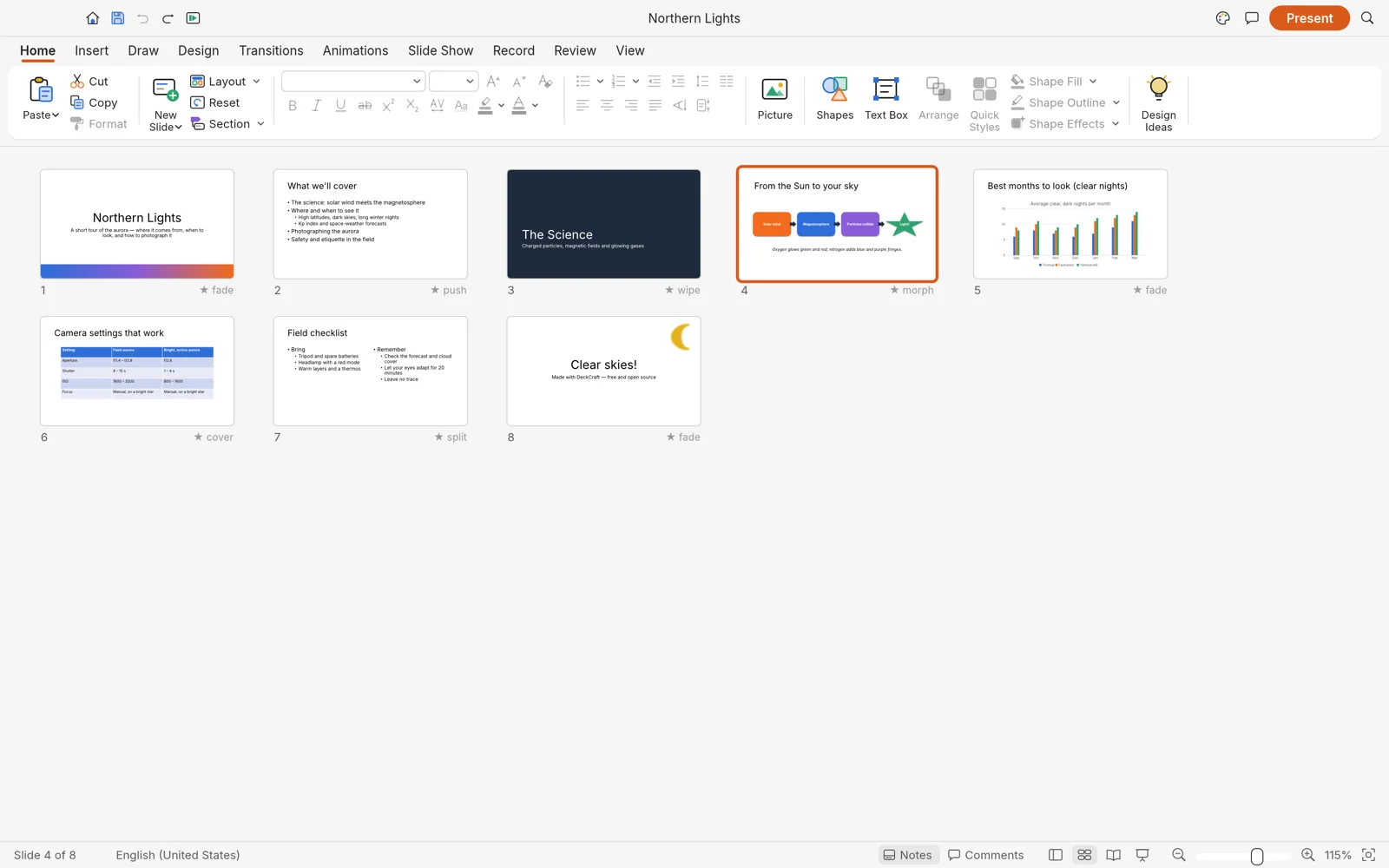
DeckCraft Slide Sorter showing all slides in the deck with assigned transition badges
image
59
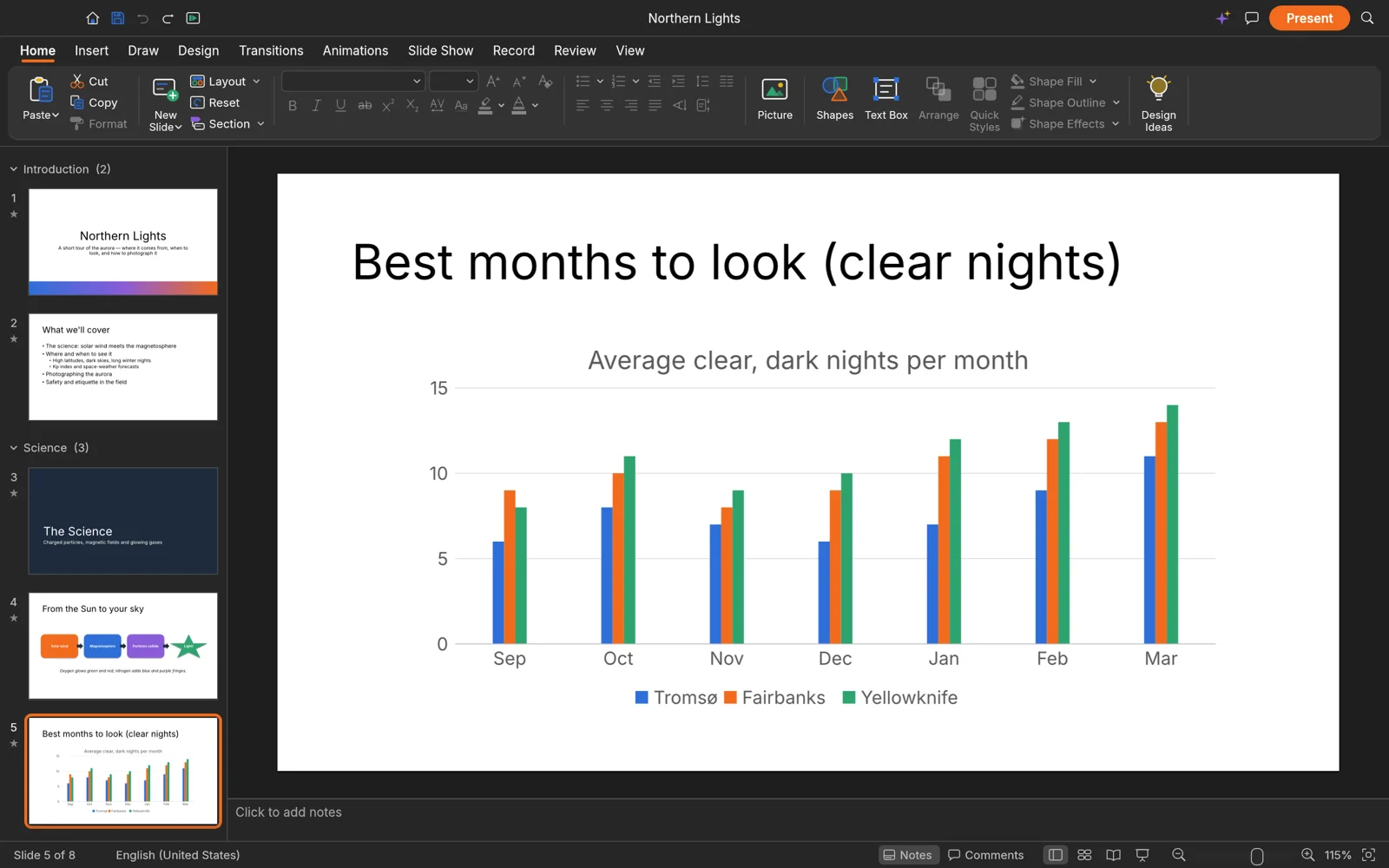
DeckCraft dark mode editing a presentation slide featuring a native chart
image
60
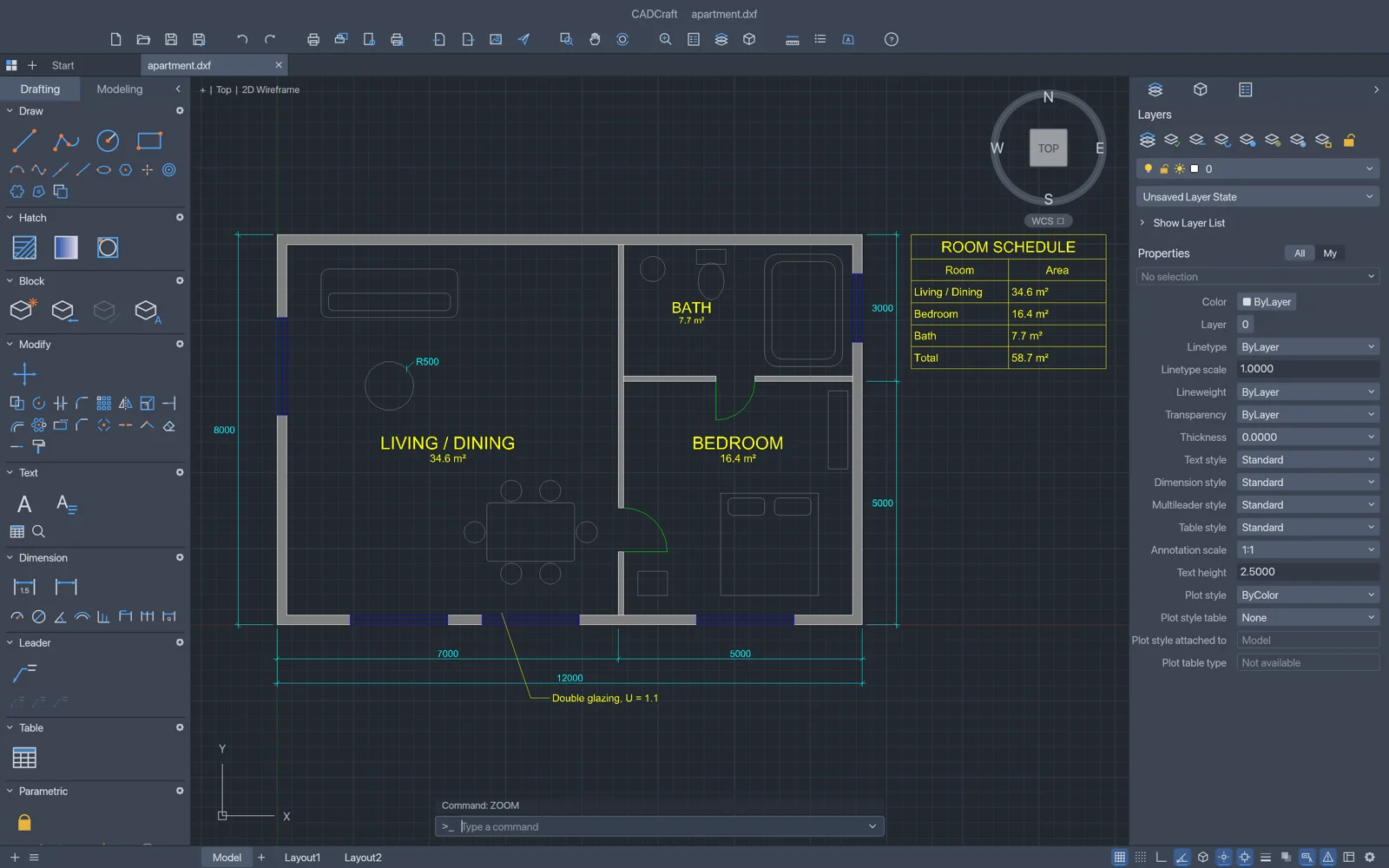
CADCraft displaying an architectural floor plan with pick-point wall hatching, room schedules, dimensions and the command line
image
61
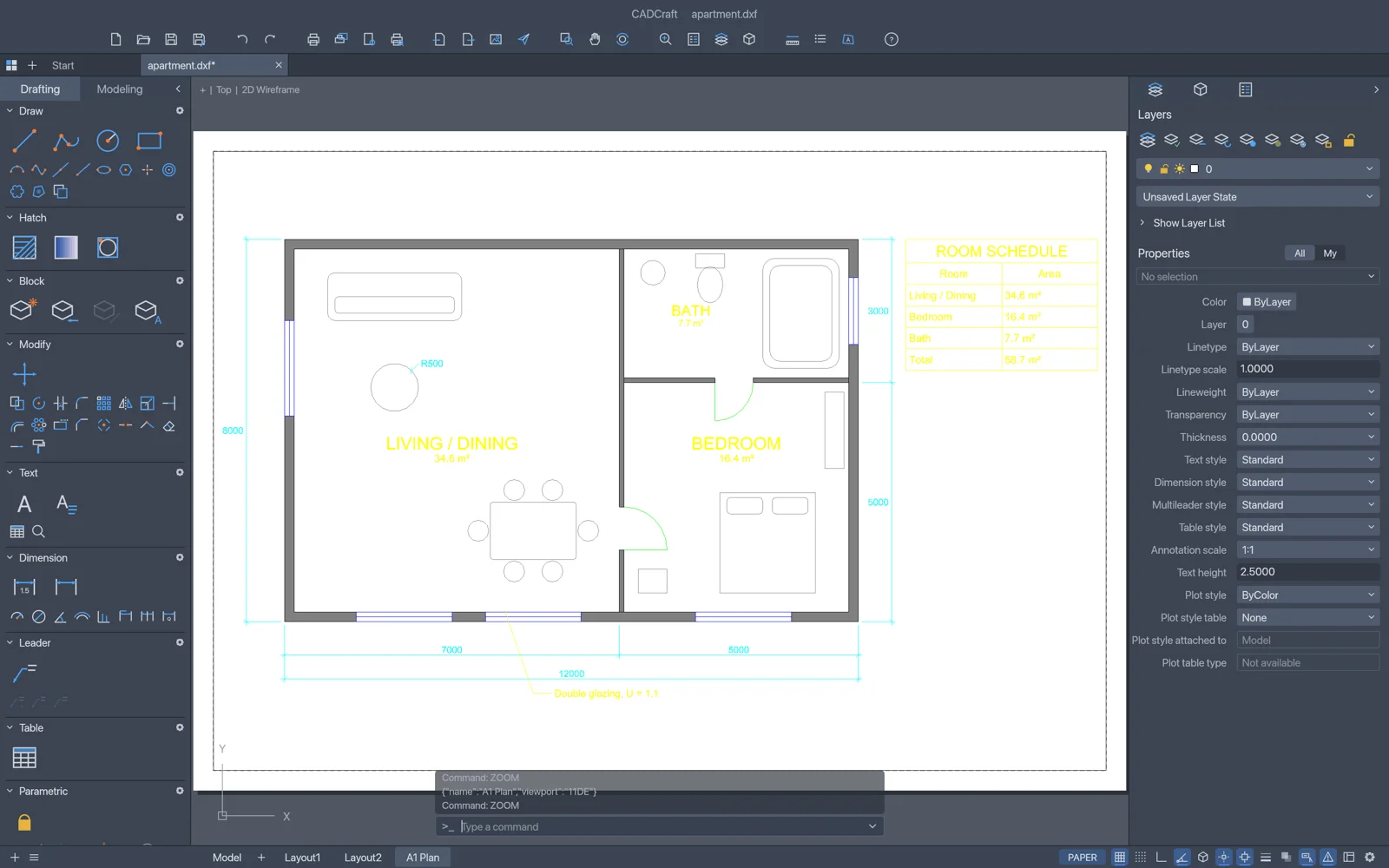
CADCraft paper space layout showing a title block sheet with an active scaled model viewport
image
62
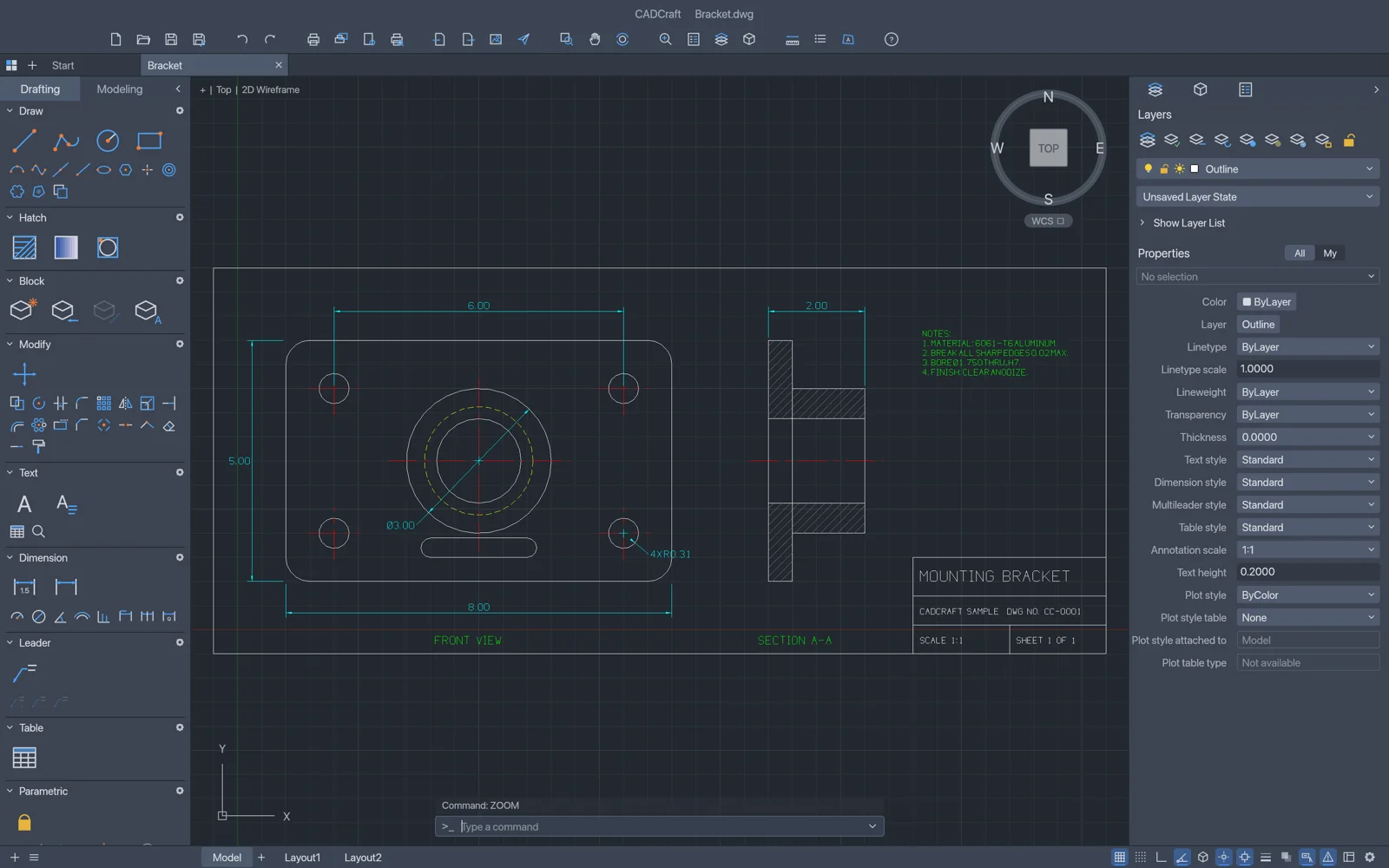
CADCraft drafting a mechanical mounting bracket with section lines, dimensions and title block
image
63
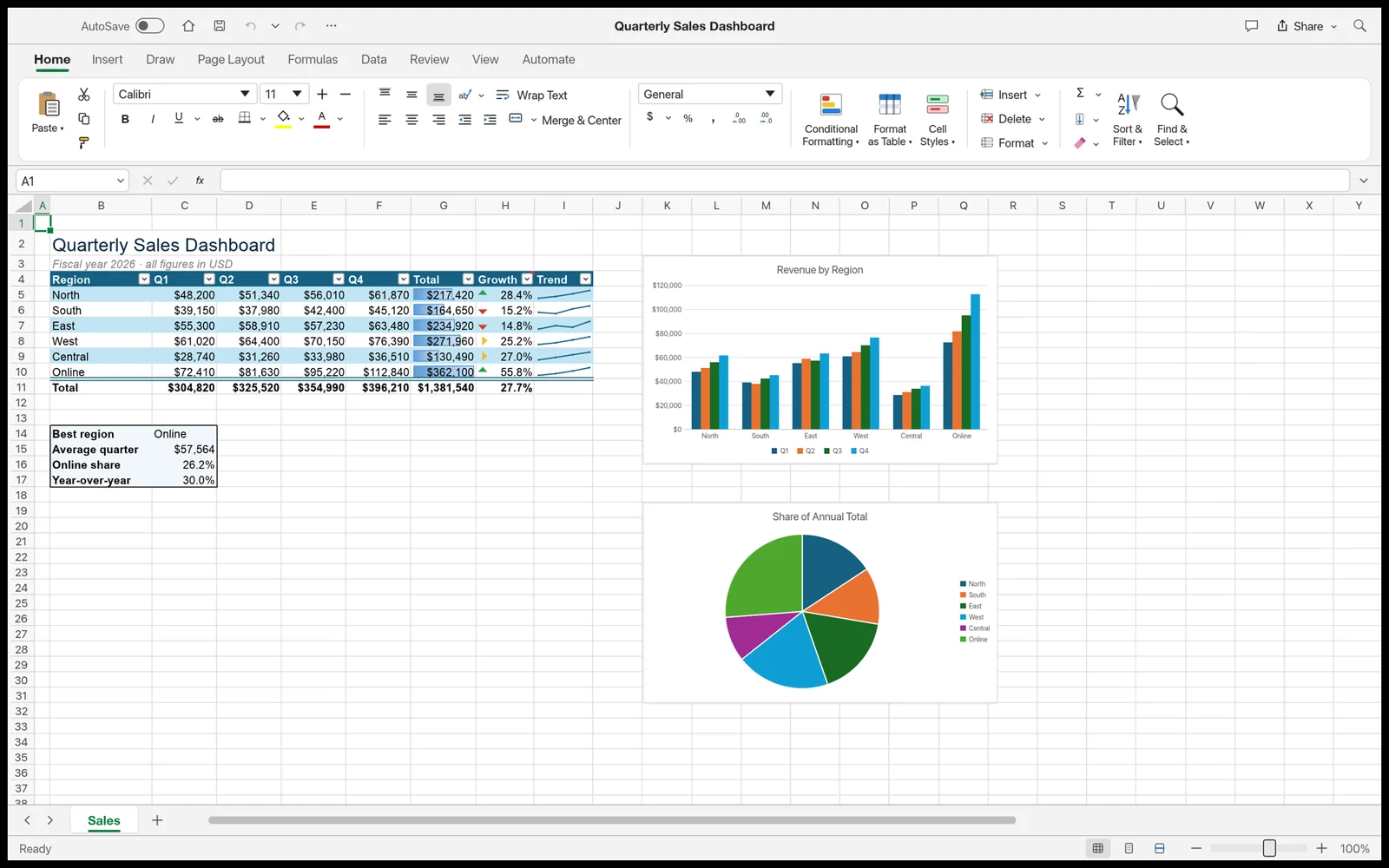
GridCraft sales dashboard featuring a styled table with conditional formatting, sparklines, and column and pie charts
image
64
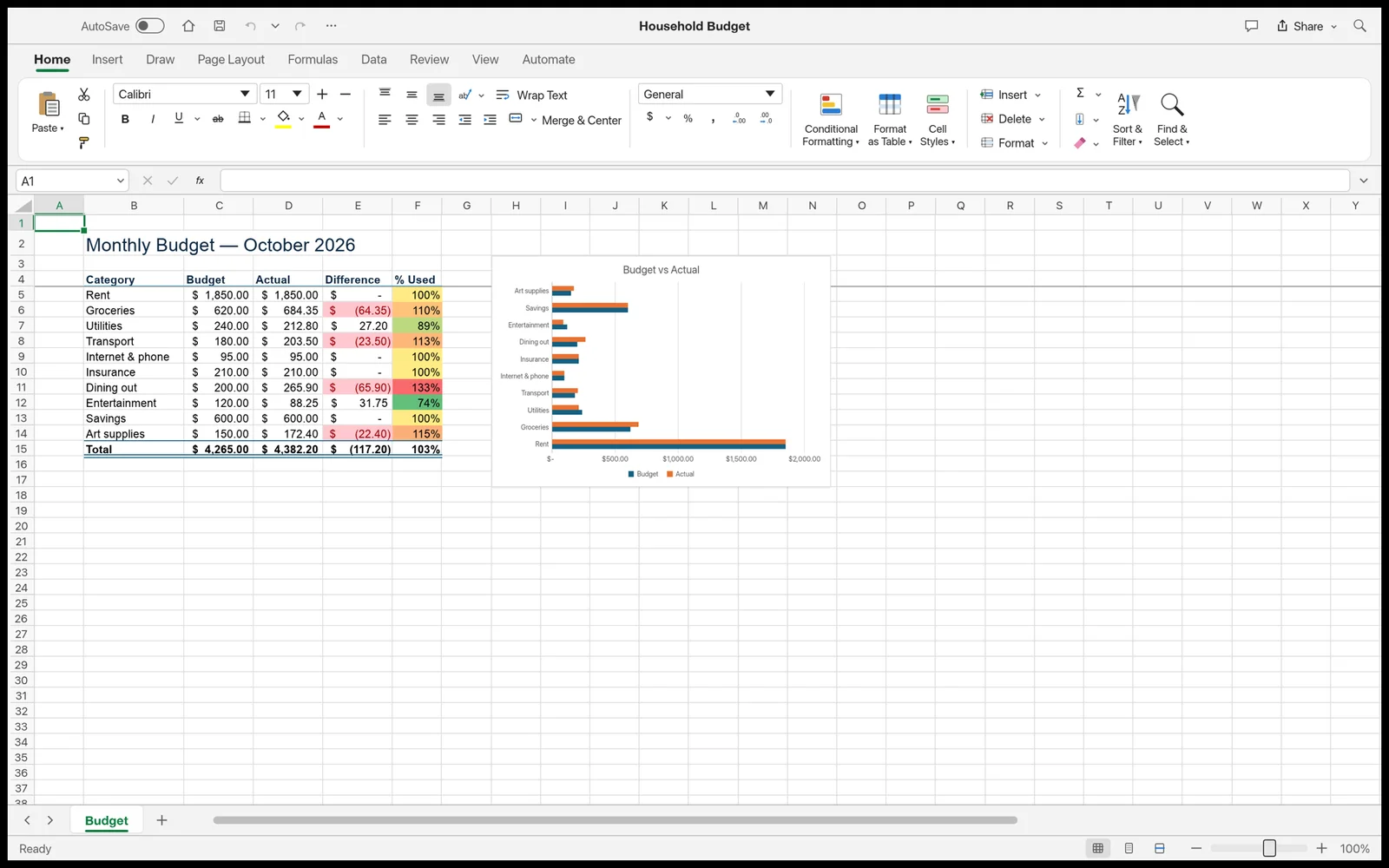
GridCraft budget sheet showing accounting currency formats, color scales, and comparison bar charts
image
65
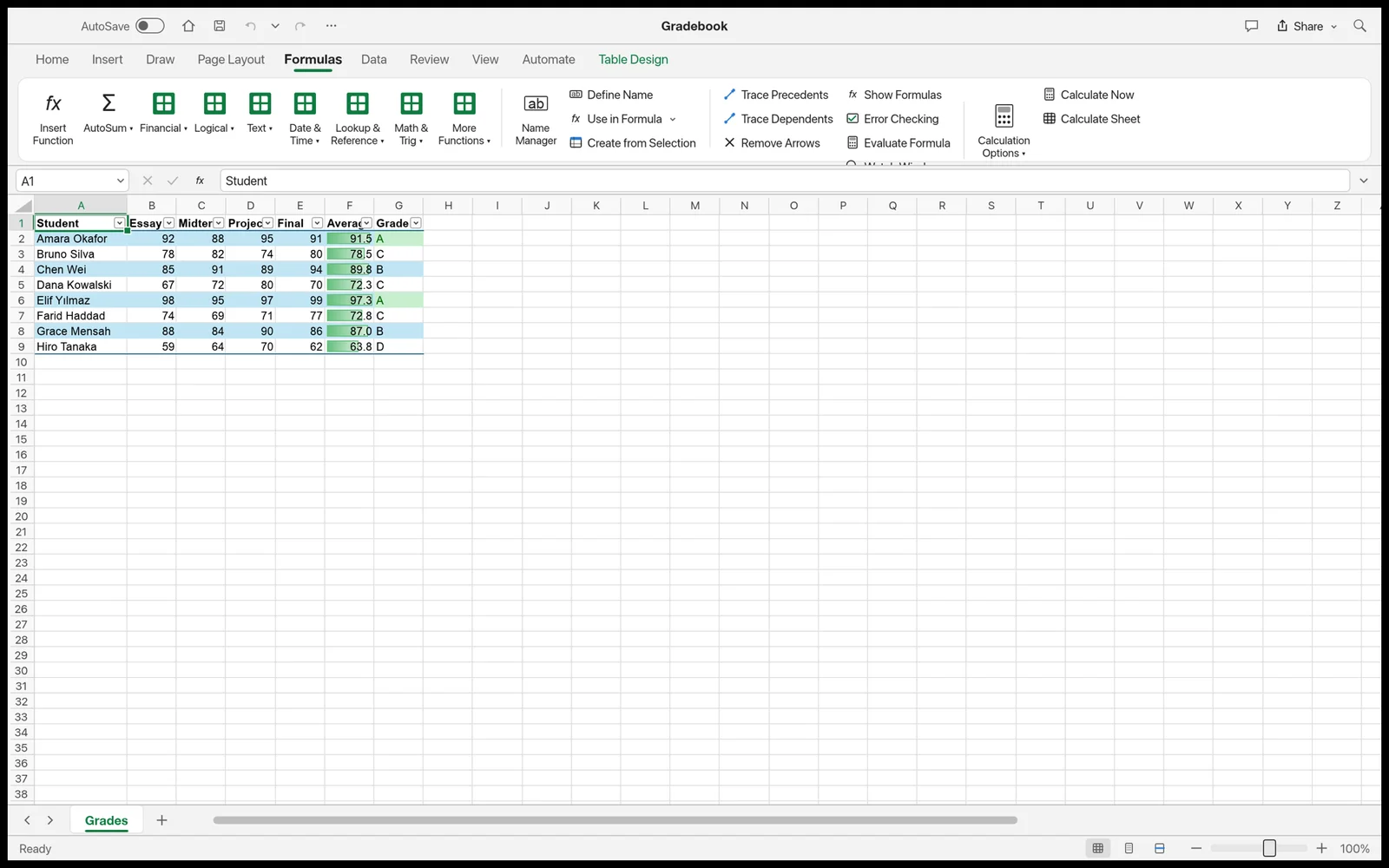
GridCraft formula bar and Formulas ribbon tab calculating averages and letter grades
image
66
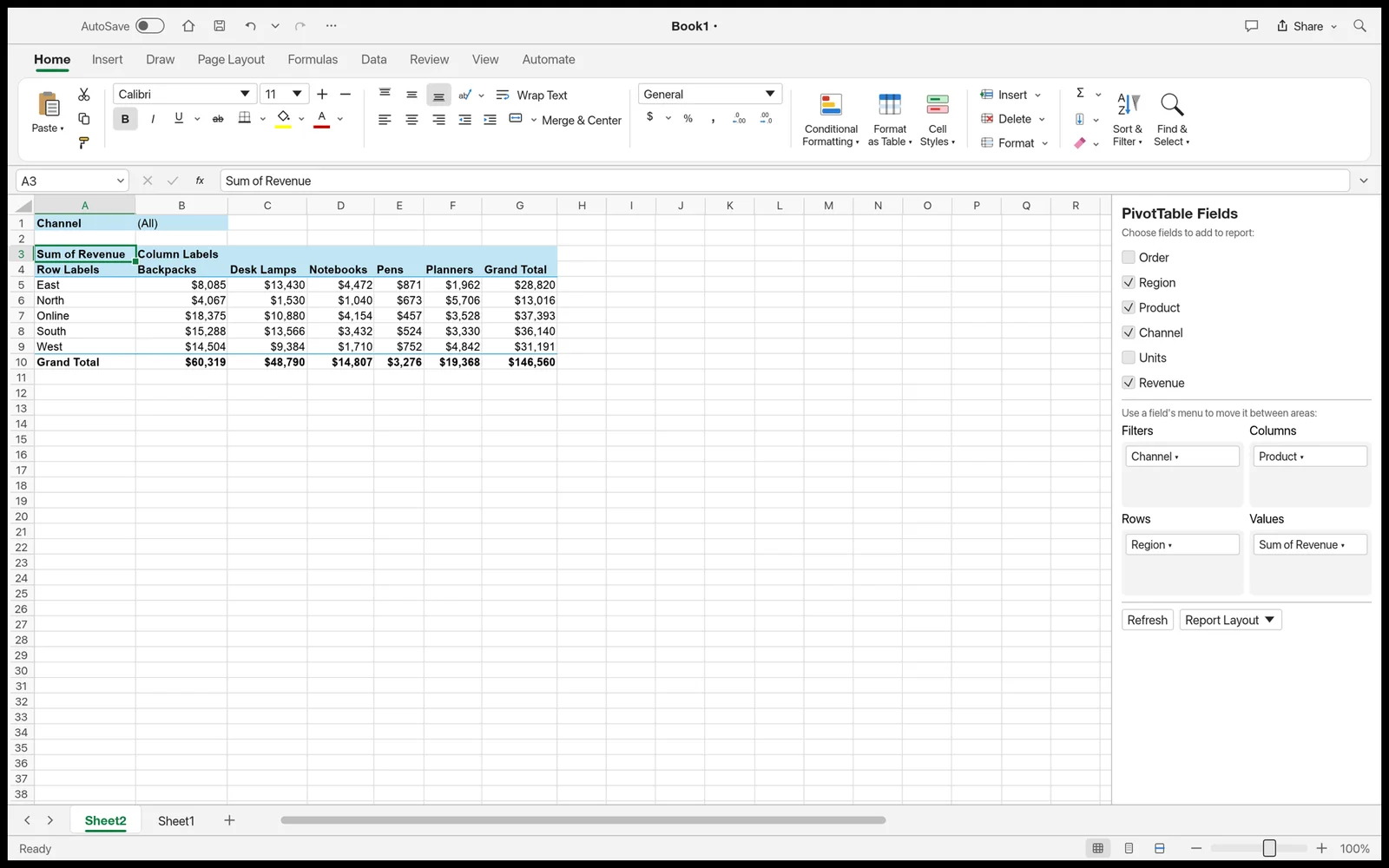
GridCraft PivotTable report summarizing data with the PivotTable Fields pane open on the right
image
67
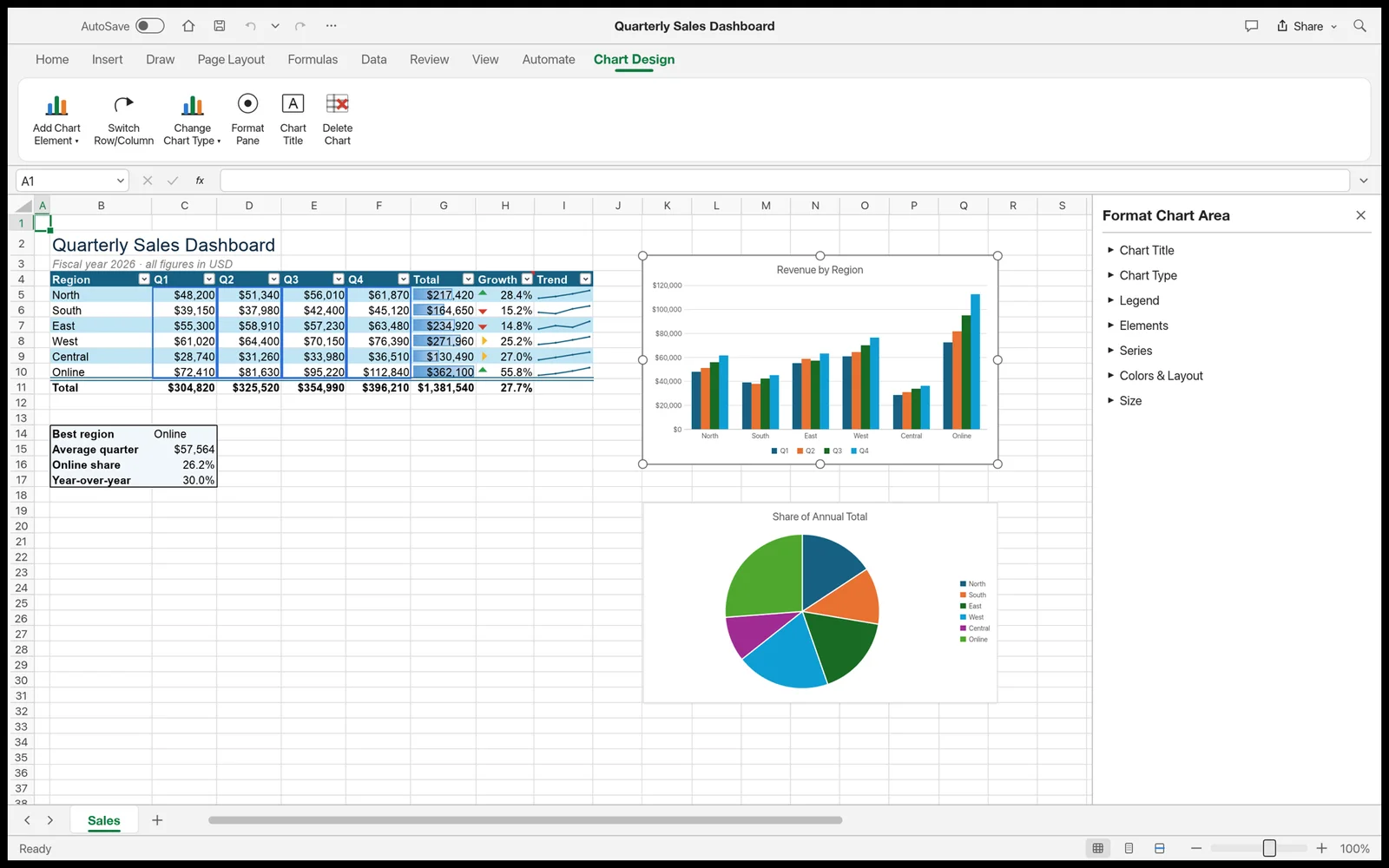
GridCraft configuring a column chart with the Format Chart Area pane and highlighted source range
image
68
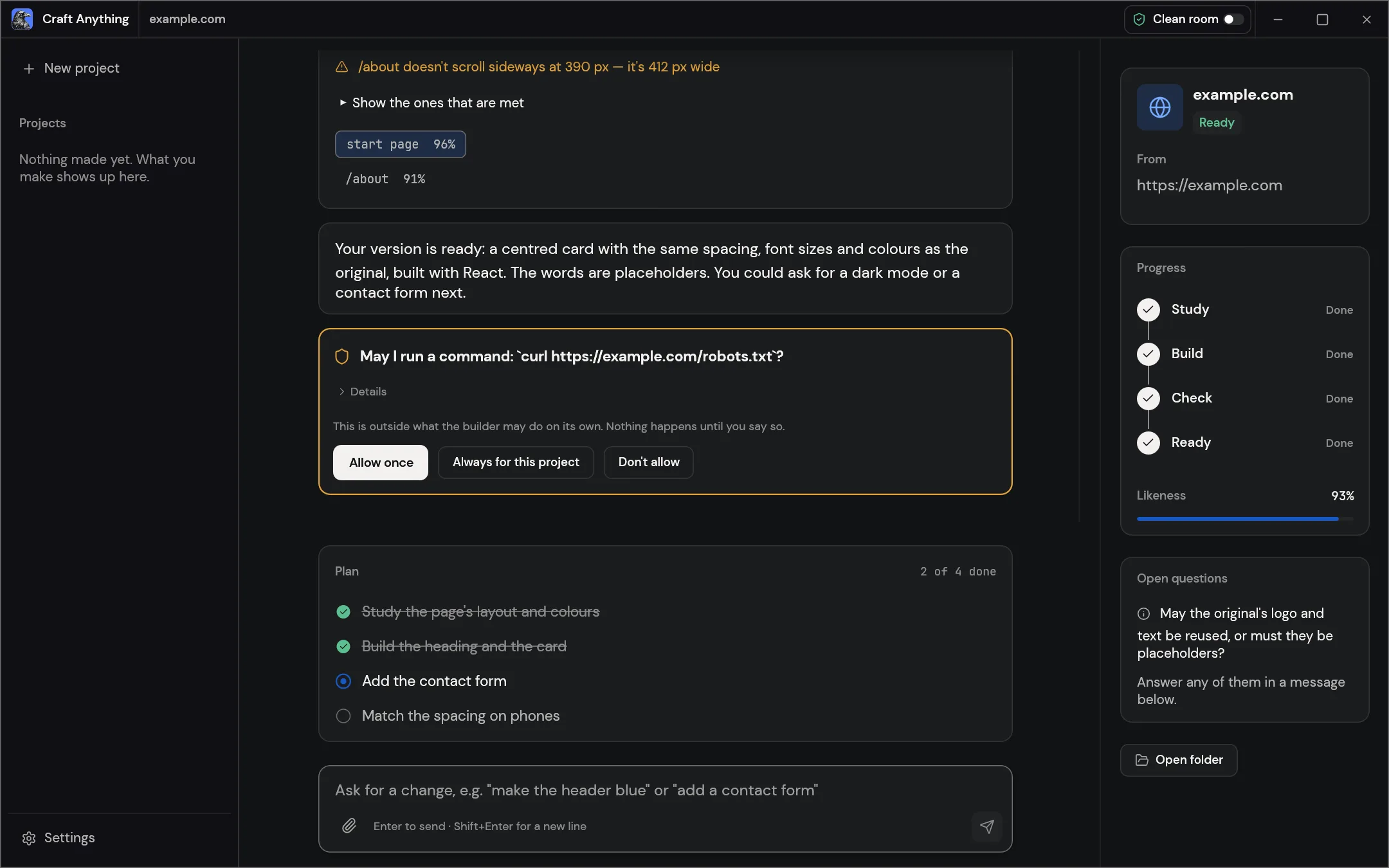
Craft Anything showing a website project with build checks, an approval request and a plan
image
69
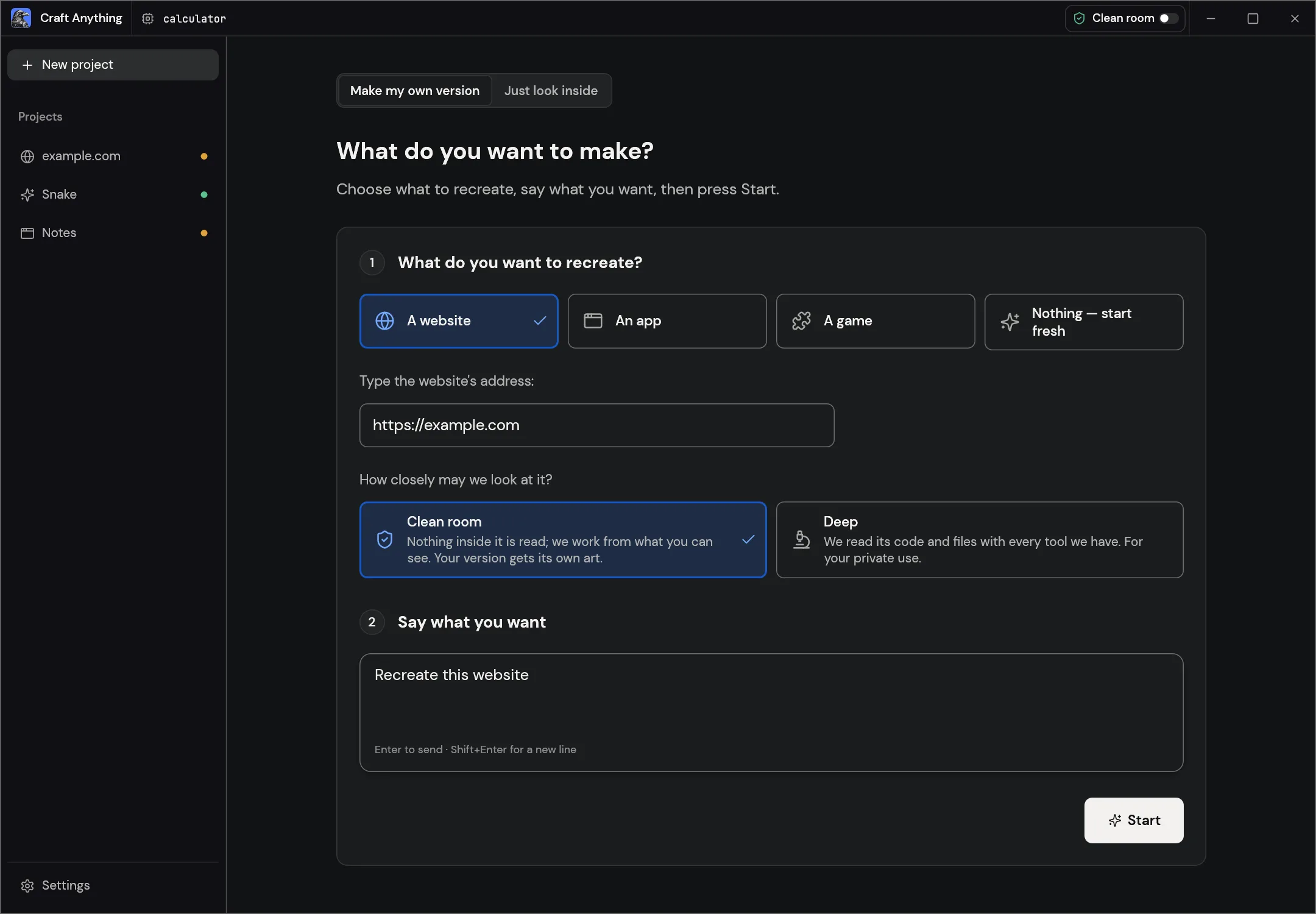
Craft Anything's Make screen for choosing a target and describing a project
image
70
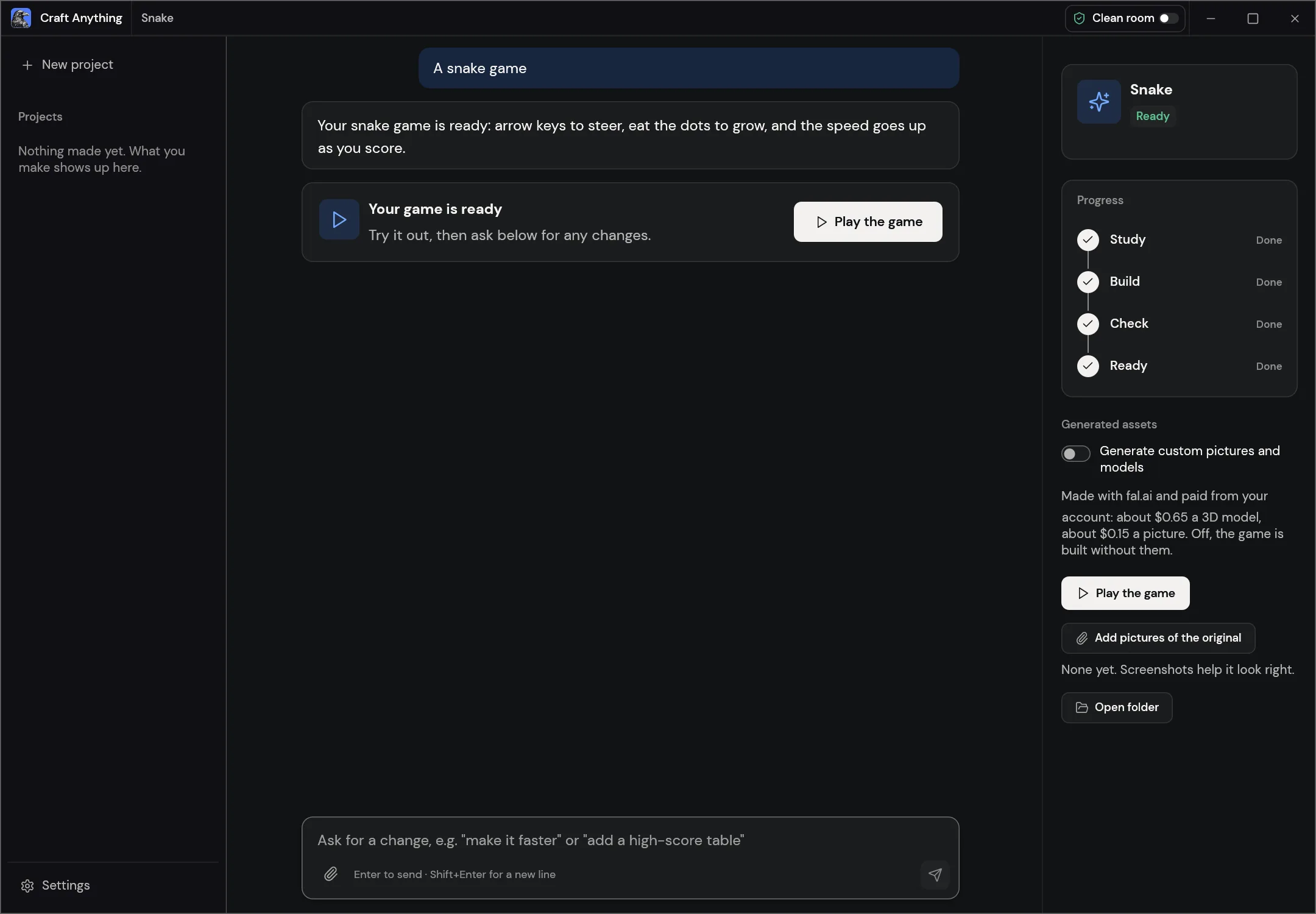
Craft Anything showing a finished game project
image
71
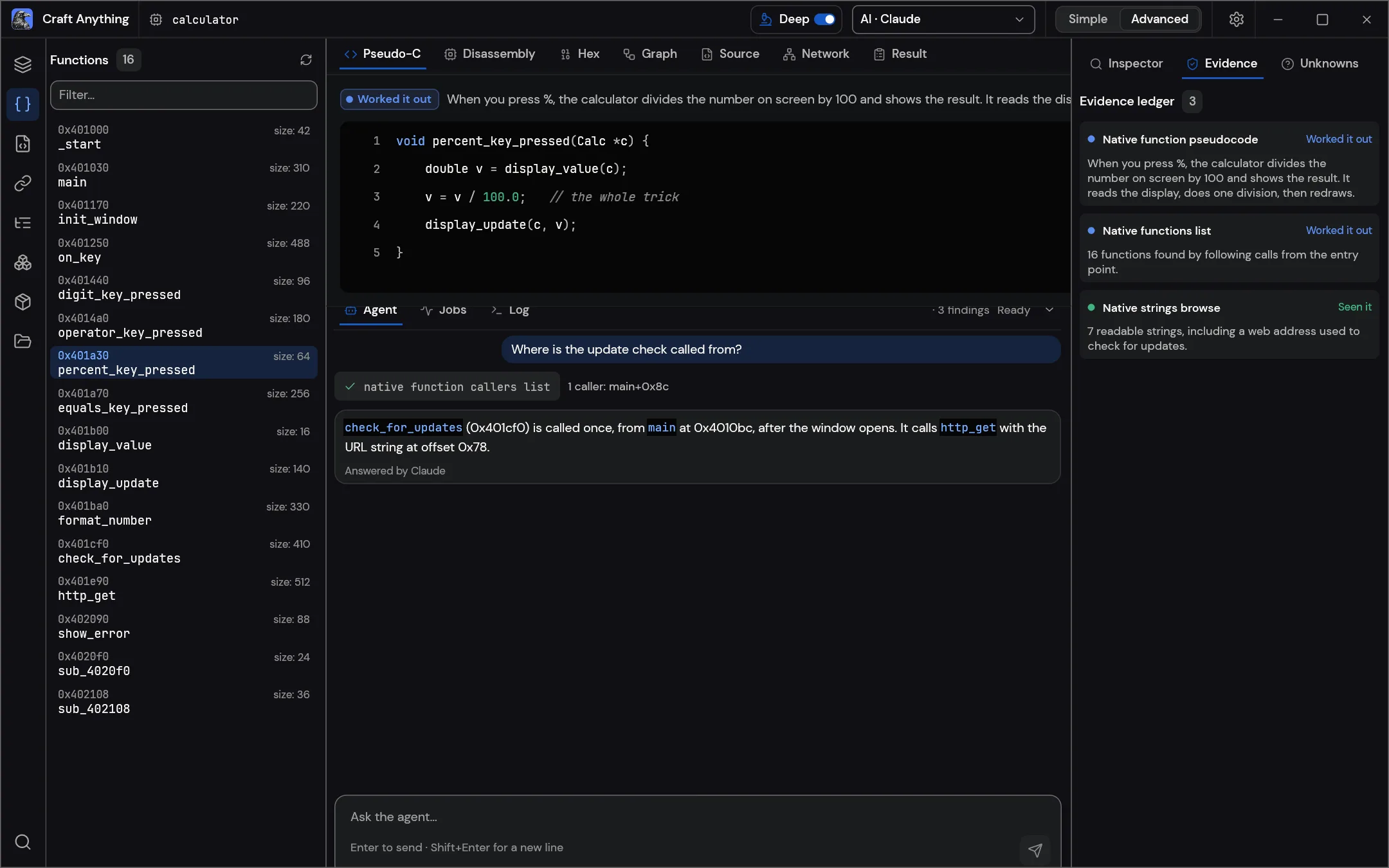
Need something specific?
For specific press inquiries, interview requests, or custom assets, reach out to us on Discord. Or text Brandon at (678) 744-6080.
Contact us on Discord